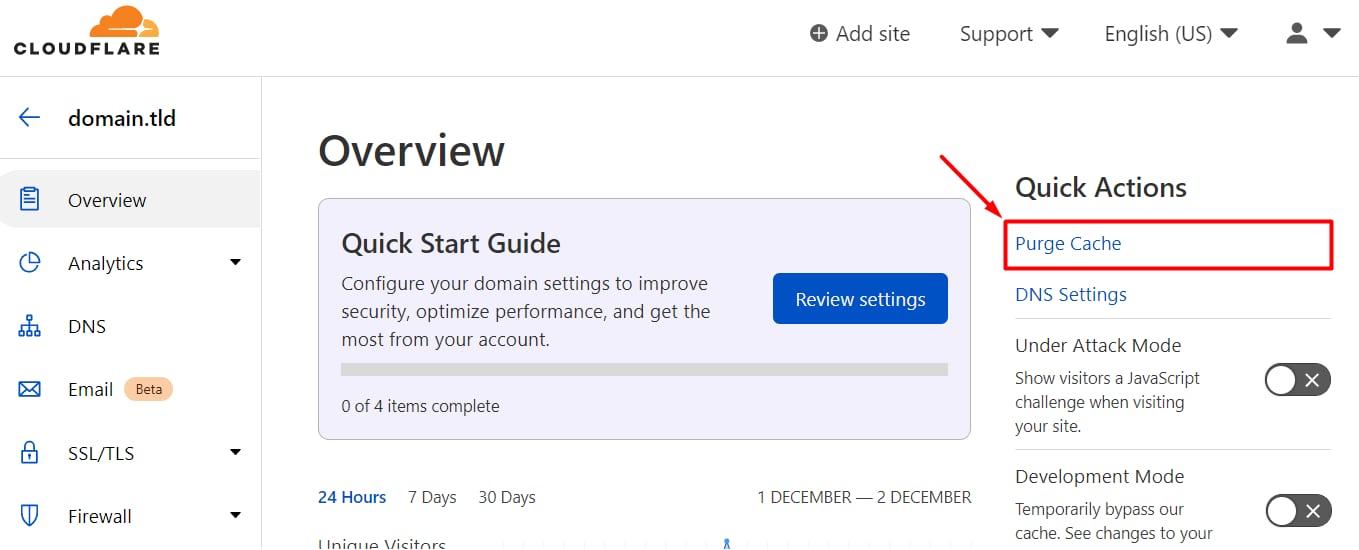
Cloudflare dashboard overview with Purge Cache highlighted in Quick Actions
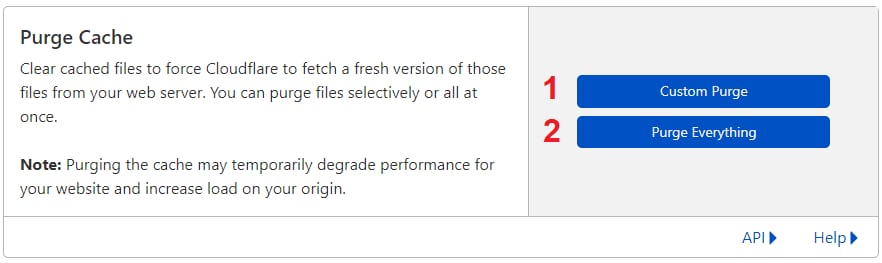
Cloudflare Purge Cache page with the Purge Everything button highlighted

虽然缓存有助于更快地加载网站,但它也可能保存过时的信息,导致你最新的更改不会反映在网站上。

如果你已为域名 启用 Cloudflare,可以通过登录你的 Cloudflare Dashboard,选择相关域名,点击 Purge Cache 来清除缓存:

Purge Cache 中,你会看到两个按钮:

  1. Custom Purge – 指定要清除哪些页面
  2. Purge Everything – 清除整个网站的缓存

或者,你可以 启用 开发模式,Cloudflare 将在接下来 3 小时 内绕过所有缓存。

来源:Hostinger 官方帮助文档