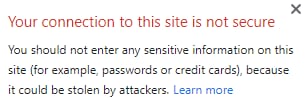
在安装 SSL 证书并强制使用 HTTPS 协议后,你的网站可能会在网址栏的域名旁边显示“不安全(Not secure)”警告:
此外,网站上的某些元素可能无法正常工作或加载失败。这通常是由于混合内容(mixed content)问题引起的,即网站上的部分图片或其他内容正通过 HTTP 而非 HTTPS 加载。
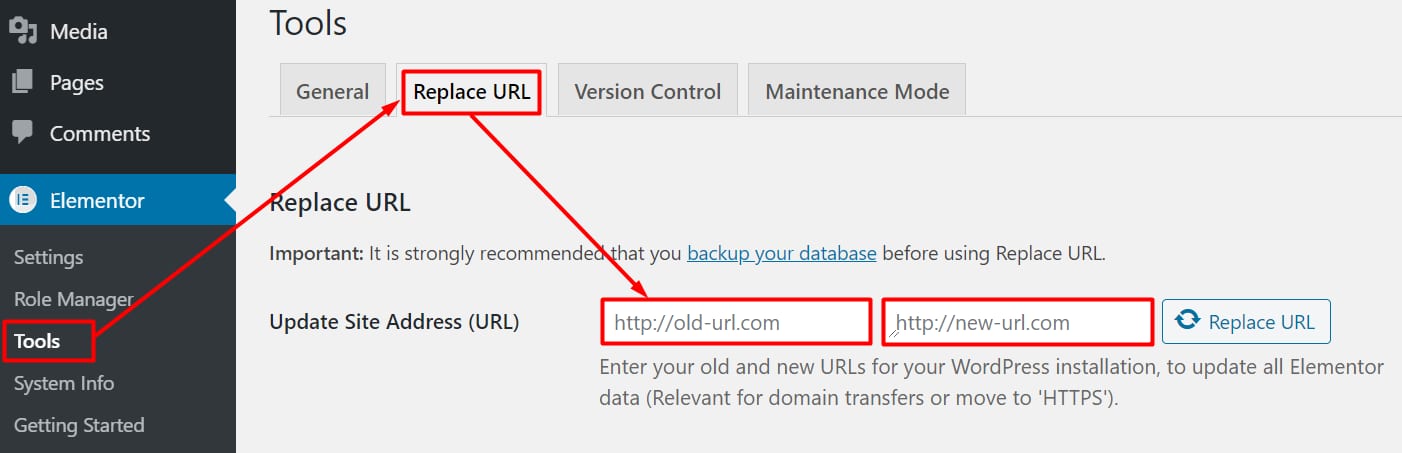
要修复此问题,请将页面上的所有链接更新为 HTTPS。如果你使用的是 Elementor 插件,请进入 Elementor → 工具(Tools) → 替换 URL(Replace URL),并分别填入使用 HTTP 和 HTTPS 的域名地址:
接着保存更改并刷新网站——混合内容问题应当即可解决。
对于未使用 Elementor 的 WordPress 网站,请参考以下方案 👇
方案 1 — 使用 Really Simple SSL 插件
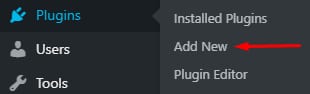

登录你的 WordPress 管理后台,点击 插件(Plugins) → 安装插件(Add New):
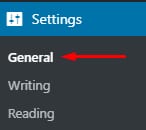
安装并激活 Really Simple SSL 插件。接着进入 设置(Settings) → 常规(General):
确保你的网站地址 URL 包含 https://。
方案 2 — 使用 Better Search & Replace 插件
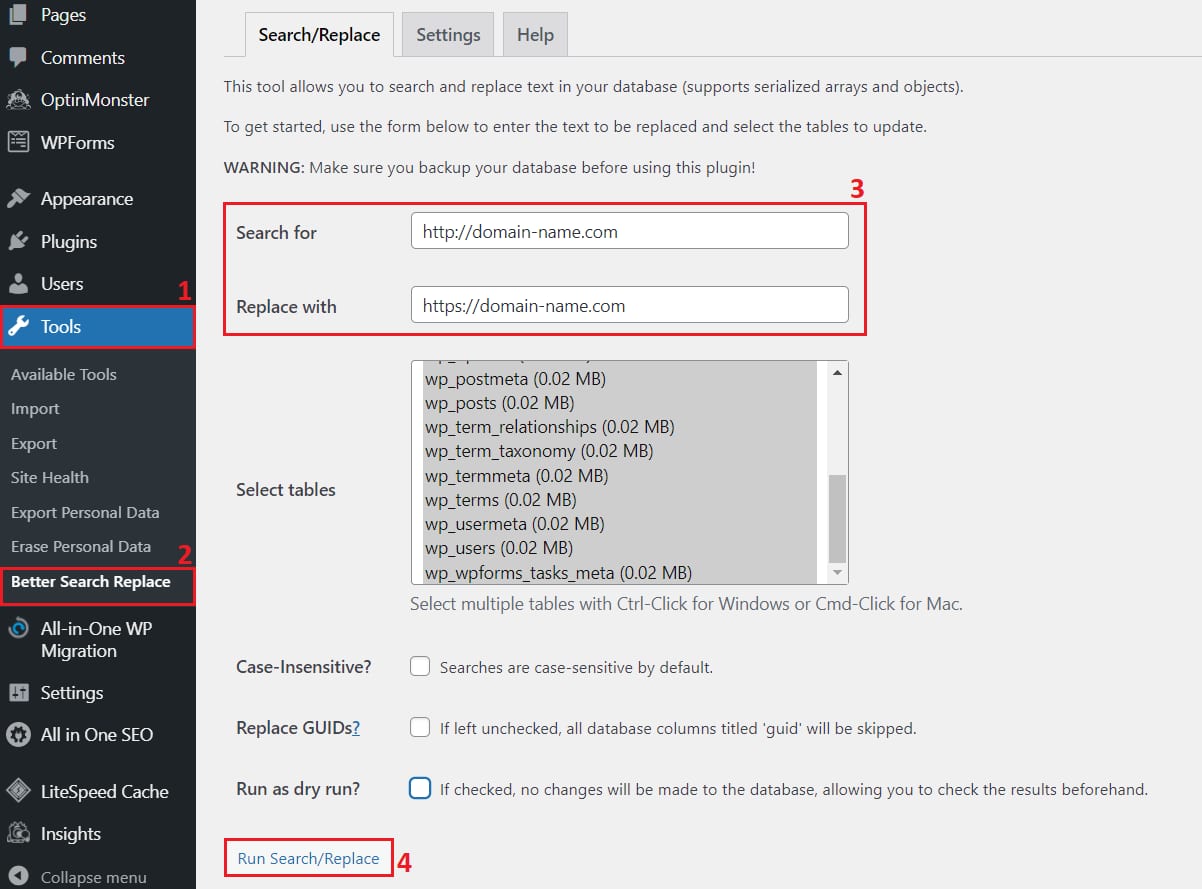
安装 Better Search & Replace 插件,然后进入 工具(Tools) → Better Search Replace。
- 在 搜索(Search for) 栏中,输入以 http:// 开头的域名
- 在 替换为(Replace with) 栏中,输入以 https:// 开头的域名
- 勾选所有数据表,取消勾选 试运行?(Run as dry run?)(如有),然后点击 运行搜索/替换(Run Search/Replace):
方案 3 — 在 .htaccess 文件中添加代码
如果你的网站使用 符号链接(symlinks),则不建议使用此方案 💡
如果尝试上述方法后混合内容问题仍然存在,请打开你的 public_html/.htaccess 文件(若不存在则创建它),并插入以下代码:
Header always set Content-Security-Policy: upgrade-insecure-requests
保存更改并刷新网站——此时网站应当已能通过 HTTPS 正常加载。如果问题依旧,可以尝试参考这篇更详细的指南。
来源:Hostinger 官方帮助文档