什么是 n8n?
n8n 是一款工作流自动化工具,可让你连接不同的服务和 API,以自动化它们之间的操作。可以把它看作是让你的各种工具相互「对话」的一种方式。例如,每当有人提交表单或完成购买时,自动将新联系人添加到 Reach。
步骤 1 – 在 n8n 中启用对 Hostinger API 的访问
要在 n8n 中使用 Reach 操作,你首先需要设置 Hostinger API n8n Community Node(Hostinger API n8n 社区节点)。
按照本指南开始:如何使用 Hostinger API n8n Community Node
本指南说明了如何:
- 安装 Hostinger API 节点
- 在 n8n 凭据中添加你的 API key(API 密钥)(身份验证所需)
步骤 2 – 在工作流中添加 Hostinger API 步骤
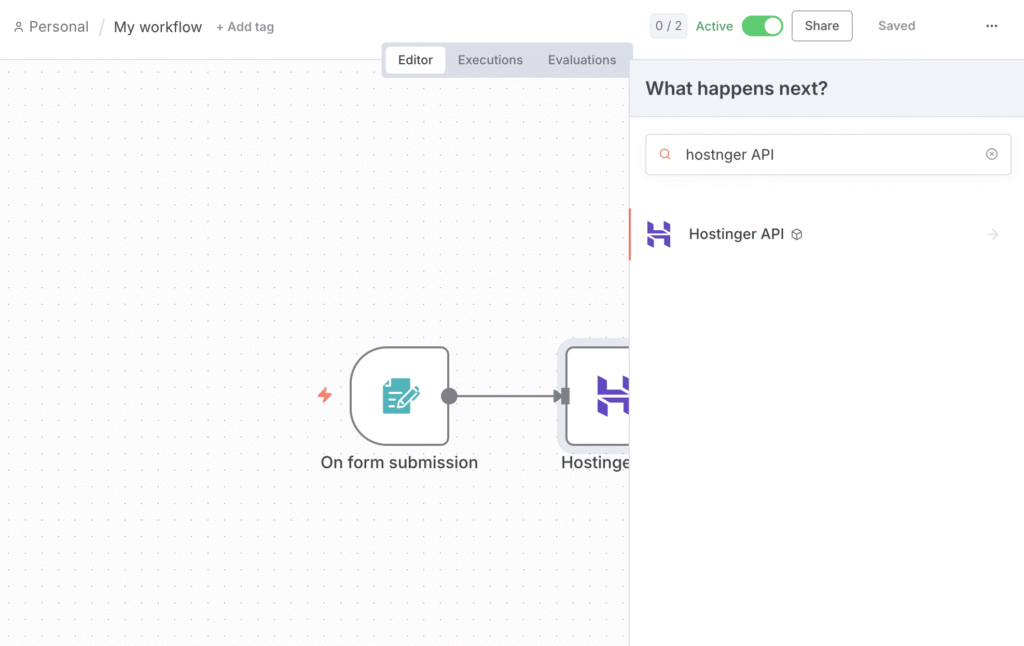
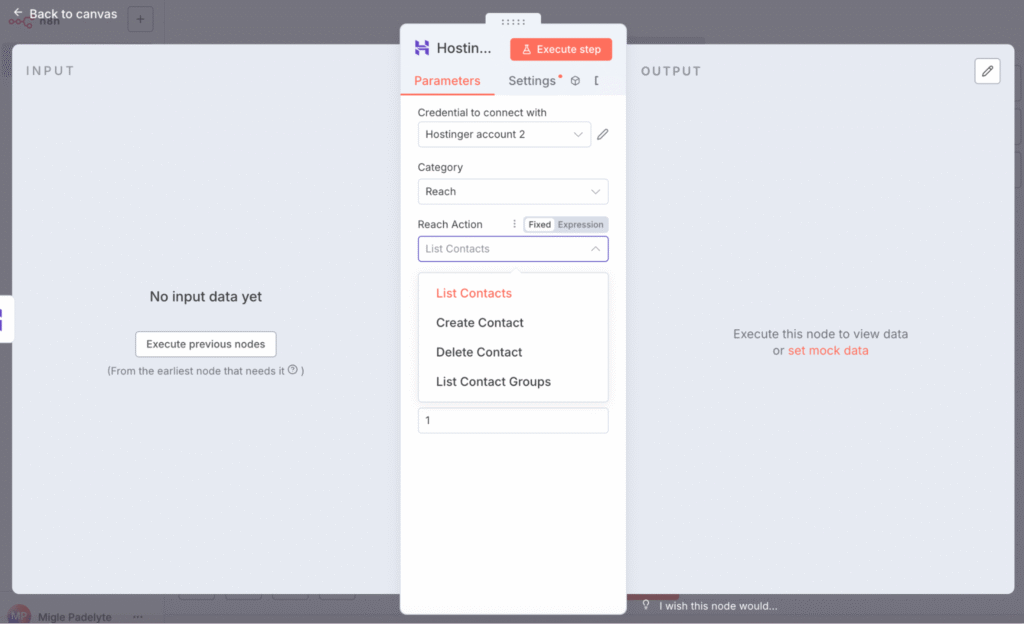
设置好凭据后,你可以将 Reach 添加到任何 n8n 工作流中:
- 在你的 n8n 编辑器中,点击 Plus(加号)
- 搜索 Hostinger API
- 在 Category(类别) 下拉菜单中,选择 Reach
- 选择其中一个可用操作
n8n 中可用的 Reach 操作
你可以直接从 n8n 工作流中自动化这些操作:
- Get contacts(获取联系人) – 检索你的所有联系人,或仅检索来自特定列表的联系人。
- Create new contact(创建新联系人) – 向 Reach 添加一个新联系人——非常适合同步新的注册或表单提交。
- Delete contact(删除联系人) – 从你的 Reach 账户中移除一个联系人。
示例用例:自动同步新联系人
使用 Create new contact(创建新联系人) 操作,你可以将 Reach 与任何其他 n8n 集成连接起来,以自动同步联系人。例如:
- 当用户在 Typeform 或 WordPress 中提交表单时
- 当在 Google Sheets 或某个 CRM 中添加新线索时
- 当客户在 Shopify 或 WooCommerce 中完成购买时
这可确保你的邮件列表保持最新,无需任何手动操作。
就是这样!一旦你的工作流处于活跃状态,n8n 就会自动为你处理这些操作。
来源:Hostinger 官方帮助文档