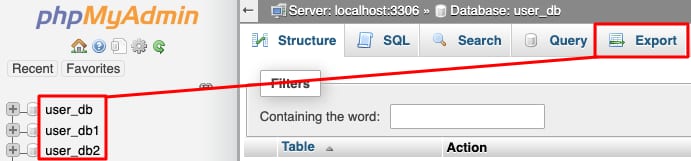
phpMyAdmin database list with user_db selected and Export tab highlighted
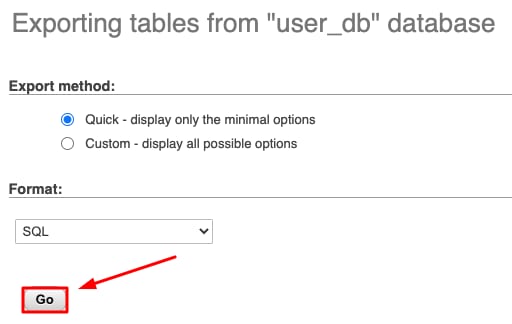
phpMyAdmin export page with SQL format selected and the Go button highlighted
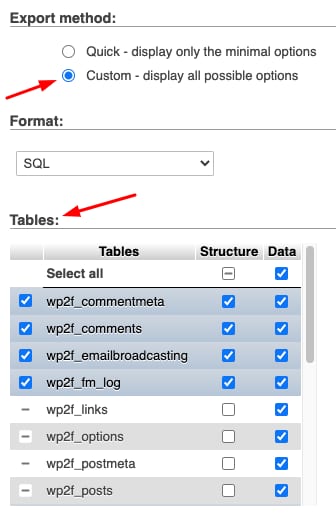
phpMyAdmin export settings with Custom selected and tables list below

通过 cPanel 使用 phpMyAdmin 导出数据库

你可以轻松从 Hostinger cPanel 主机套餐导出数据库,步骤如下:

  1. 使用 phpMyAdmin 打开你的数据库
  2. 选择所需的数据库并点击 Export 按钮:
  3. 要使用 SQL 文件格式(迁移数据库最常见的格式)导出数据库,请点击 Go
  4. 对于特殊需求,例如不同的文件格式或仅导出数据库中的部分表,请选择 Custom 方法并调整设置:

完成!点击 Go 后,你将在本地设备获得一份数据库副本。

来源:Hostinger 官方帮助文档