Agency 套餐 完全支持基于自定义 PHP 的网站——包括流行的 PHP 内容管理系统(CMS)和框架,如 Moodle、Prestashop、Laravel 等。您可以使用托管账户中提供的 文件管理器 或 SSH 访问 来搭建网站。本文将为您逐步演示两种方式。
第 1 步 —— 准备项目
首先,下载您要部署的项目的最新版本。在本教程中,我们将引导您完成 PrestaShop 的安装。
前往 PrestaShop 下载页面 获取其最新版本。
第 2 步 —— 添加新网站
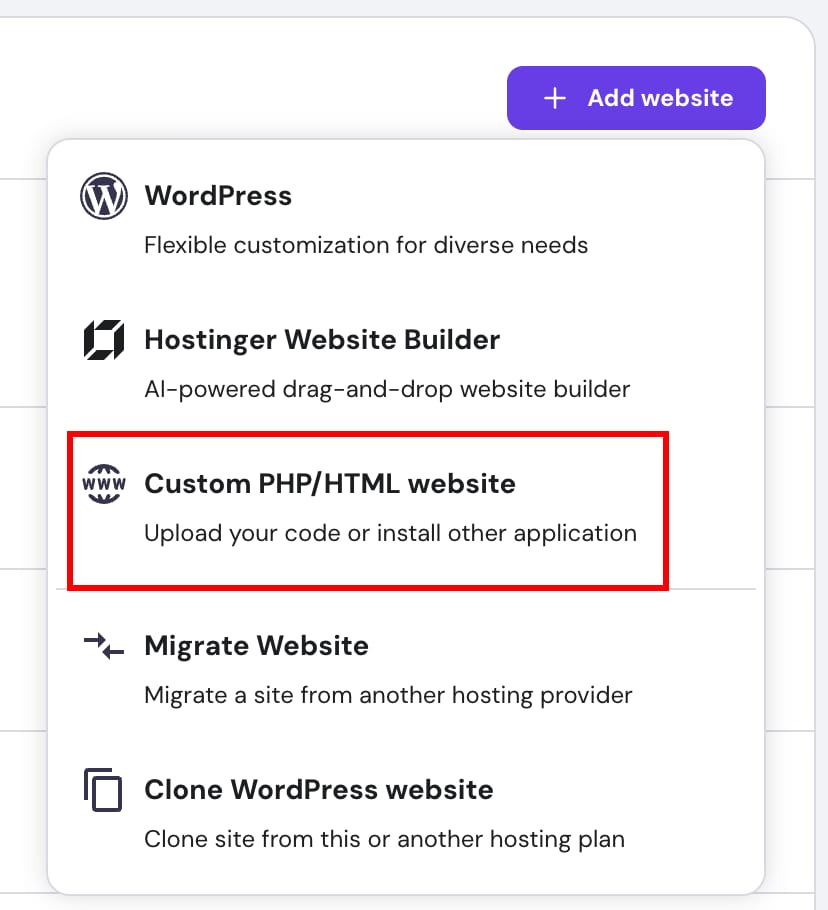
在 Website List(网站列表) > Add website(添加网站) > Custom PHP/HTML website(自定义 PHP/HTML 网站),然后添加您的域名,您也可以使用临时域名。完成后进入 Dashboard(仪表盘)。
第 3 步 —— 安装项目
通过 SSH 安装



- 连接到您的 SSH
- 登录后,进入您想要安装项目的目录。
- 在 public_html 中,新建网站只会看到 default.php 文件。
- 退出 SSH。从本地设备将项目文件上传到托管服务器及对应目录。
scp -P 65002 ~/Downloads/prestashop_edition_basic_version_9.0.0-1.0.zip username@yourdomain.com:/home/username/domains/yourdomain.com/public_html
替换说明:
- ~/Downloads/prestashop_edition_basic_version_9.0.0-1.0.zip 替换为电脑上该文件的实际路径
- username 和 yourdomain.com 替换为您的实际 SSH 凭据和域名
- -P 65002 是默认 SSH 端口
- 重新登录 SSH,然后解压项目:
unzip prestashop_edition_basic_version_9.0.0-1.0.zip
通过文件管理器安装
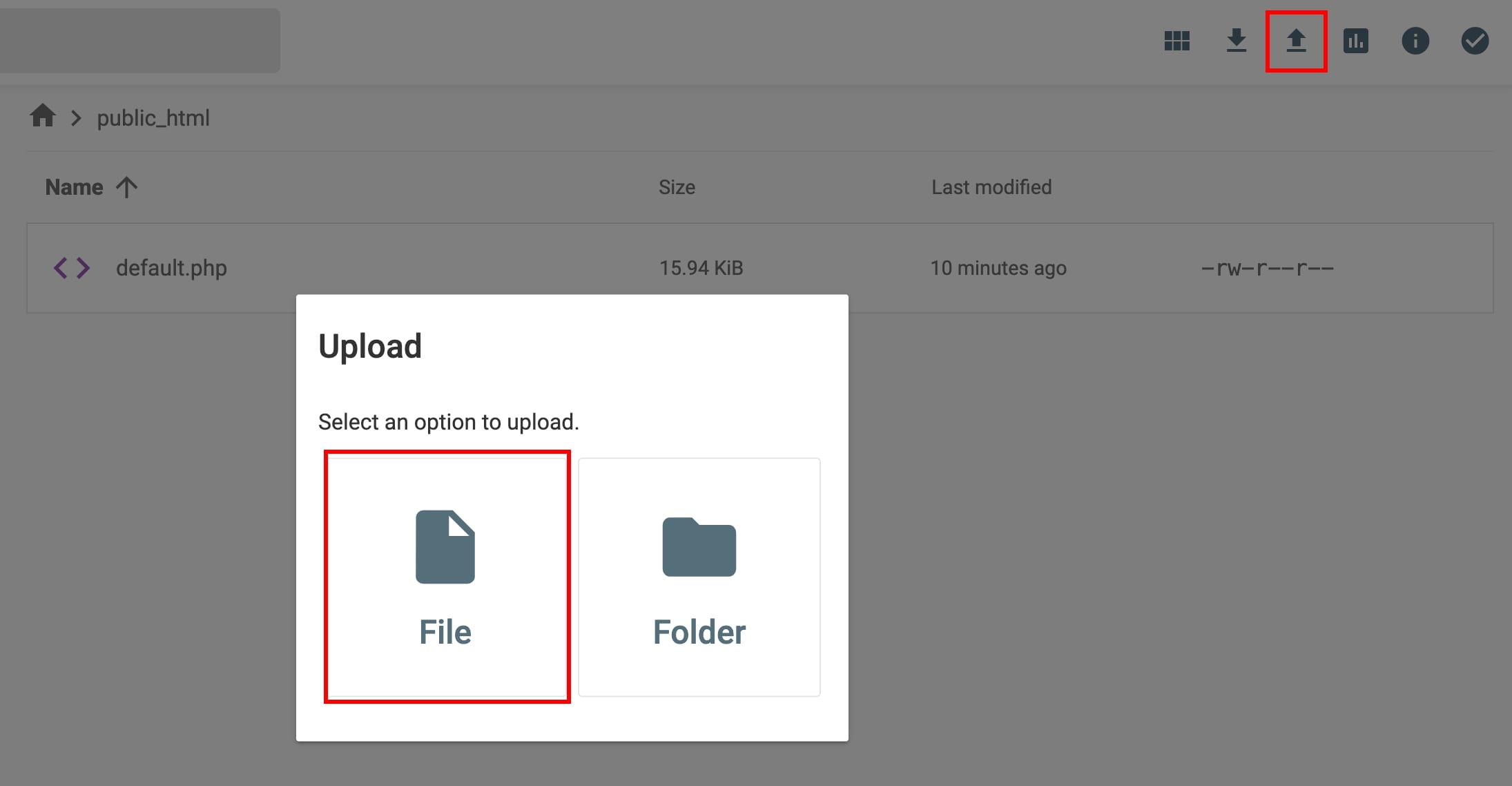
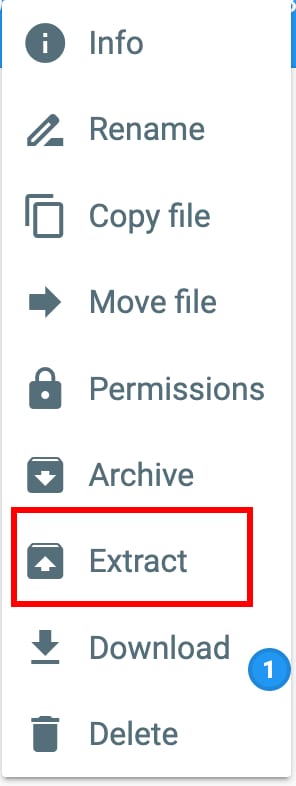
- 打开文件管理器。
- 点击右上角的 Upload Files(上传文件) 图标。
- 解压文件。
第 4 步 —— 创建数据库
将安装文件上传到文件管理器后,您只需为网站创建数据库。
重要:数据库凭据也应在应用中更新。对于 PrestaShop,该配置位于文件 /app/config/parameters.php 下。
第 5 步 —— 启动网站
最后一步,启动网站并完成必要的配置步骤。您的网站已准备就绪!🚀
来源:Hostinger 官方帮助文档