访问 Titan 邮件的 Webmail。
要访问 Titan 邮件 的 Webmail,请打开 hostinger.titan.email 页面,并输入你邮件账户的凭据。
在 Hostinger,我们最重视客户的安全。这就是为什么你需要输入 邮件账户地址 和 邮件密码 才能进入你的收件箱 😊
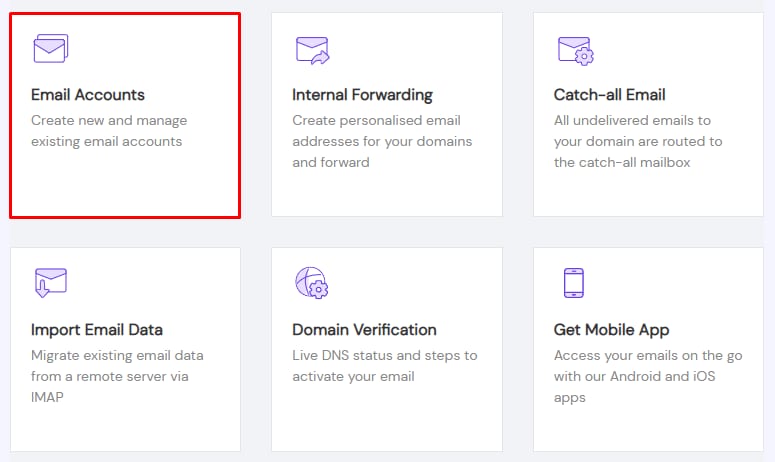
你也可以在你的 Hostinger 账户中找到 Webmail 的链接。打开 邮件(Emails) 部分,点击对应域名旁边的 管理(Manage),然后选择 邮件账户(Email Accounts):
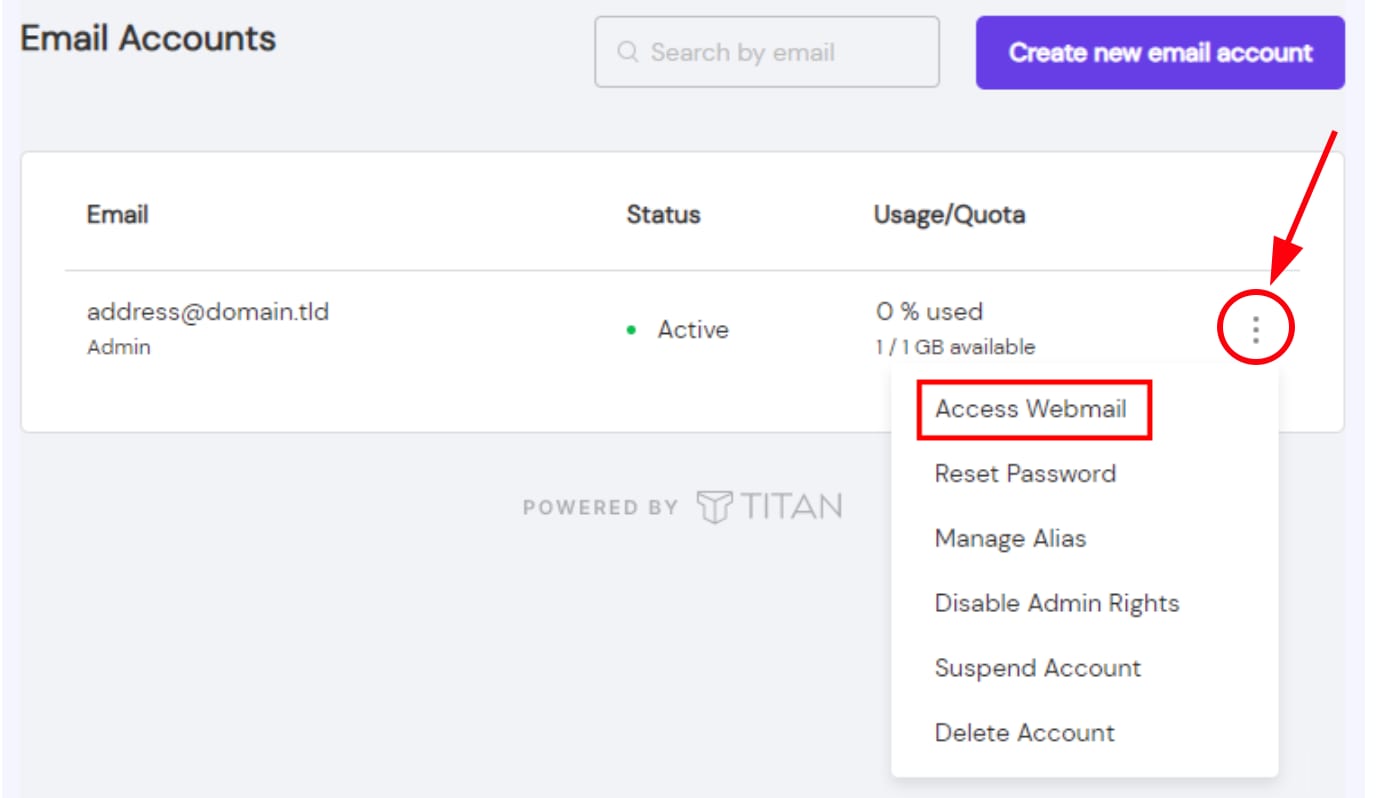
点击省略号按钮 ⋮ 并选择 访问 Webmail(Access Webmail):
如果你还没有邮件账户,可以按照本指南 创建并管理 Titan 邮件账户 来 创建一个 💡
来源:Hostinger 官方帮助文档