Account Sharing(账户共享) 允许您安全地将账户访问权限授予他人,例如开发者或客户。

授予访问权限

有两种方式可以授予网站访问权限:通过 Websites(网站)列表 或通过 Account Sharing(账户共享) 页面。

通过 Websites 列表授予访问权限
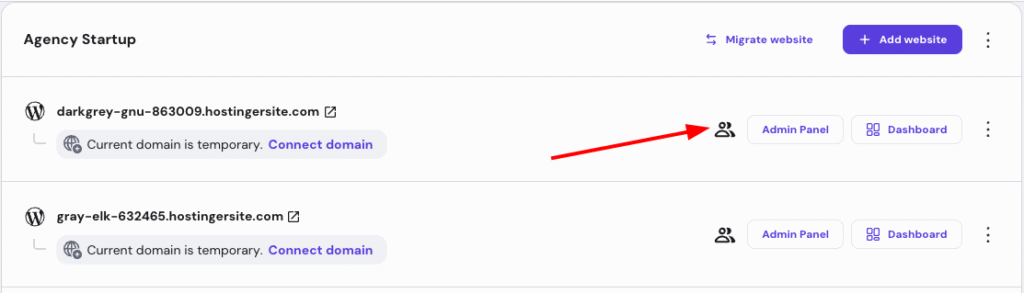
Agency Startup site list with collaborator icon highlighted beside the first website row
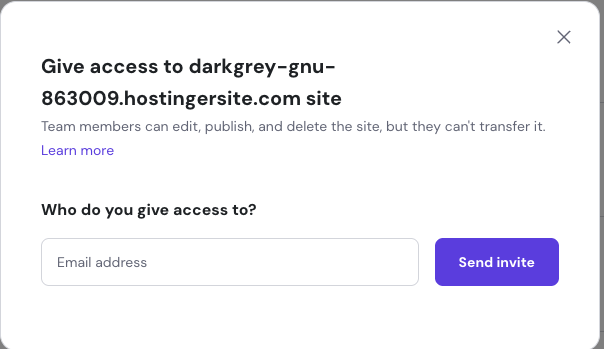
Hostinger site access dialog with email address field and Send invite button

点击侧边菜单的 “Websites”(网站),然后点击您要共享访问权限的网站旁边的相应按钮:

然后,会出现一个字段,您可以在其中输入要授予访问权限的人的电子邮箱:

一切就绪后,点击 Send invite(发送邀请)

系统会向该用户发送一条确认信息;他们必须点击链接才能被授予访问您账户的权限。

通过 Account Sharing 页面授予访问权限
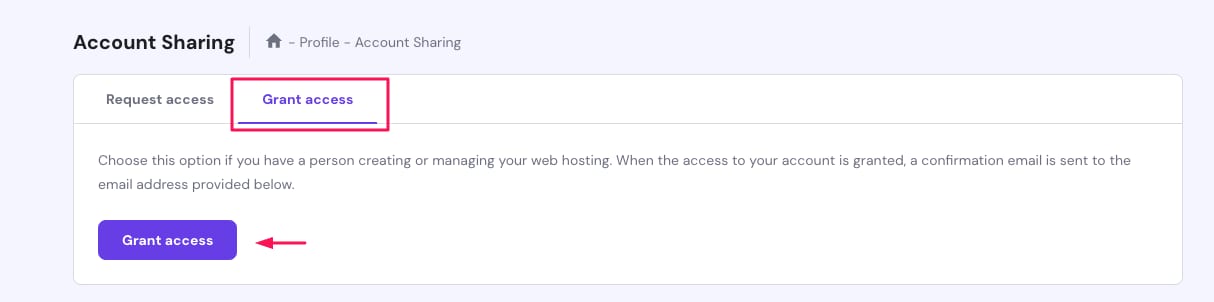
Hostinger Account Sharing page with the Grant access tab highlighted
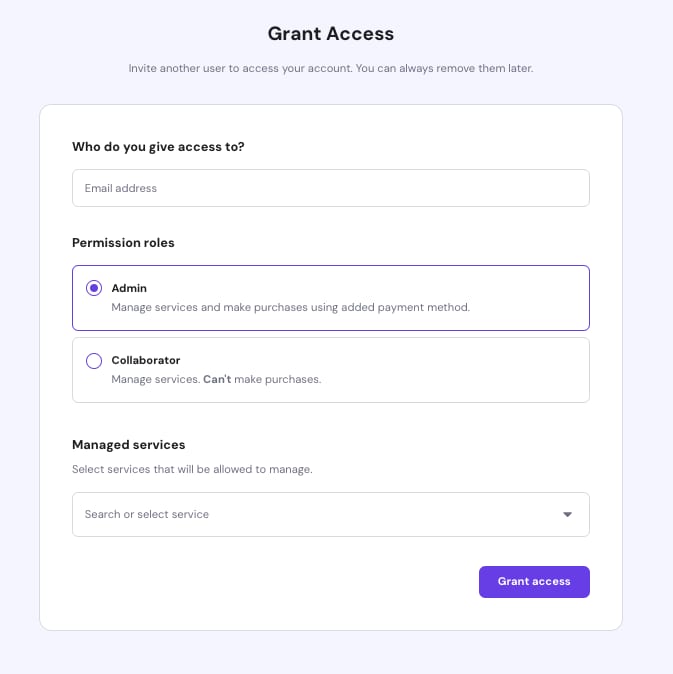
Hostinger Grant Access form with Admin role selected and service dropdown below

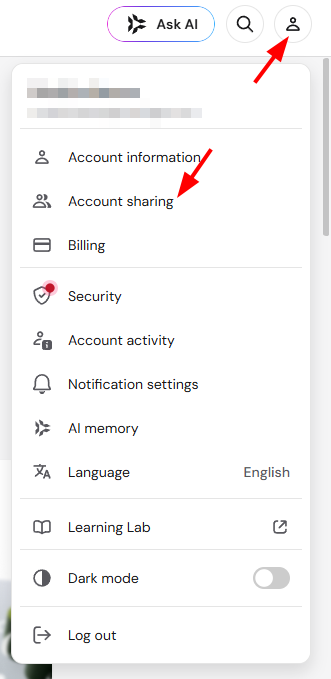
点击 Profile(个人资料),然后点击 “Account Sharing”(账户共享)

Account Sharing(账户共享) 页面,点击 Grant Access(授予访问) 按钮:

然后,您将看到更多选项:

在这里,您可以确定访问级别:选择您希望共享的服务或特定网站

一切就绪后,点击 Grant Access(授予访问)

系统会向该用户发送一条确认信息;他们必须点击链接才能被授予访问您账户的权限。

来源:Hostinger 官方帮助文档