重置指向 Hostinger 的域名的 DNS 记录

如果你的域名当前指向 Hostinger已完全传播,你可以轻松地在 hPanel 上重置 DNS 区域。

重置 DNS 区域会将所有记录恢复为默认值。这在诸如传播卡住、记录不显示,或为了确保你的域名拥有与 Hostinger 主机账户配合工作所需的所有必要记录值等情况下会很有帮助。

根据你注册域名的位置,有两种方法可以访问域名的 DNS 区域:

对于注册在 Hostinger 的域名
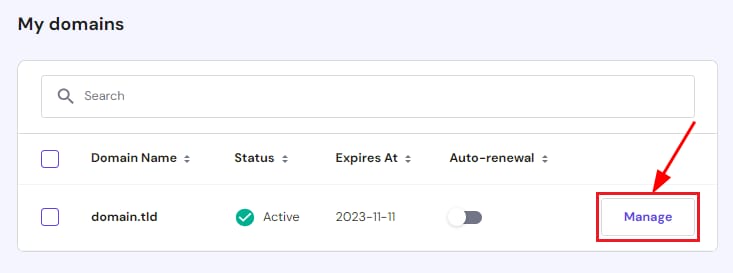
Hostinger domains page with the domain Manage button highlighted
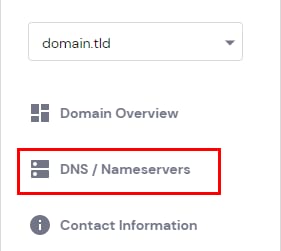
DNS / Nameservers menu option for a domain in Hostinger panel
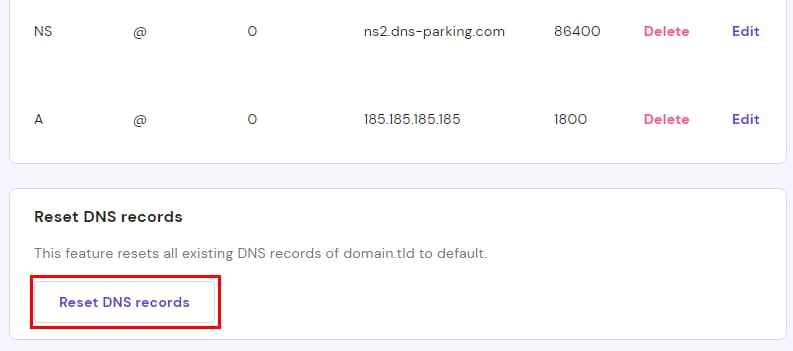
Hostinger DNS settings page with the Reset DNS records button highlighted
  1. 进入 域名 部分,点击该域名旁边的 管理
  2. 在左侧菜单中,进入 DNS/Nameservers 子部分:
  3. 进入 DNS 区域 后,向下滚动到页面底部,点击 重置 DNS 记录
  4. 阅读确认信息,然后点击 重置 继续。经过 24 小时 后,你的域名 DNS 区域将在全球范围内完全传播

对于外部域名

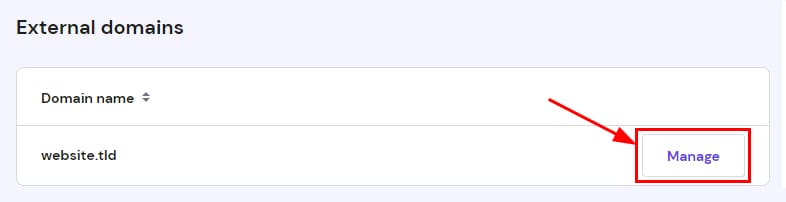
External domains list with website.tld and highlighted Manage button
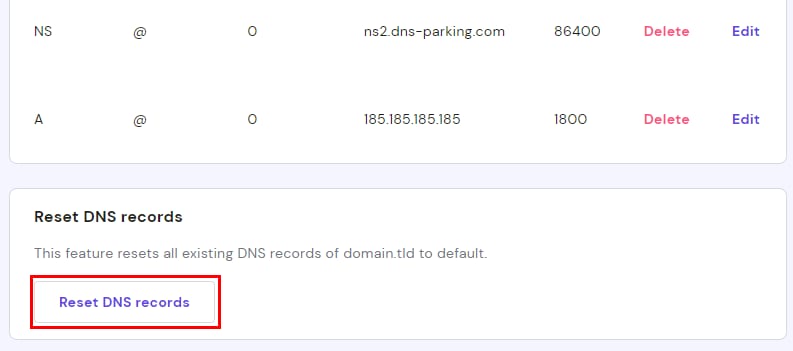
Hostinger DNS settings page with the Reset DNS records button highlighted at the bottom

如果你在别处购买的域名已添加到你的主机套餐,并通过 nameserver 指向 Hostinger,请按照以下步骤操作:

  1. 域名 部分,向下滚动到 外部域名 列表,点击该域名旁边的 管理
  2. DNS 区域 页面,向下滚动到页面底部,点击 重置 DNS 记录
  3. 阅读确认信息,然后点击 重置 继续。经过 24 小时 后,你的域名 DNS 区域将在全球范围内完全传播

如果你的域名 nameserver 指向另一个提供商,即使该部分显示了记录,你也需要从那里管理你的 DNS 区域

来源:Hostinger 官方帮助文档