了解如何使用 Hostinger 建站工具添加和管理网站的页脚。

页脚是网页最底部的区块。它通常包含版权声明、联系方式、社交媒体图标、地图、指向服务条款(ToS)、常见问题(FAQ)、隐私政策、退款政策等的链接。

Hostinger 建站工具 中,你可以为单个页面、所有页面或网站的多个特定页面添加页脚 👇

添加页脚

Hostinger Website Builder add section button at the page footer boundary
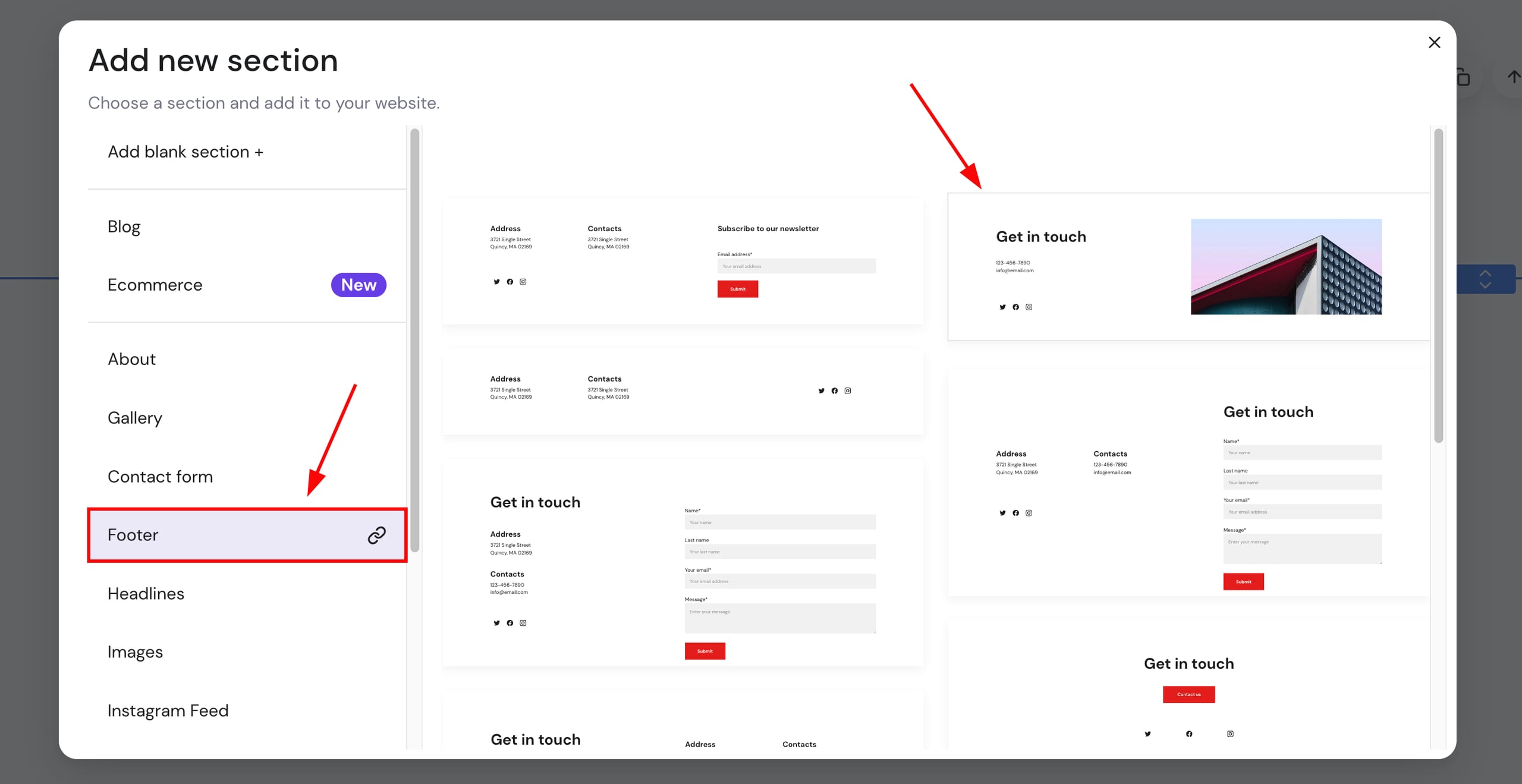
Hostinger Website Builder footer section option highlighted in Add new section menu
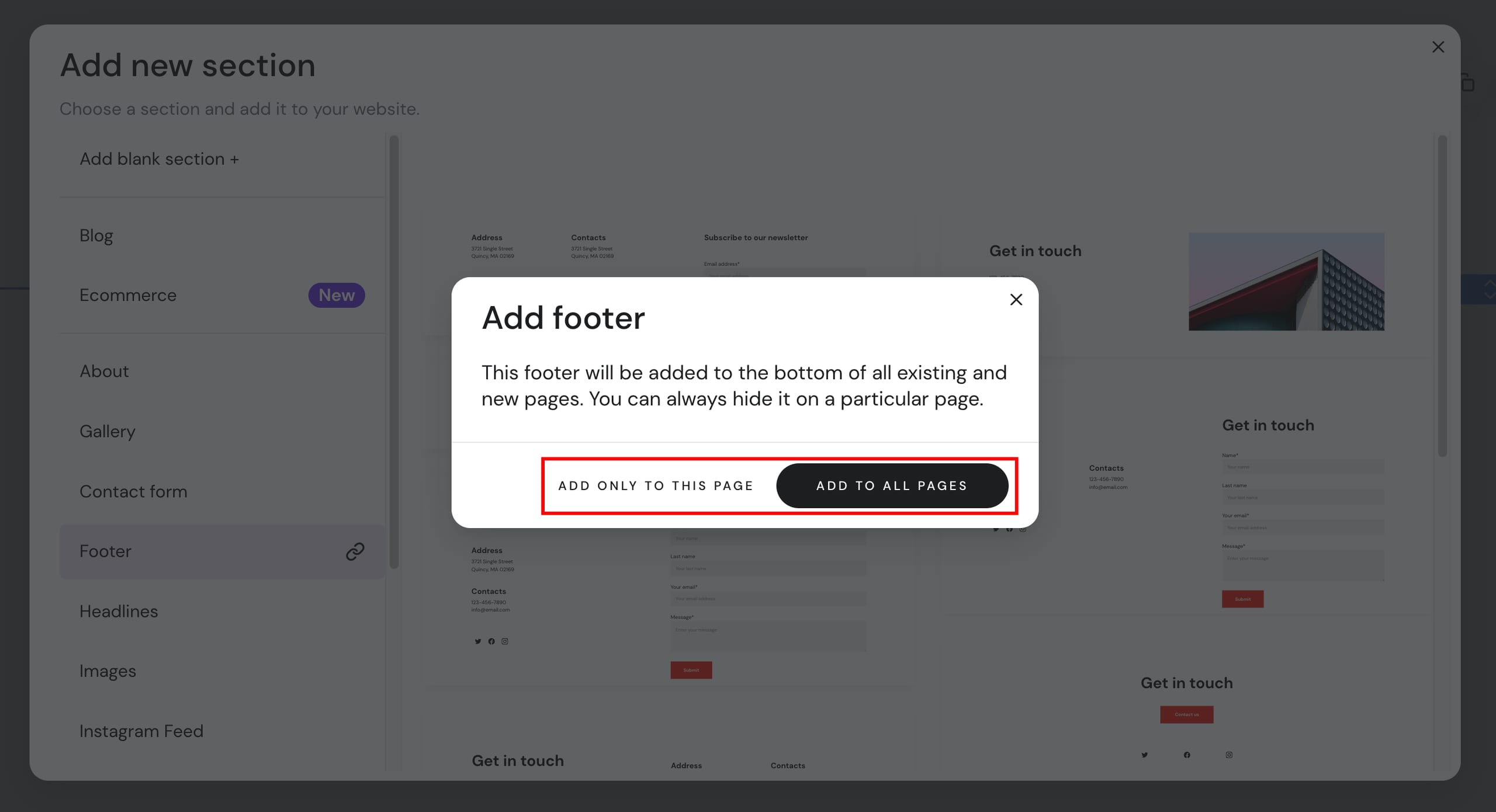
Hostinger Website Builder add footer dialog with Add to all pages button highlighted
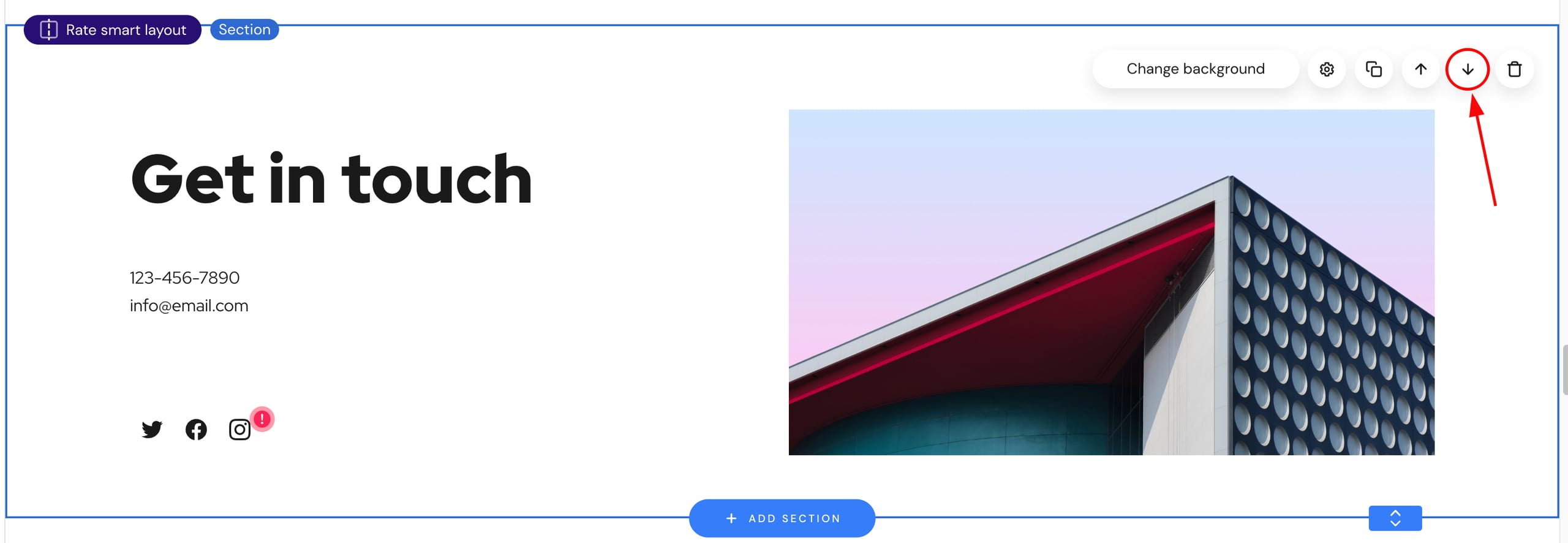
Website builder section controls with the down arrow button highlighted
  1. 在编辑器内,将光标置于两个区块之间,点击 添加区块(Add section)
  2. 从左侧菜单中选择 页脚(Footer),并选择任意你喜欢的页脚模板:
  3. 你可以将页脚区块插入到特定页面,或一次性添加到所有页面

如果你看不到这些选项,很可能是因为页脚区块已经插入到你的网站;你可以删除它并插入新的页脚,或编辑现有的页脚 💡

建议选择 添加到所有页面(Add to all pages) 选项。这样,页脚会被固定在网站底部,你可以手动将其从特定页面隐藏。否则,如果你选择 仅添加到此页面(Add only to this page),页脚会被插入到所选区块下方,你可能需要手动将页脚移到最底部:

如果你想了解如何编辑网站的页脚区块,请按 此处 的步骤操作。

如果你想了解更多关于如何从特定页面隐藏页脚区块的内容,请按 此处 的步骤操作。

来源:Hostinger 官方帮助文档