使用 Hostinger Email Web 应用创建和使用邮件模板。
邮件模板让你可以保存经常发送的邮件,并在撰写或回复邮件时即时插入。
你可以将模板用于回复、跟进、自我介绍或更新通知,从而节省时间并保持一致性。
创建邮件模板
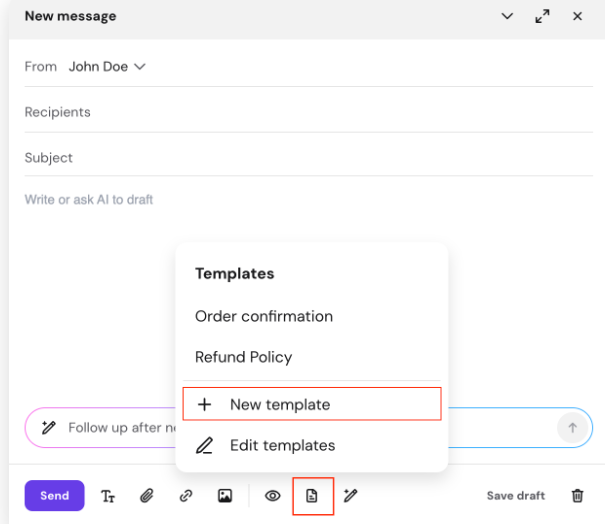
- 打开 邮件撰写窗口
- 点击工具栏中的 模板(Templates) 图标
- 点击 新建模板(New template)
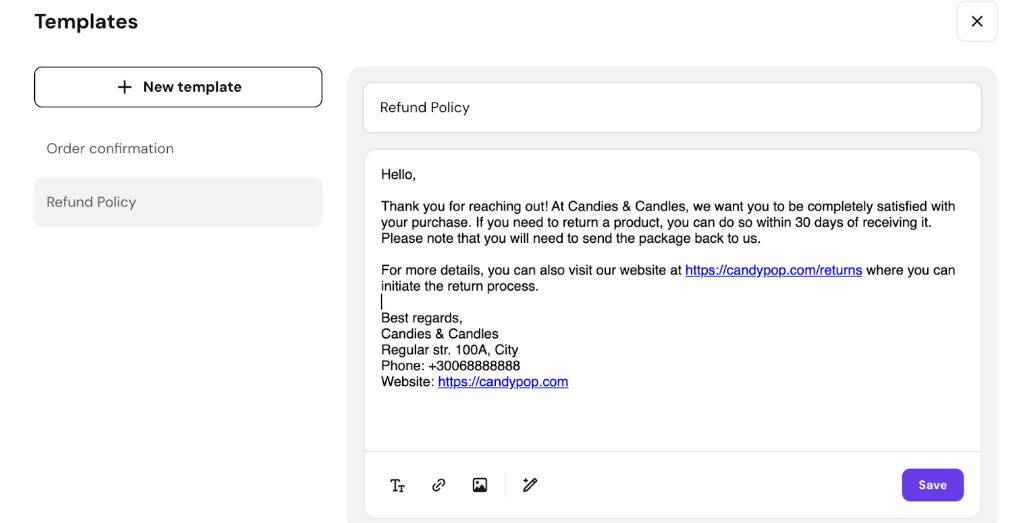
- 为模板输入一个名称
- 添加邮件内容
- 你可以手动输入,或使用 AI 生成 - 点击 保存(Save)
编辑现有模板
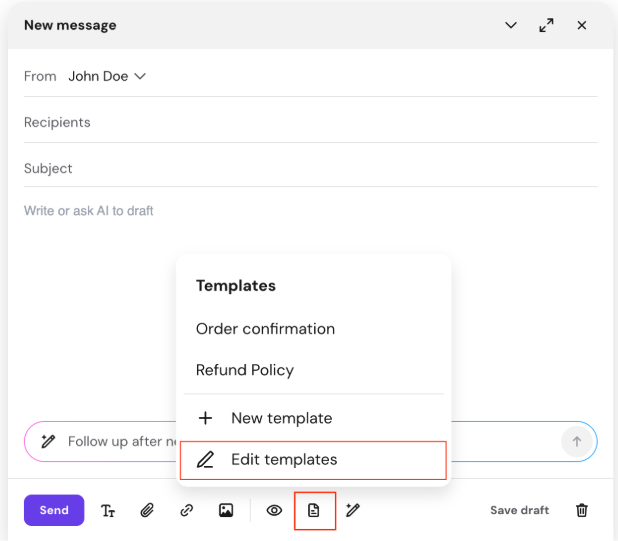
- 打开邮件撰写窗口
- 点击 模板(Templates) 图标
- 点击 编辑模板(Edit templates)
- 从列表中选择一个模板
- 更新内容
- 你也可以使用 AI 重写内容 - 点击 保存(Save)
在邮件中使用模板
你可以在撰写新邮件、回复或转发时使用模板。
- 打开邮件撰写窗口
- 将光标放在希望插入模板的位置
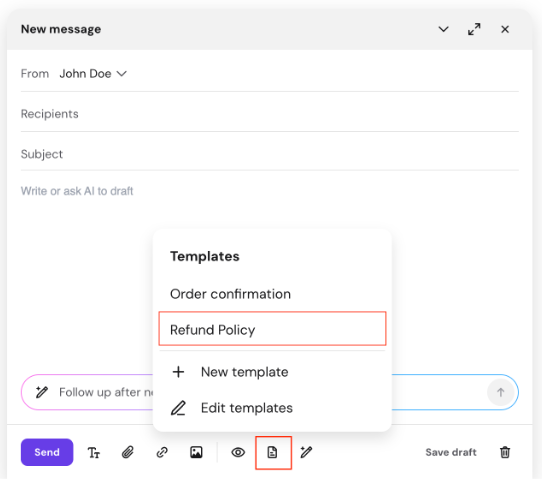
- 点击 模板(Templates) 图标
- 从列表中选择一个模板
- 模板内容将被插入到你的邮件中。
- 如有需要,请查看并调整 - 点击 发送(Send)
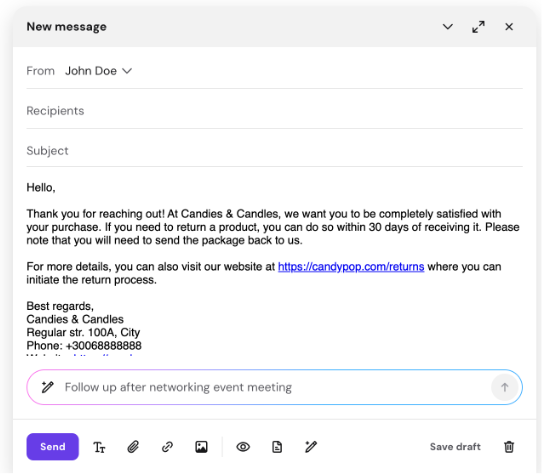
来源:Hostinger 官方帮助文档