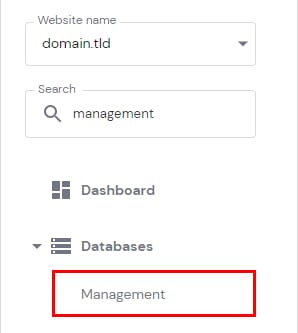
你可以通过 hPanel 更改数据库密码。请前往 Websites(网站) → Dashboard(仪表盘),在左侧边栏中找到 Databases Management(数据库管理) 并点击:
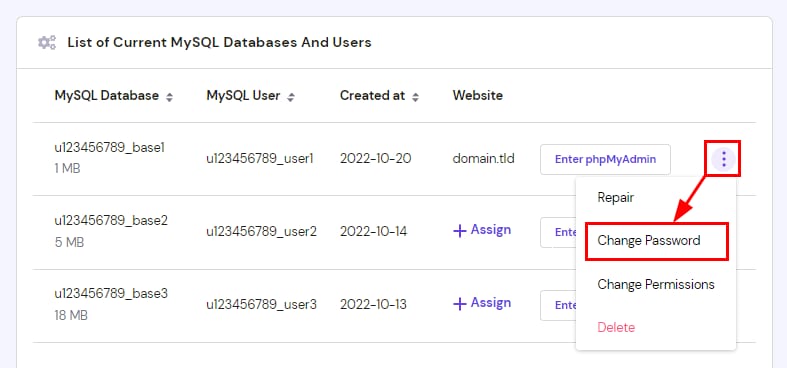
在对应数据库前方,点击 选项 按钮 (⋮),选择 Change Password(更改密码):
系统还提供自动生成强密码的选项 😊
注意:
-
更改数据库密码可能会导致网站与数据库断开连接。如需修复,请参考此文:如何修复“Error establishing a database connection”
-
如果 List of Current MySQL Databases And Users(当前 MySQL 数据库及用户列表) 为空,你需要先 创建一个 MySQL 数据库
来源:Hostinger 官方帮助文档