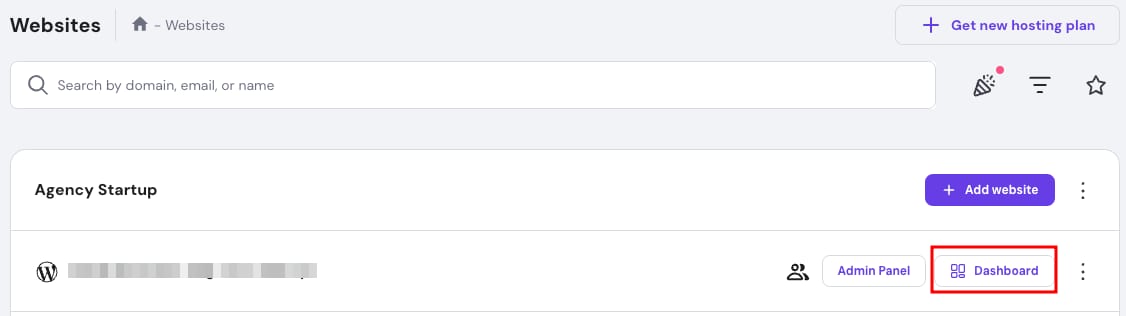

Hostinger Agency Hosting Dashboard button highlighted in a website row
Hostinger dashboard with the Subdomains menu item highlighted in the left sidebar
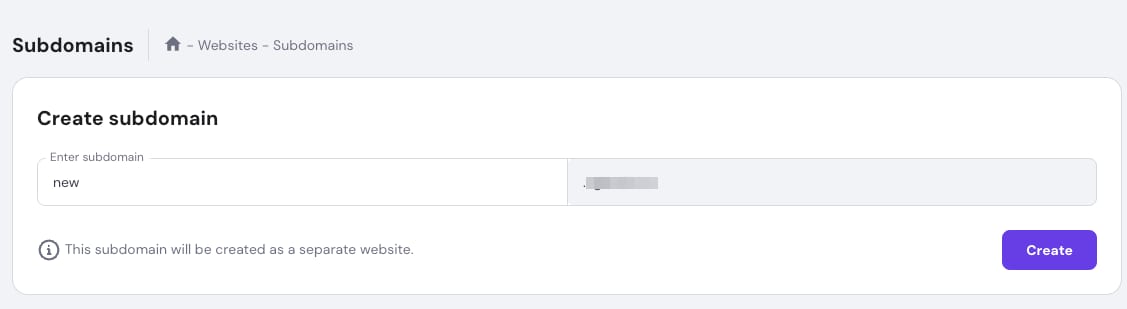
Hostinger hPanel subdomains page with the subdomain name field highlighted in the Create subdomain form
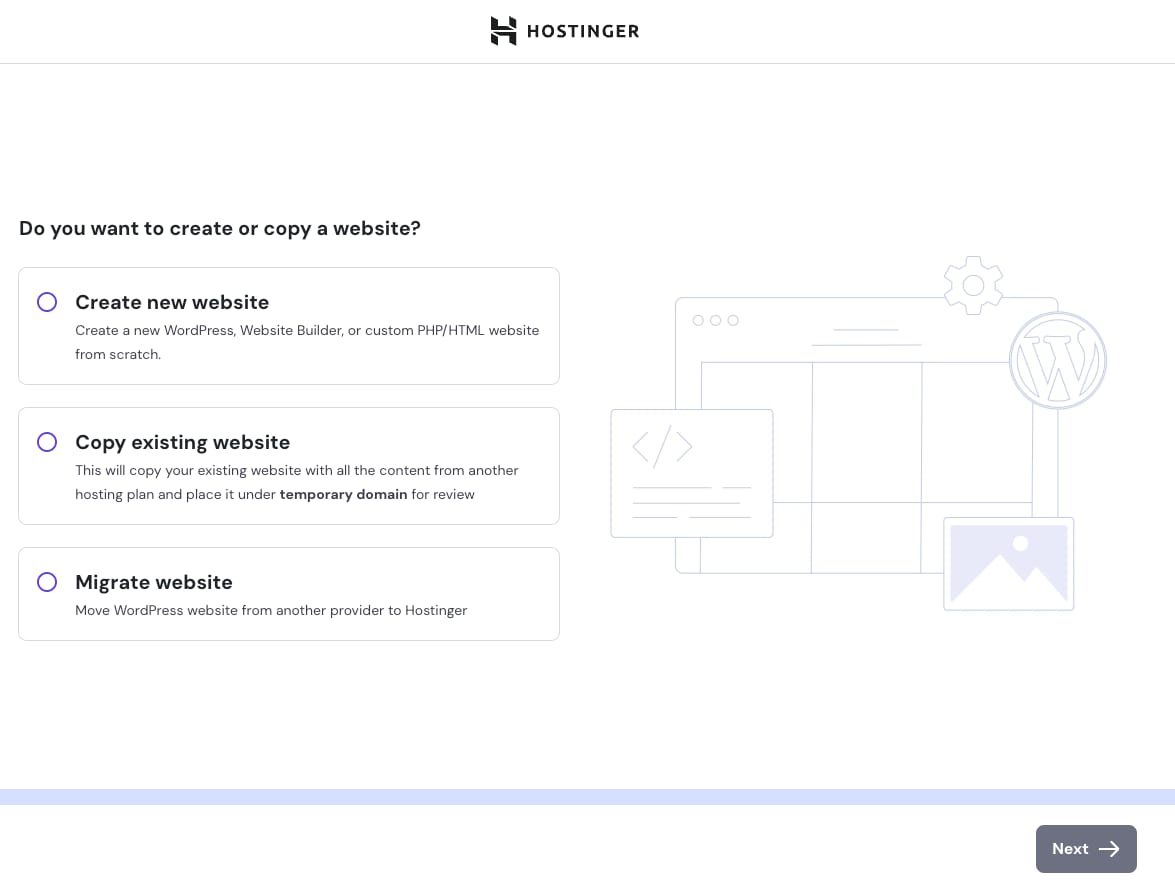
Hostinger onboarding screen with options to create, copy, or migrate a website and a Next button

子域名有助于组织网站的不同板块,同时保持简洁易读的 URL。例如,您的在线商店可能位于 shop.domain.tld。此外,子域名本身也可以作为完全独立的网站运行。如果您想在 Agency 托管套餐上创建子域名,只需按照以下步骤操作即可。

第 1 步 —— 在 hPanel 中进入 Websites 区域,点击相关网站旁边的 Dashboard(仪表盘)

第 2 步 —— 然后在左侧边栏中找到 Subdomains(子域名) 并点击:

第 3 步 —— 在 Create subdomain(创建子域名) 下,输入新子域名的名称,然后点击 Create(创建)

第 4 步 —— 然后,选择您将如何构建网站。我们有以下选项:

  • 创建新网站
  • 复制现有网站
  • 迁移网站

第 5 步 —— 根据您的选择,按照引导流程完成其余步骤。

您可以选择为已连接到 Agency 托管套餐的域名创建子域名(无需编辑 DNS 区域)、购买新域名,或从其他提供商连接子域名(之后需要验证域名所有权)。

完成这些步骤后,您将看到新子域名的仪表盘,您可以在其中管理其设置。

来源:Hostinger 官方帮助文档