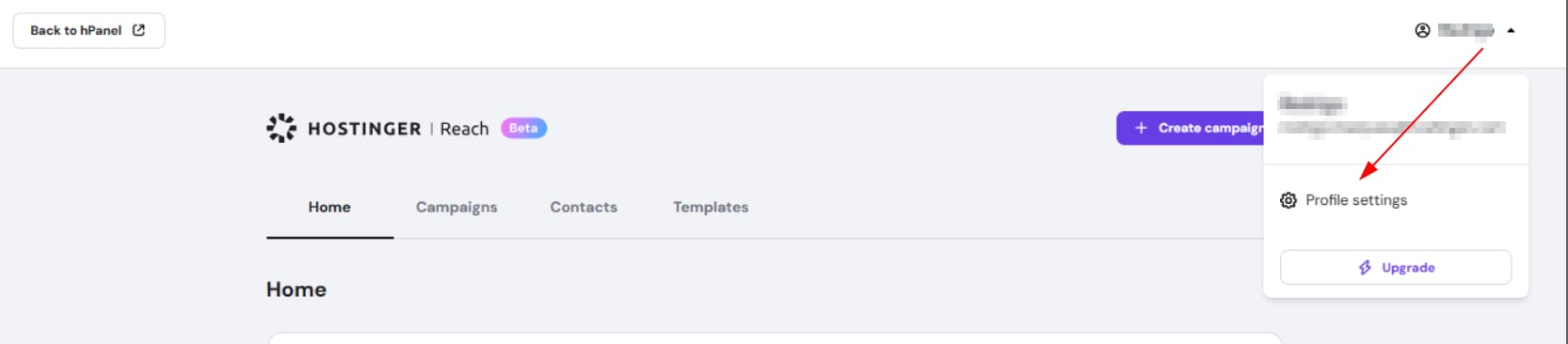
Hostinger Reach profile menu with Profile settings highlighted in the dropdown
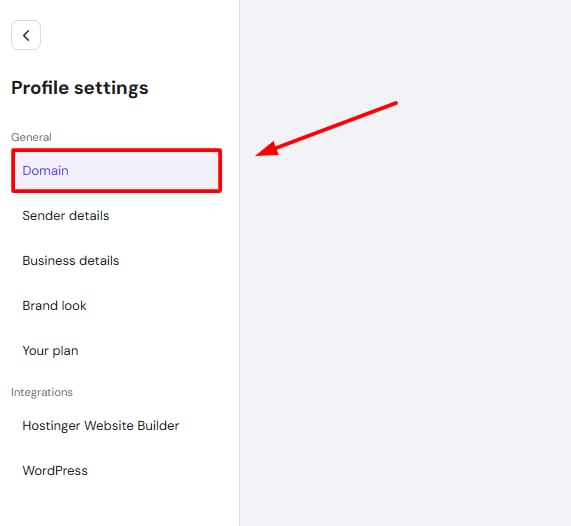
Hostinger Reach profile settings with Domain menu item highlighted
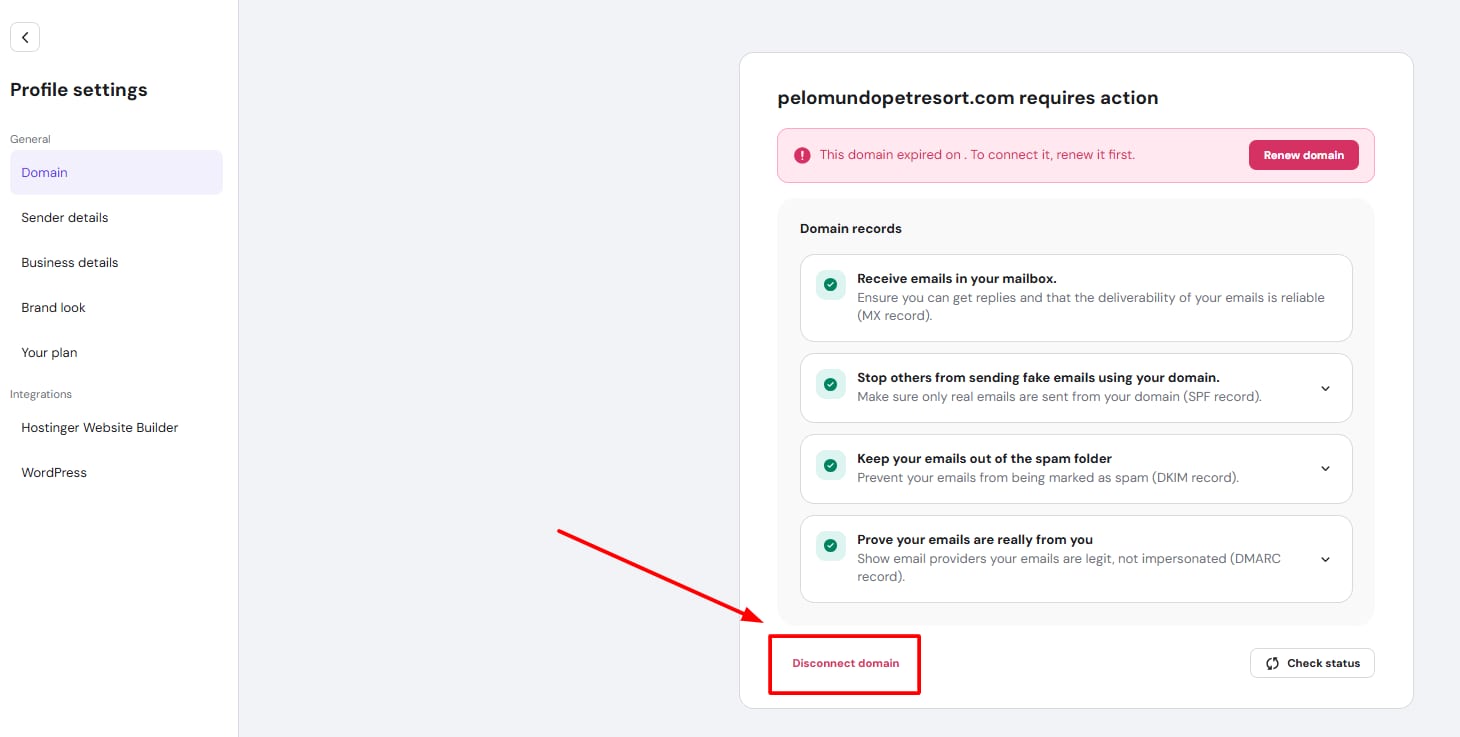
Hostinger Reach domain settings with the Disconnect domain button highlighted

如何断开域名连接

Hostinger Reach 是一个对初学者友好、由 AI 增强的邮件营销平台,已完全集成到 Hostinger 生态系统中。

你可以按照 此处 的步骤将你的域名连接到 Reach 💡

要从 Reach 账户中断开你的域名,以便能够使用你想要的另一个域名,你需要按照以下步骤操作:

  1. 点击你的企业名称,并选择 Profile settings(个人资料设置)
  2. 选择 Domain tab(域名标签页),如下所示:
  3. 你会找到 Disconnect the domain(断开域名连接) 的选项,如下所示:

就是这样!然后,你应该能够重新连接到你想要的域名,如 此处 所述。

来源:Hostinger 官方帮助文档