默认情况下,WordPress 对上传到媒体库的文件大小以及主题或插件的安装有大小限制。通常此限制低于你的主机账户限制,因此如果需要提高它,本指南适用!
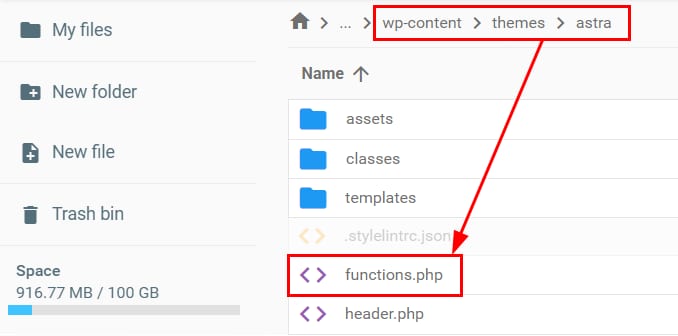
通过 文件管理器 编辑位于主题目录中的 functions.php 文件。完整路径如下:
/domain.tld/public_html/wp-content/themes/themename/functions.php
将 domain.tld 替换为你的域名,themename 替换为当前 WordPress 主题名称。
然后,在文件末尾添加以下代码行并保存:
@ini_set( 'upload_max_size' , '128M' );
@ini_set( 'post_max_size', '64M');
@ini_set( 'max_execution_time', '300' );
作为替代方案,你也可以 使用 .htaccess 文件提高该值。
你只能将这些参数设置为 等于或低于主机限制 的值。如果设置的值更大,将应用你的主机套餐的最大值。如果需要提高主机限制,可以 升级套餐 😊。
如果你能访问 php.ini 文件(例如 VPS 套餐),可以按照此教程提高该值:如何提高 WordPress 最大文件上传大小。
来源:Hostinger 官方帮助文档