维护模式允许您临时将网站下线,同时向访客展示一条专业的提示信息。这能确保在更新、迁移或排错期间获得良好的体验,且不会暴露破损的功能或正在进行的修改。
如何启用维护模式
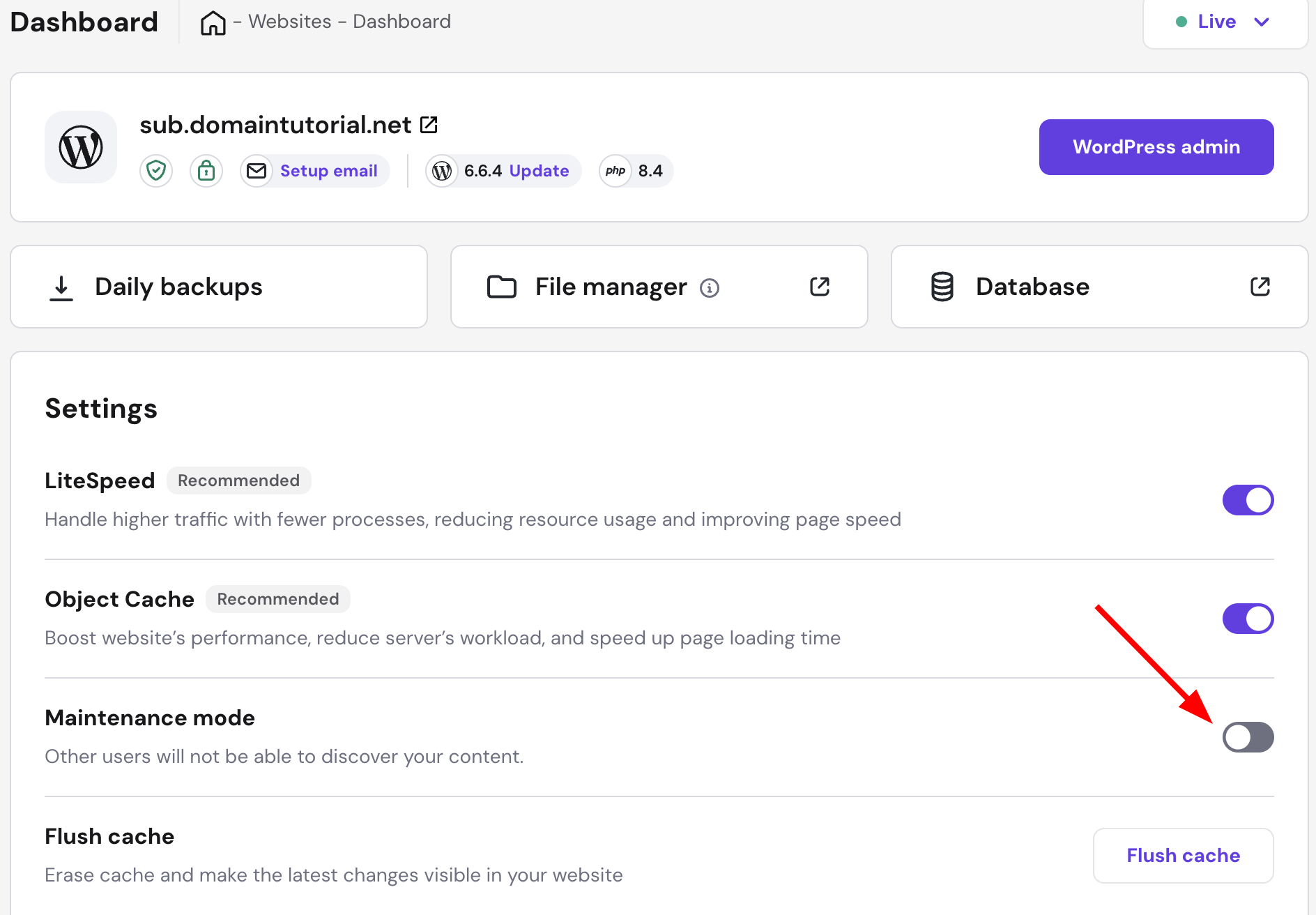

- 进入您的网站仪表盘。
- 找到 Maintenance mode(维护模式) 设置。
- 将开关切换为启用(Enable)。
处于维护模式期间,您的网站会展示如下落地页:
您可以随时以相同方式关闭该模式。
维护模式能确保您在更新期间为访客提供流畅、专业的体验。
来源:Hostinger 官方帮助文档
维护模式允许您临时将网站下线,同时向访客展示一条专业的提示信息。这能确保在更新、迁移或排错期间获得良好的体验,且不会暴露破损的功能或正在进行的修改。
处于维护模式期间,您的网站会展示如下落地页:
您可以随时以相同方式关闭该模式。
维护模式能确保您在更新期间为访客提供流畅、专业的体验。
来源:Hostinger 官方帮助文档