使用 Imunify360 在 cPanel 上保护并清理网站中的恶意软件

恶意软件(Malware)是一类旨在破坏计算机、网络及其他应用程序的软件或程序。

恶意软件十分危险,因为它可能被用于非法目的,影响网站性能,并可能导致主机套餐被停用(即使是无意中传播了恶意软件)。

如果你发现了任何恶意内容,请按以下步骤清理恶意软件:

将所有脚本更新到最新版本
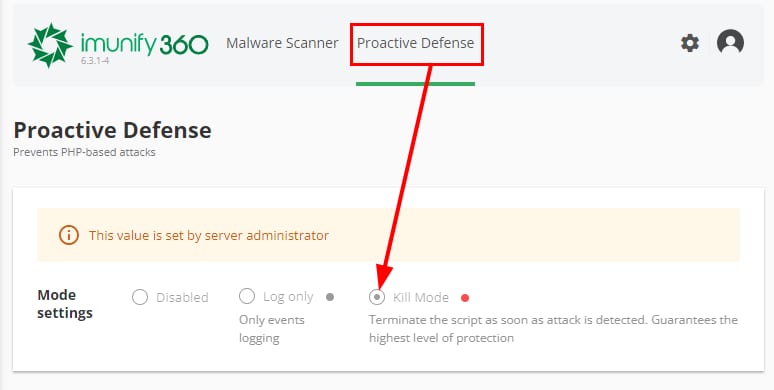
WordPress Management settings with auto-upgrade dropdown and Enabled options highlighted

确保你的所有应用程序和脚本始终保持最新。如果你使用 WordPress,请检查网站后台以及插件/主题部分是否有新更新。

同时,请务必启用自动更新功能,使你的 WordPress 始终自动更新到最新版本:

Imunify360 主动防御的 Kill Mode
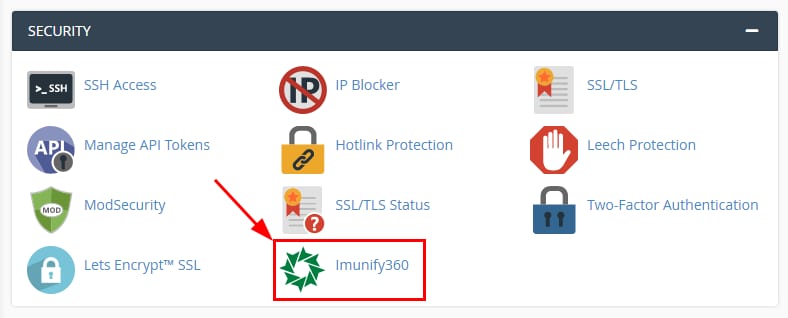
cPanel Security section with the Imunify360 icon highlighted in a red box
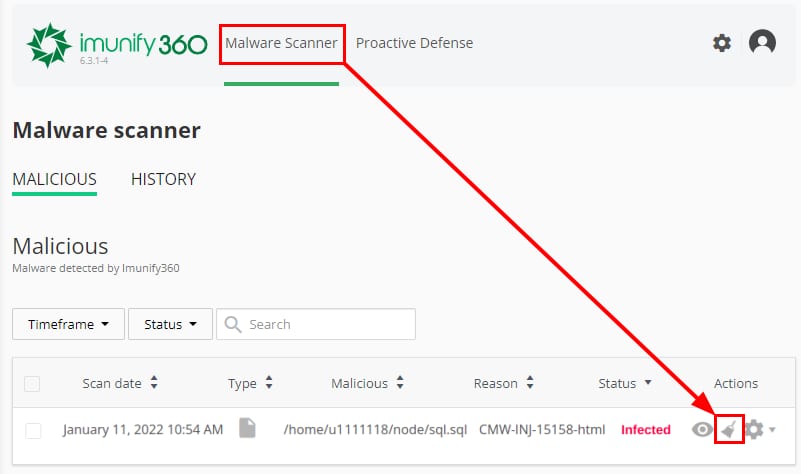
Imunify360 Proactive Defense tab with Kill Mode selected in mode settings
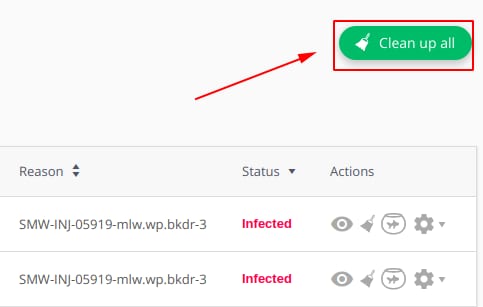
Imunify360 Malware Scanner, malicious scan result with a highlighted action icon in the table
Success popup: Cleanup initiated with a close button
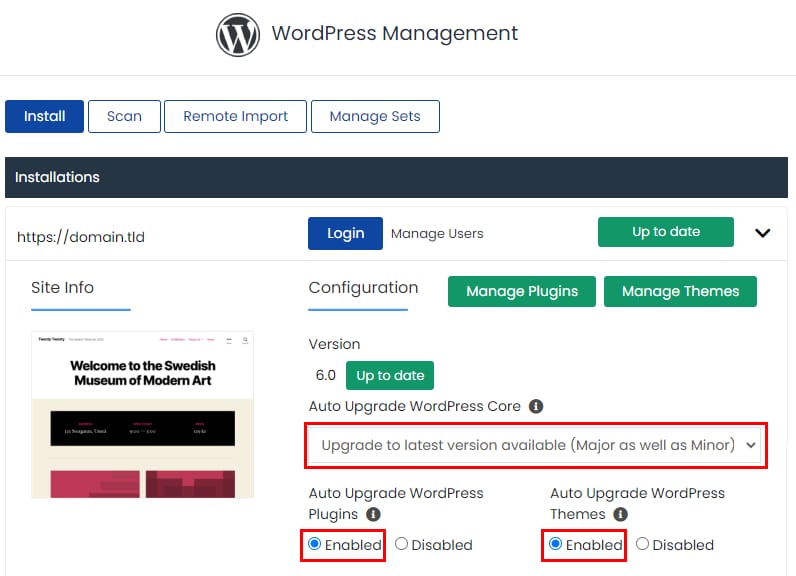
Hostinger Imunify360 Clean up all button highlighted in the top right

默认情况下,Imunify360 主动防御中已启用 Kill Mode,它可以立即停止恶意脚本并防止其传播。

要检查此设置,请 登录 cPanel,并在 Security 板块中选择 Imunify360

点击 Imunify360 面板上的 Proactive Defense 菜单,你会看到 Kill Mode 已启用:

如果检测到可疑文件但未被自动删除,请进入 Malware Scanner 标签页,点击 Actions 下的扫帚图标删除恶意文件:

接着点击 Yes, Clean Up 删除该文件。若文件删除成功,你会在 Imunify 面板右上角收到如下通知:

如果有多个文件,可以使用 Clean Up All 一次性全部删除:

完成后,请再次执行恶意软件清理,以确保所有恶意文件均已删除、网站完全干净 😊

来源:Hostinger 官方帮助文档