在请求访问权限并向新客户发送推荐链接时,选择网站托管套餐。

在 Hostinger,你可以轻松地在 hPanel 友好的界面中添加和管理客户。除了添加新客户,你还可以为他们预先选择主机套餐,使他们的接入过程更高效、更省时。

此过程有 两种方案,两者都可从你 hPanel 的 主页 部分访问:

方案 1——账户共享(Account Sharing)

Account sharing card for accessing managed client accounts
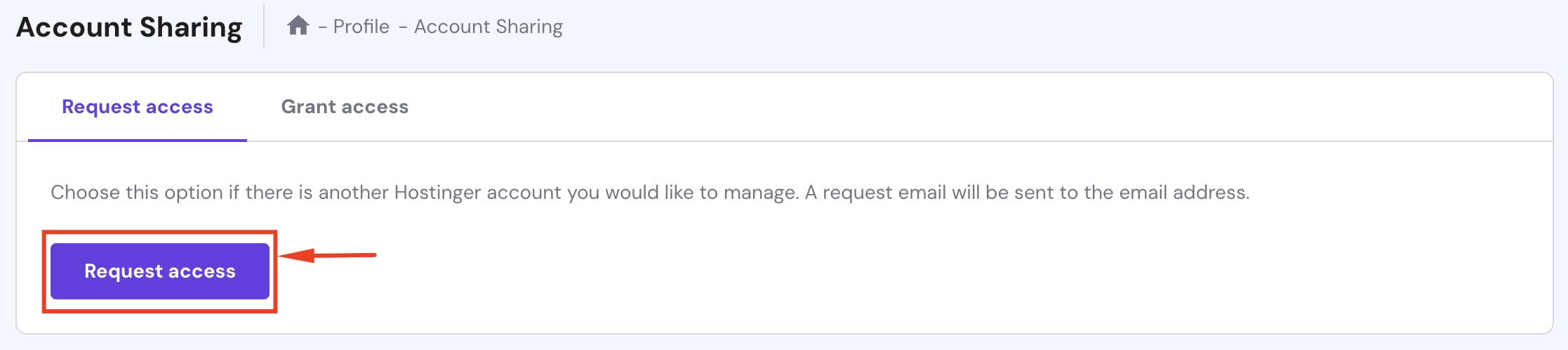
Account Sharing page with Request access button highlighted
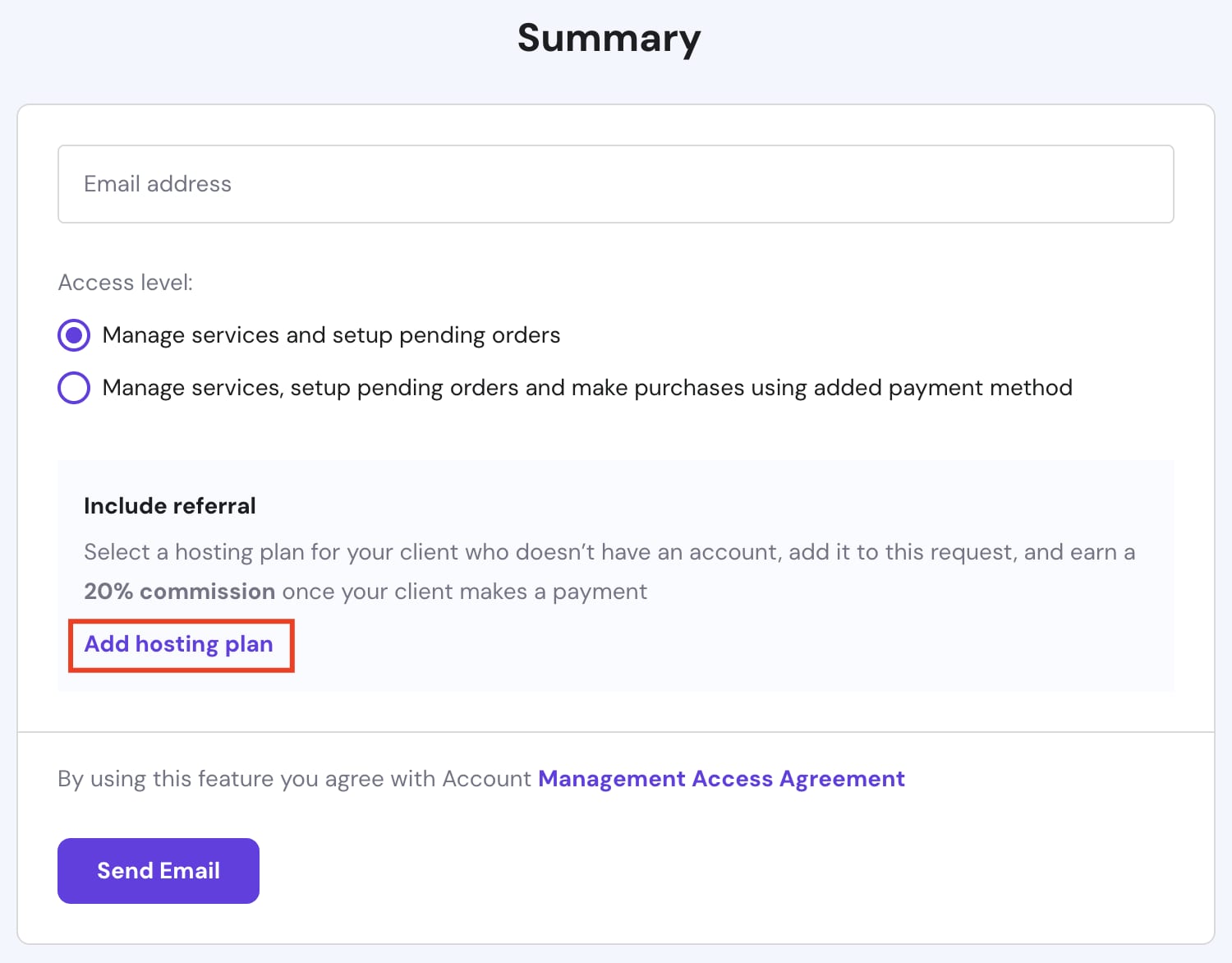
Add hosting plan button in referral section on summary page
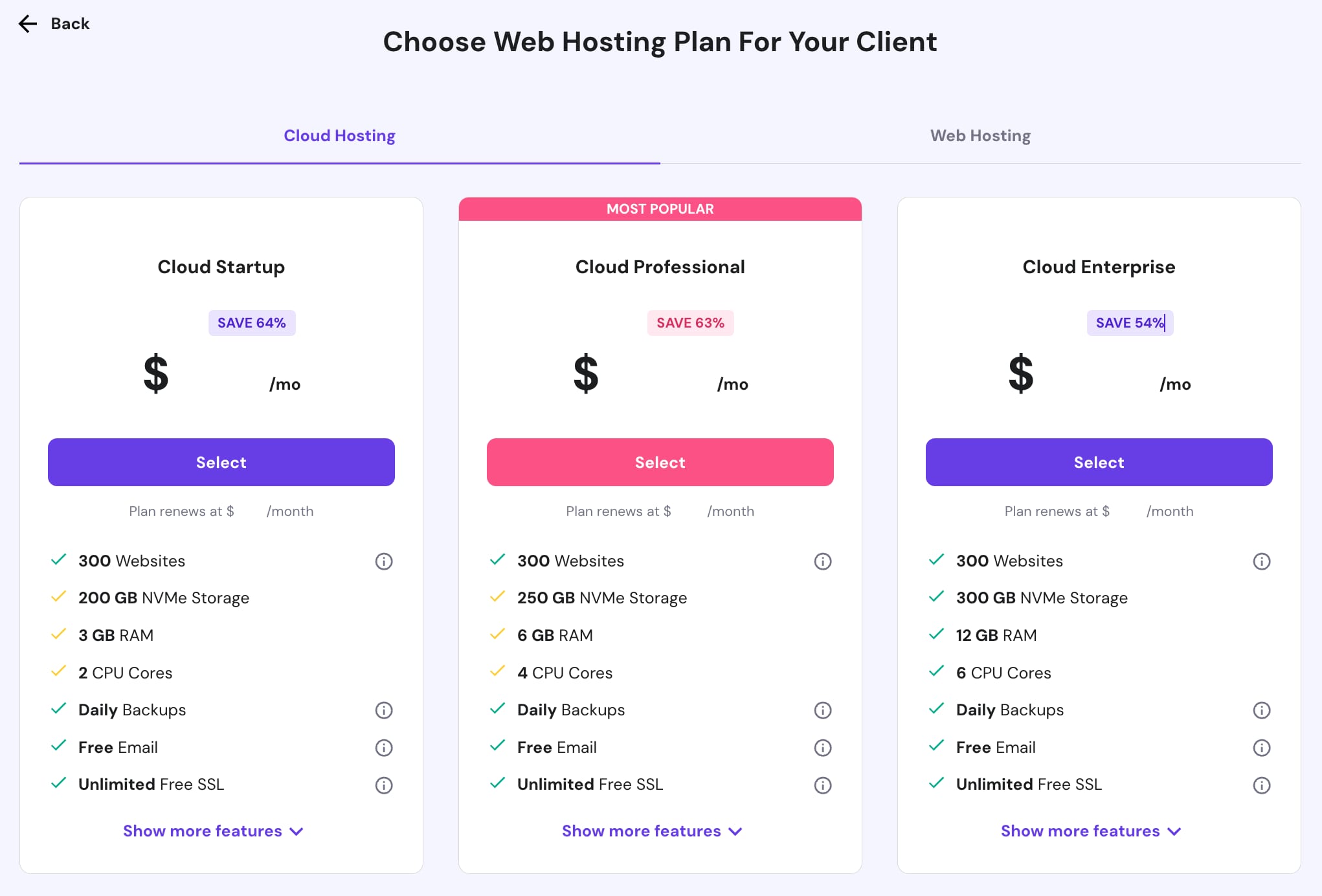
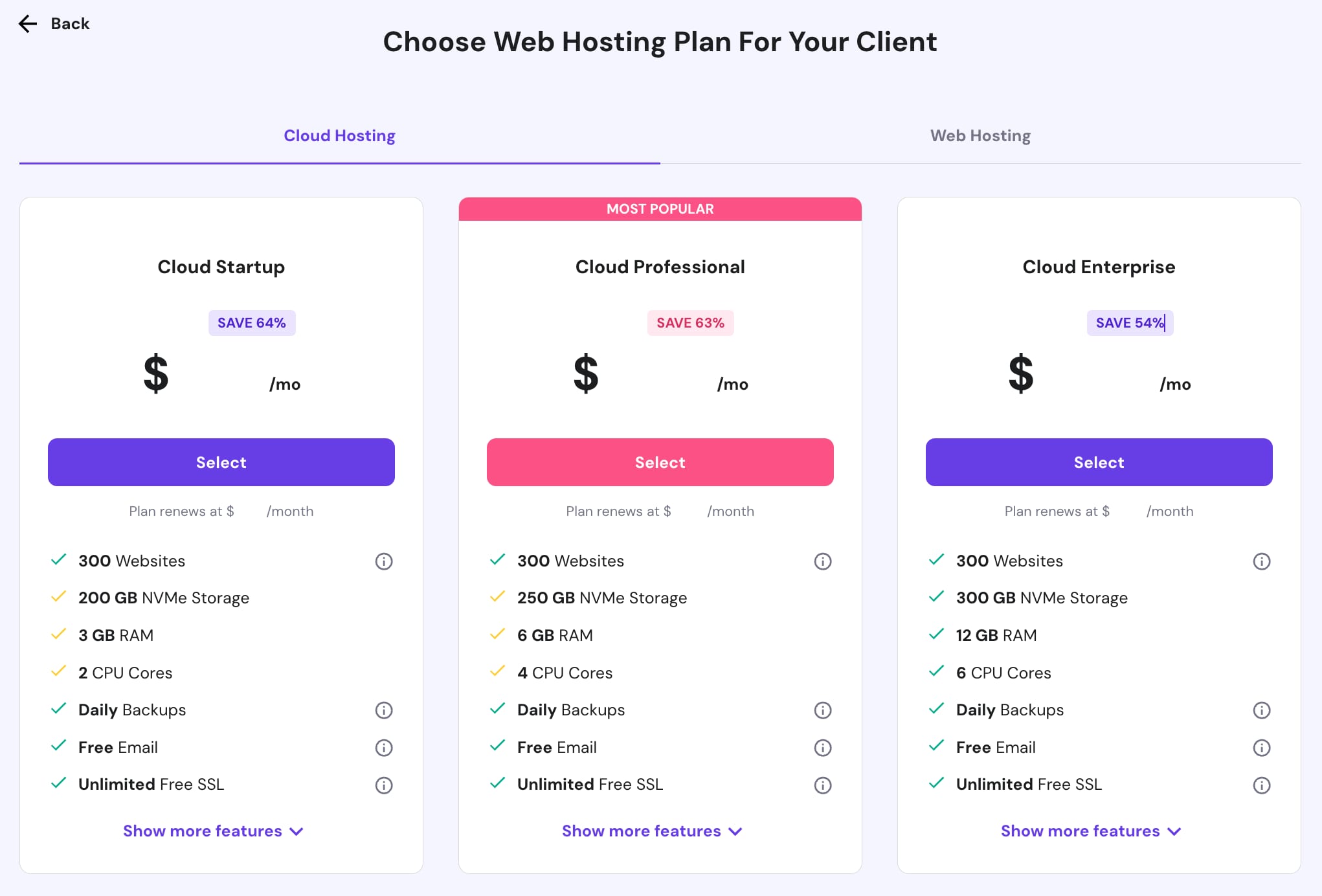
Cloud hosting plan cards, with Cloud Professional marked most popular
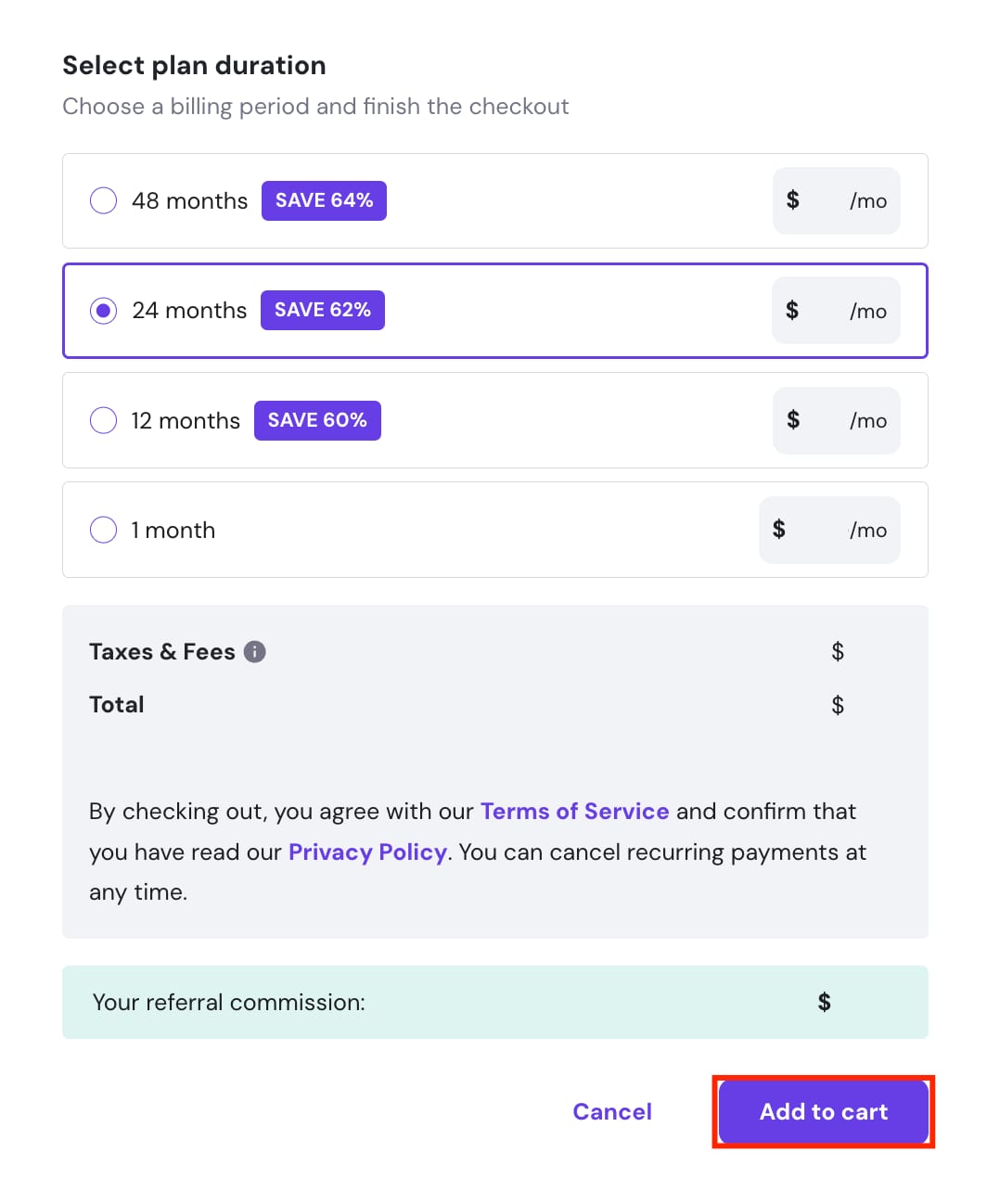
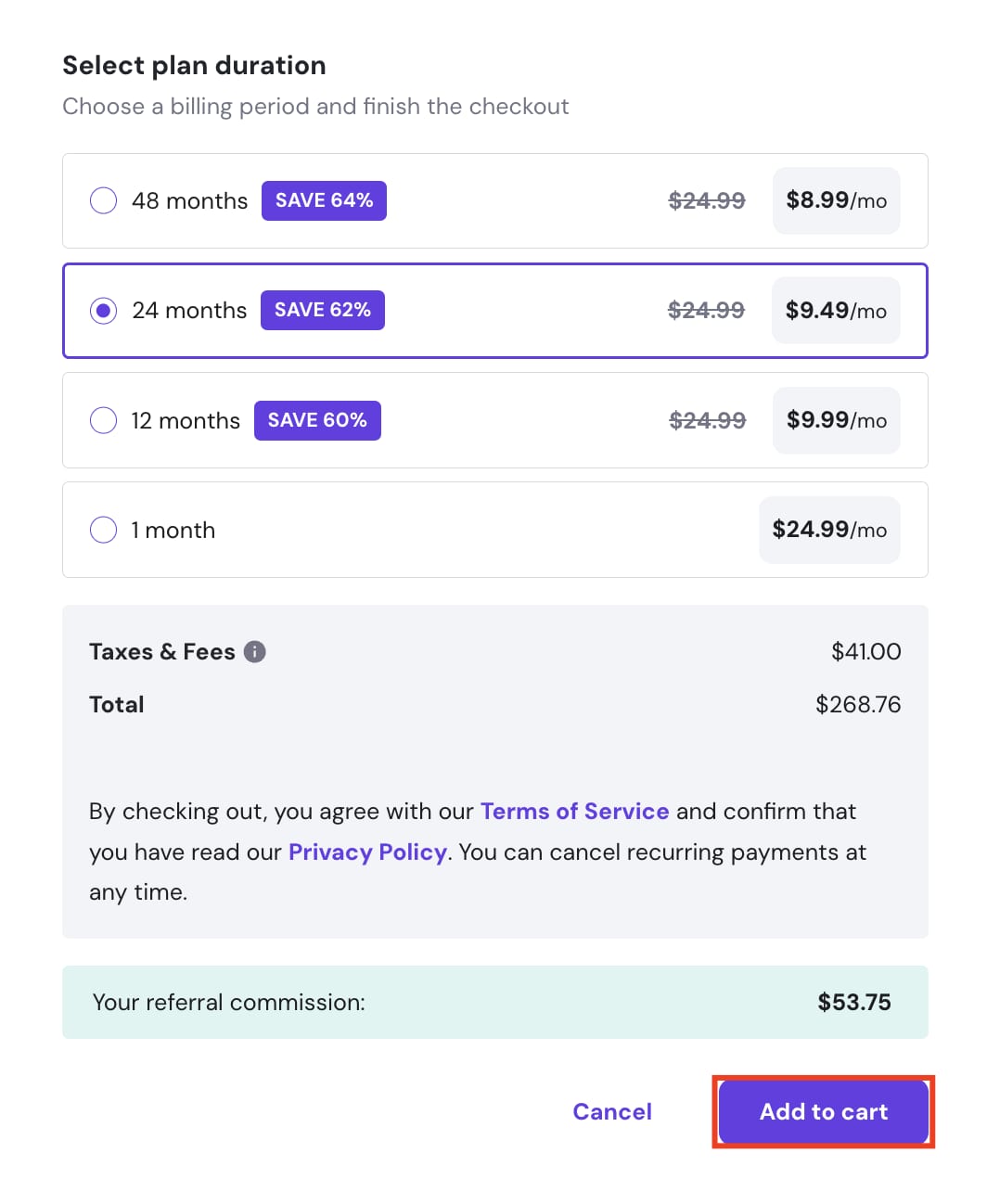
Checkout plan duration with 24 months selected and Add to cart button highlighted
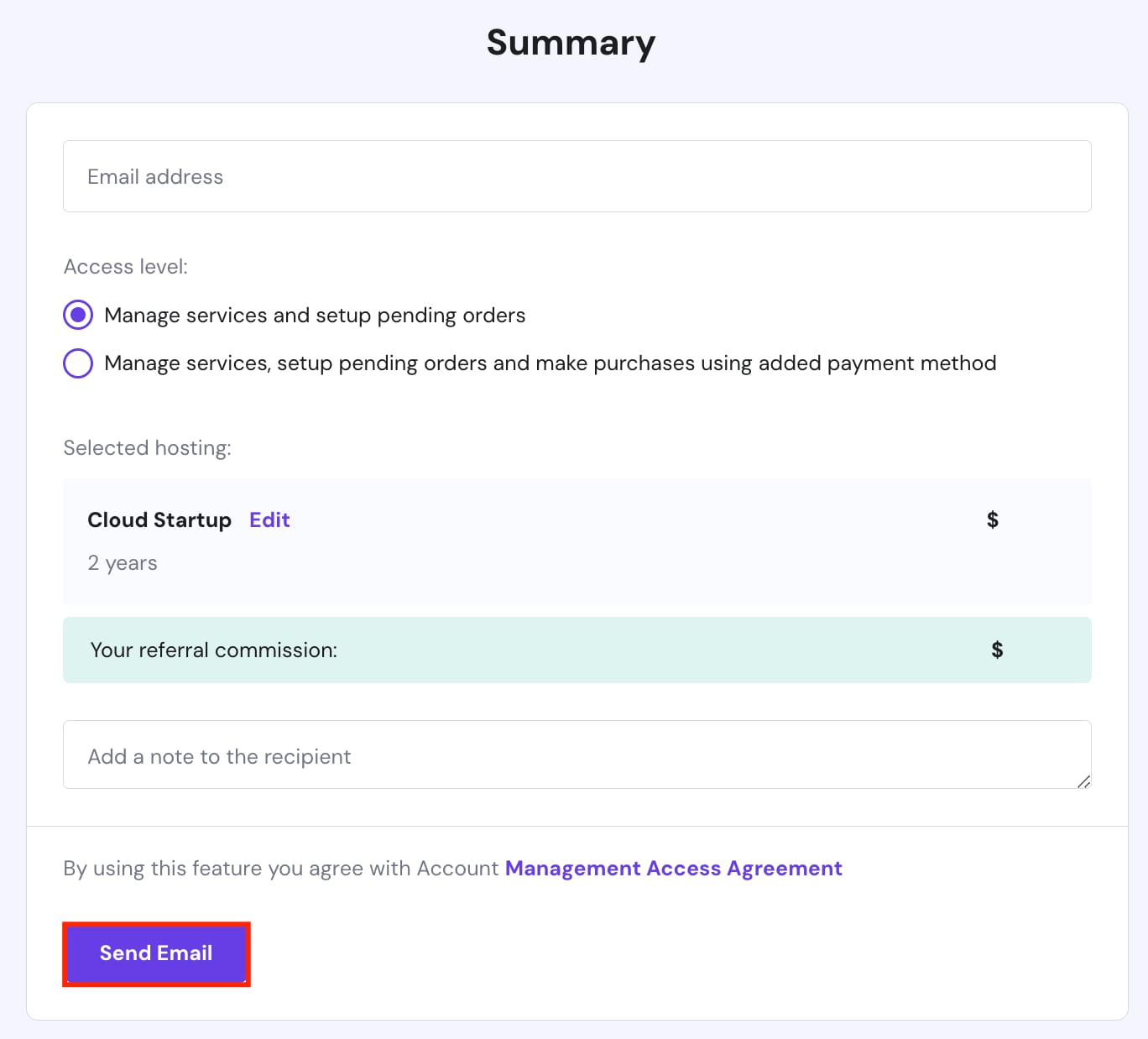
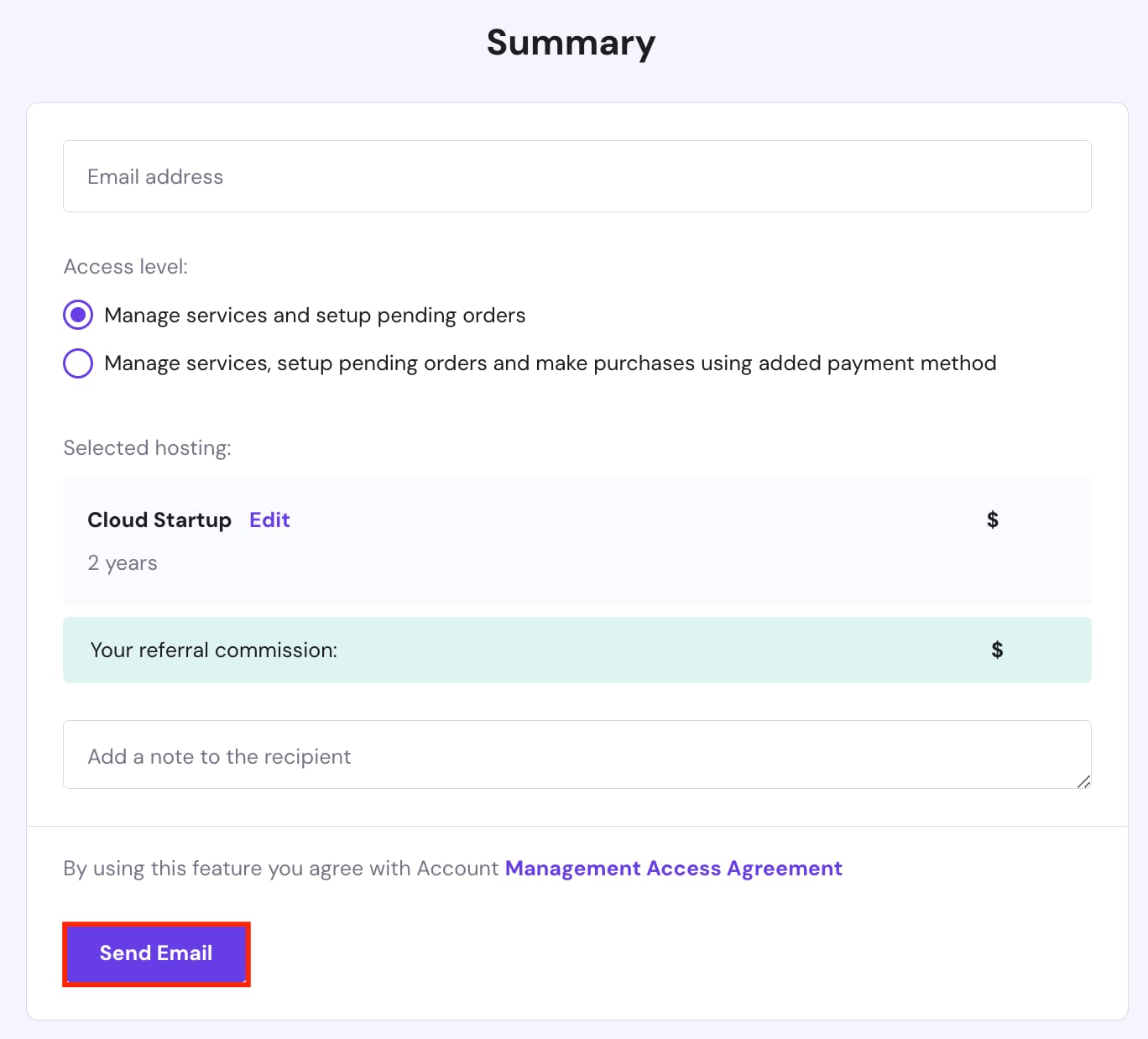
Cloud Startup hosting summary with Send Email button highlighted
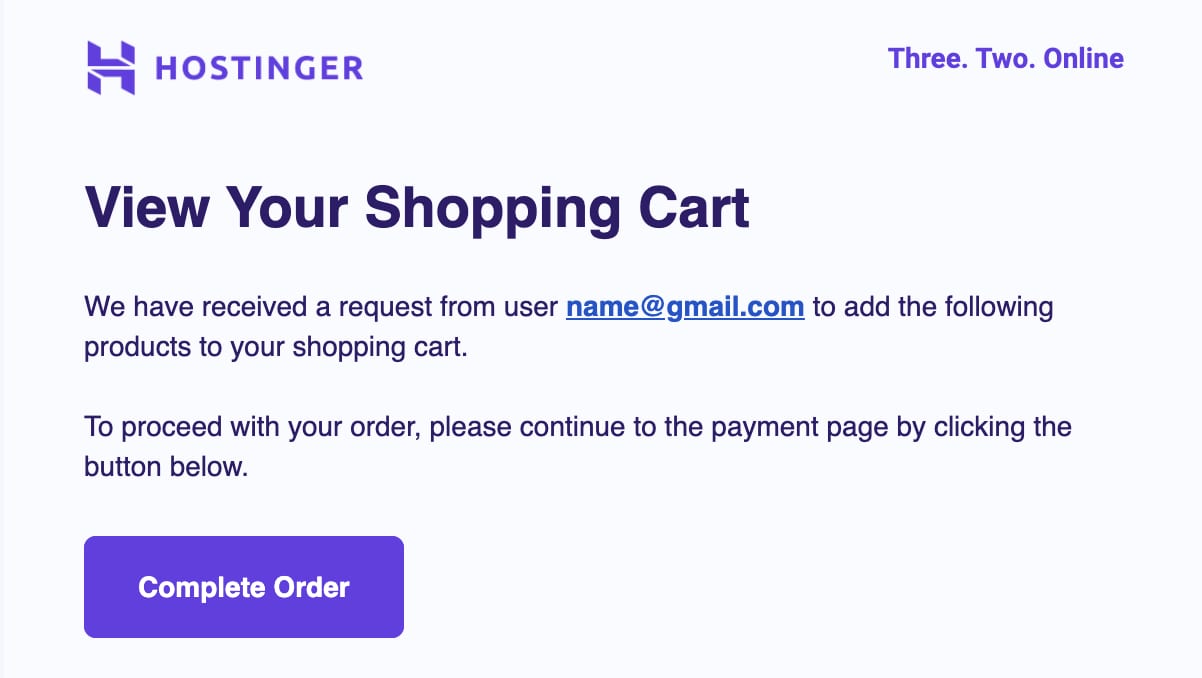
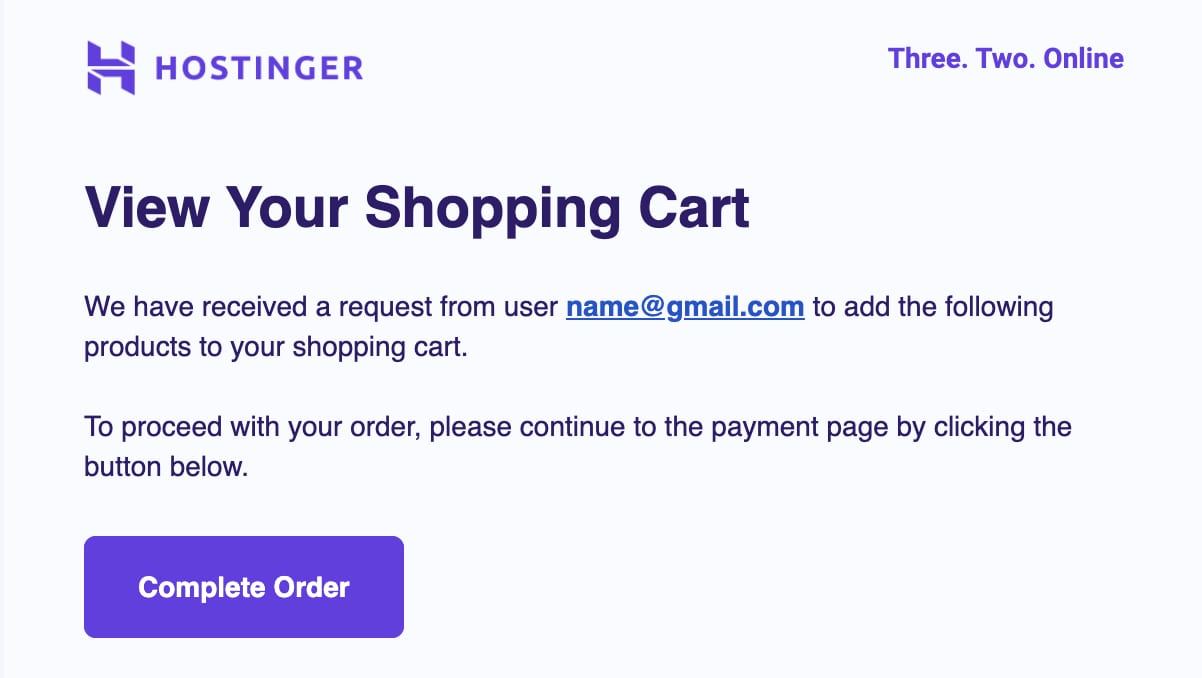
Hostinger shopping cart page with highlighted Complete Order button
  1. 在 hPanel 的 主页 部分,点击 Account Sharing(账户共享)
  2. 你将被重定向到 Account Sharing 页面。点击 Request access(请求访问)
  3. 输入你希望请求访问权限的账户 电子邮件地址,并选择 访问级别。点击 Add hosting plan(添加主机套餐)
  4. 为你的客户选择网站托管套餐。
  5. 选择套餐 时长,然后点击 Add to cart(加入购物车)
  6. 确认请求摘要,然后点击 Send Email(发送邮件)
  7. 一封邮件将被发送给被请求的账户,以 授予访问权限完成订单

方案 2——推荐(Referrals)

Referrals card for referring clients and earning commission
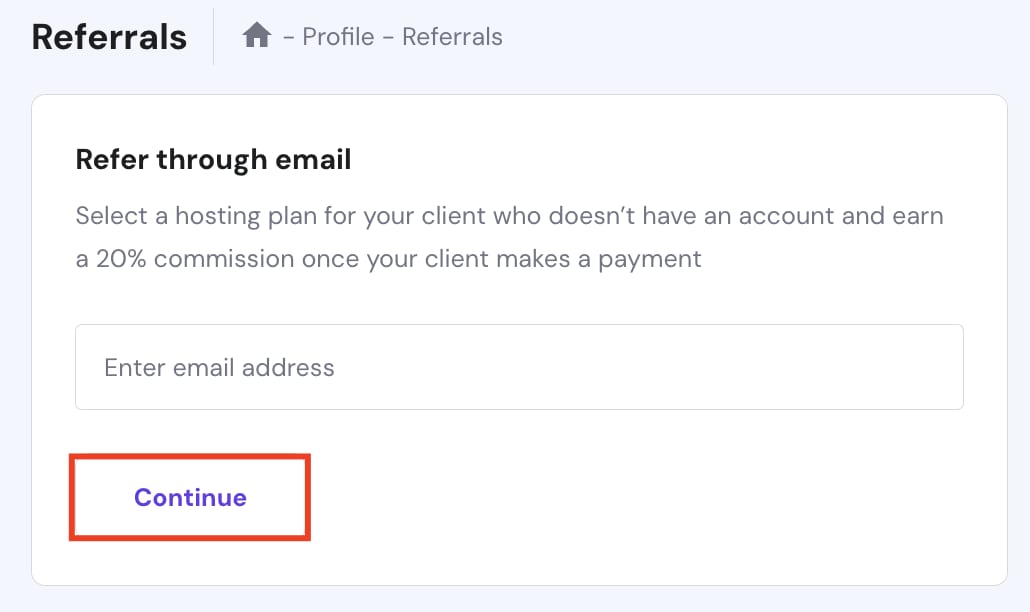
Referrals page with the Continue button highlighted under Refer through email
Cloud hosting plan cards with the Cloud Hosting tab selected and Cloud Professional marked most popular
Hosting plan checkout showing 24-month duration selected and Add to cart button highlighted
Cloud Startup summary with highlighted Send Email button
Hostinger shopping cart page with highlighted Complete Order button
  1. 在 hPanel 的 主页 部分点击 Referrals(推荐)
  2. 你将被重定向到 Referrals 页面。要邀请你的客户,请输入其 电子邮件地址 并点击 Continue(继续)
  3. 为你的客户选择 网站托管套餐。
  4. 选择套餐 时长,然后点击 Add to cart(加入购物车)
  5. 确认请求摘要,然后点击 Send Email(发送邮件)
  6. 一封邮件将被发送给被请求的账户,以 授予访问权限完成订单

就这样!通过点击 Complete order(完成订单) 按钮,你的客户就能在他们那一侧完成购买。

来源:Hostinger 官方帮助文档