Catch-All(全收)邮箱是一个便捷的功能,可让你接收发送到域名中拼写错误或无效邮箱地址的任何邮件,例如你拥有 hello@domain.tld,而发件人写成了 helo@domain.tld

如何创建 Catch-All

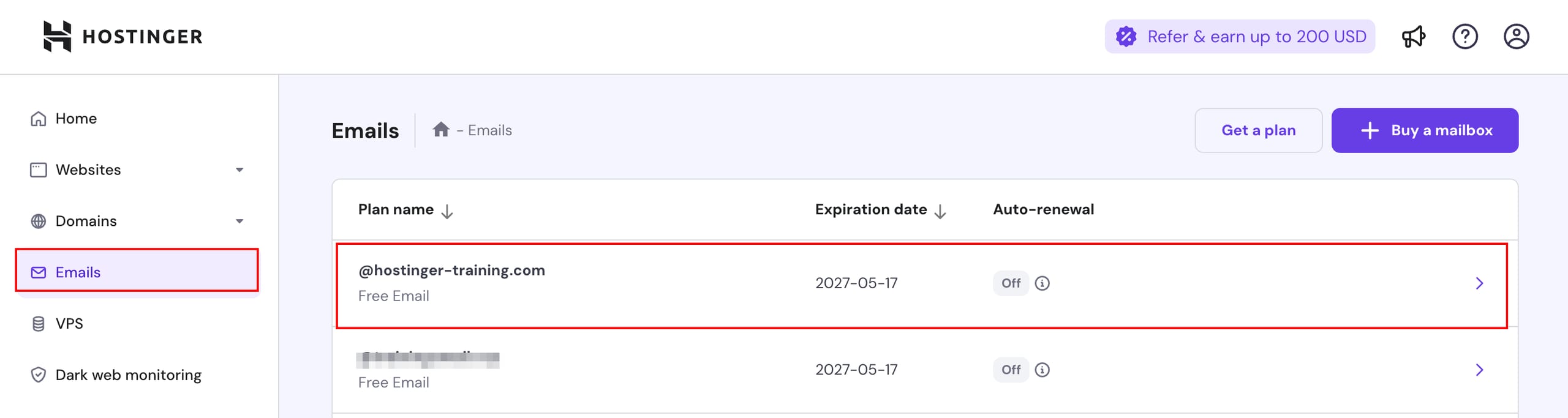
Hostinger Emails page with the Emails menu item and the @hostinger-training.com email plan highlighted
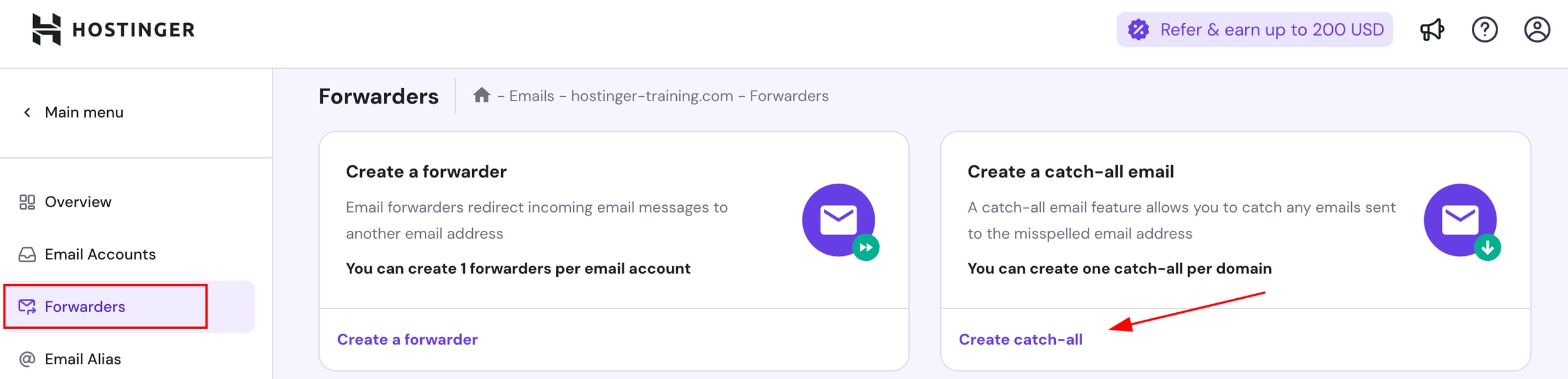
Hostinger Emails Forwarders page with the Forwarders menu and Create catch-all highlighted
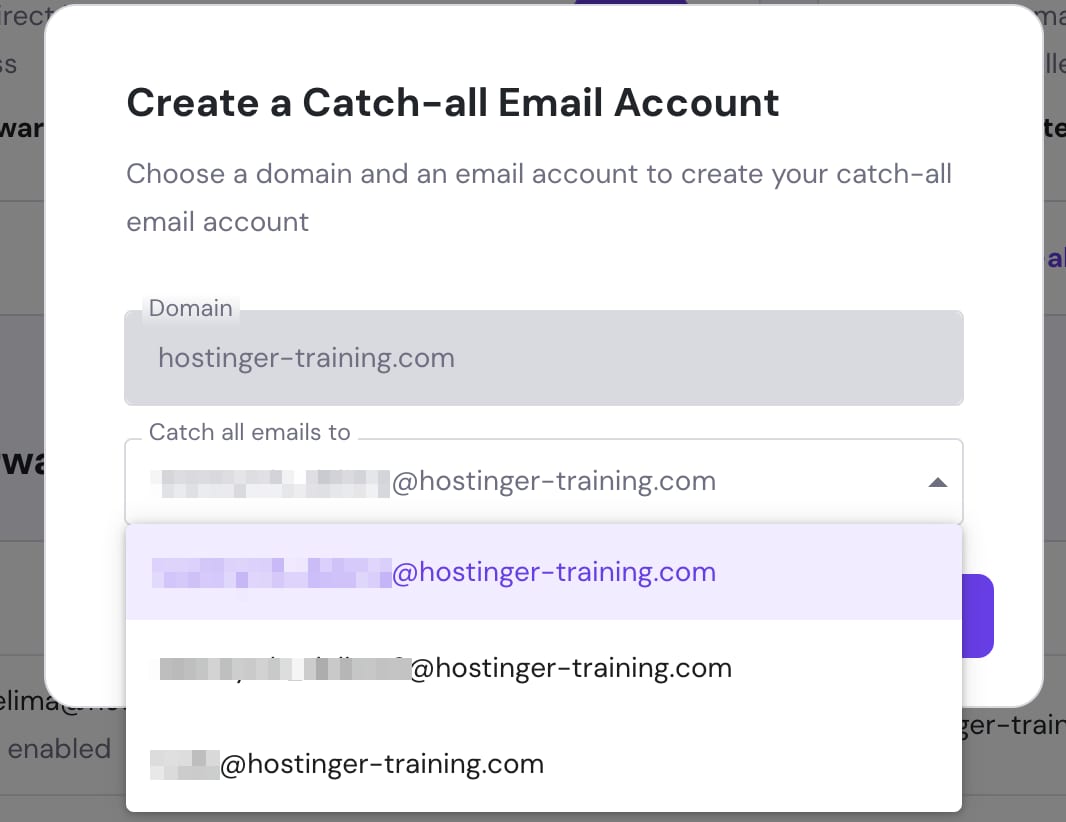
Hostinger hPanel catch-all email account popup with a recipient dropdown open on hostinger-training.com
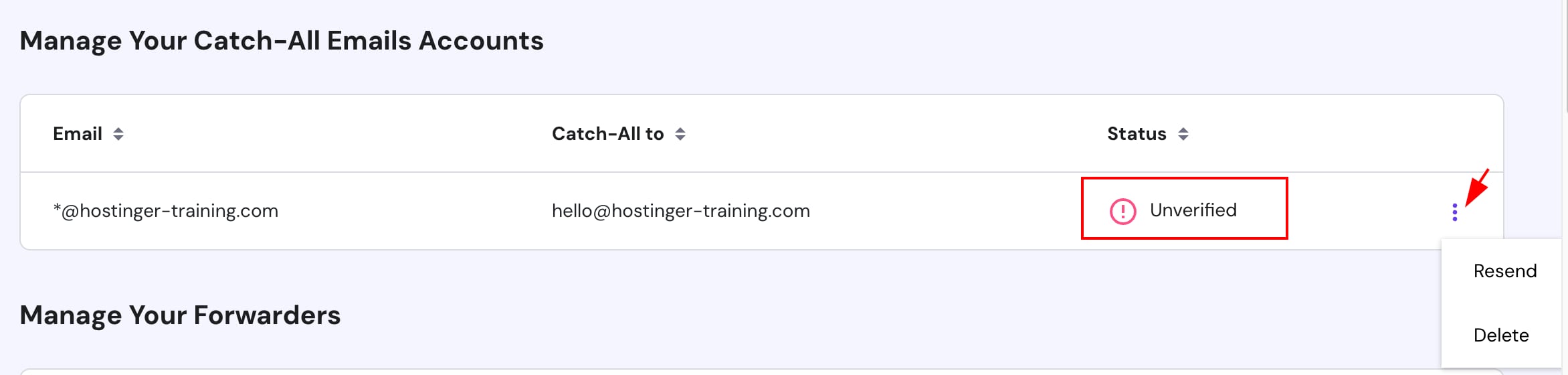
Hostinger email catch-all account marked Unverified with overflow menu open showing Resend and Delete

进入 hPanel 的 Emails 区块,点击你要管理的套餐域名或子域名旁边的任意位置

接下来,在左侧边栏选择 Forwarders(转发器),点击 Create catch-all(创建全收)

在弹出的窗口中,从下拉列表选择邮件将被发送到的邮箱,然后点击 Create(创建)

要完成设置,请登录目标邮件地址并点击发送给它的验证链接进行确认。

验证后,发送到域名中不存在的邮箱的所有邮件都会被转发到指定的邮件地址。

每个域名只能创建一个 Catch-All 💡

如何删除 Catch-All 邮箱
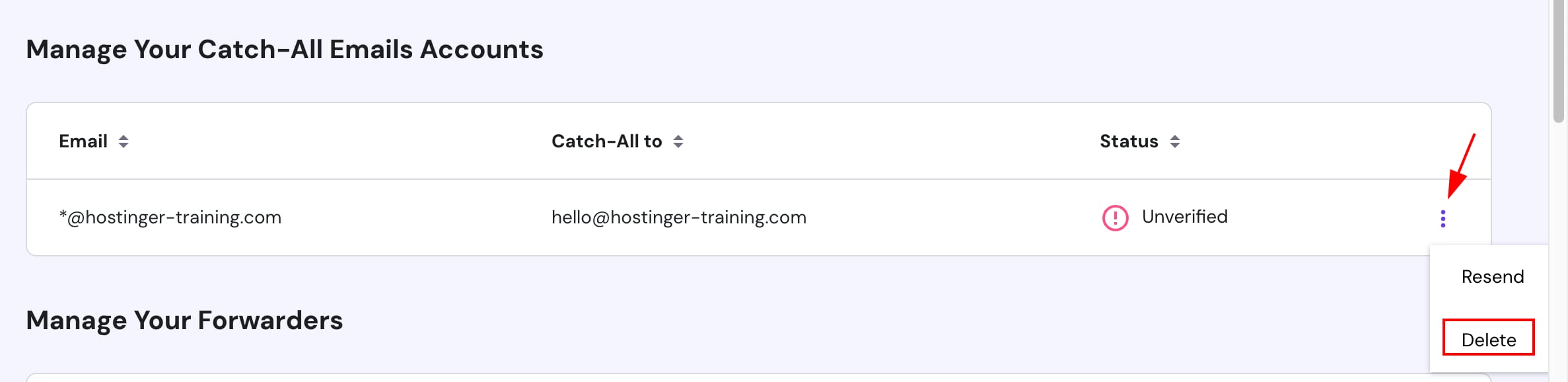
Hostinger email catch-all list with Delete option highlighted in the action menu

Forwarders(转发器) 区块,进入 Manage Your Catch-All Emails Accounts(管理你的 Catch-All 邮箱账户),点击 Catch-All 旁边的 options 按钮(⋮),然后点击 Delete(删除)

删除后,你将停止接收发送到域名中不存在地址的邮件。如有需要,你可以随时重新创建新的 Catch-All。

来源:Hostinger 官方帮助文档