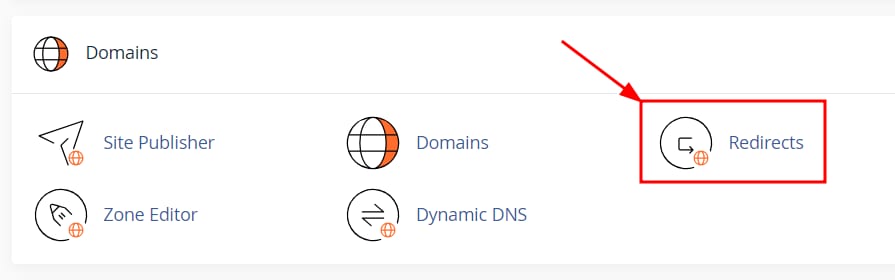

cPanel Domains section with the Redirects menu item highlighted
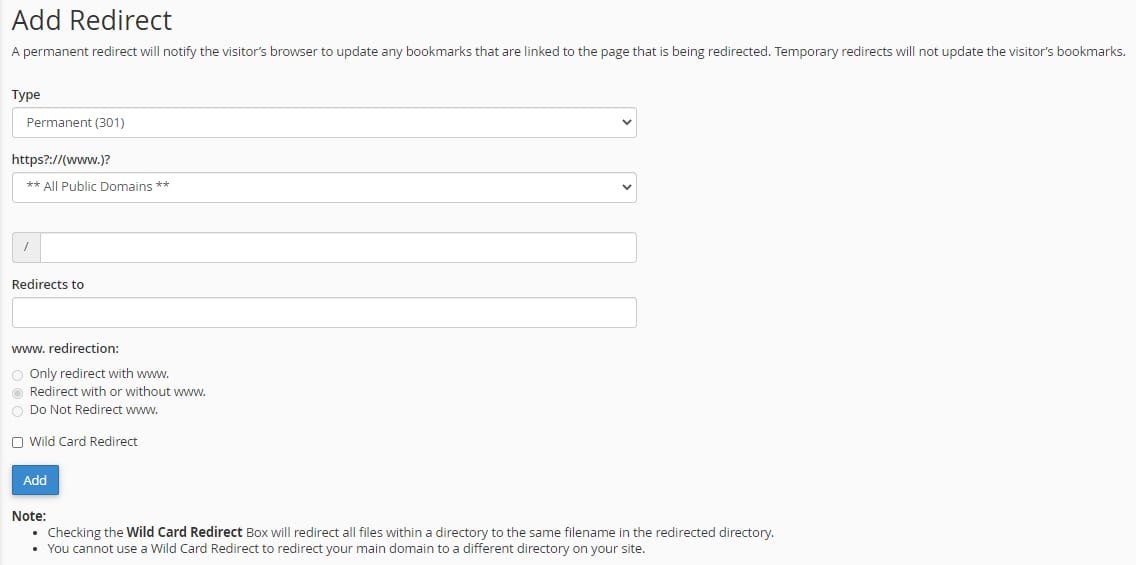
cPanel Add Redirect form with Permanent 301 selected and Wild Card Redirect checkbox visible
cPanel Current Redirects table with the Delete action highlighted

要在 cPanel 上创建和管理域名重定向,请进入 Domains → Redirects

接下来,选择重定向类型、域名,如适用可指定要重定向的自定义路径,并选择重定向 www 或根域名:

关于重定向类型,请考虑以下说明:

  • Permanent 301 – 如果原始 URL 将不再使用,请使用此项。这是 SEO 的推荐选项,因为你可以保留之前域名的搜索排名
  • Temporary 302 – 如果重定向是临时性的(例如网站正在维护中),可以使用此项
  • Wild Card Redirect – 将目录下的所有文件重定向到目标目录中同名的文件

创建后,重定向会显示在页面底部,如需删除可在该处操作:

来源:Hostinger 官方帮助文档