如果你想推出一个电商网站,Hostinger 提供多种脚本,只需几次点击即可安装。
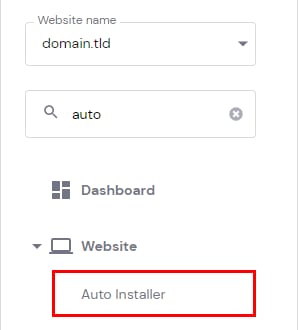
要开始,请前往 hPanel 网站(Websites) 页面 → 你的站点旁边的 Manage(管理) → 网站(Website)→ 侧边栏中的 Auto Installer(自动安装程序)。
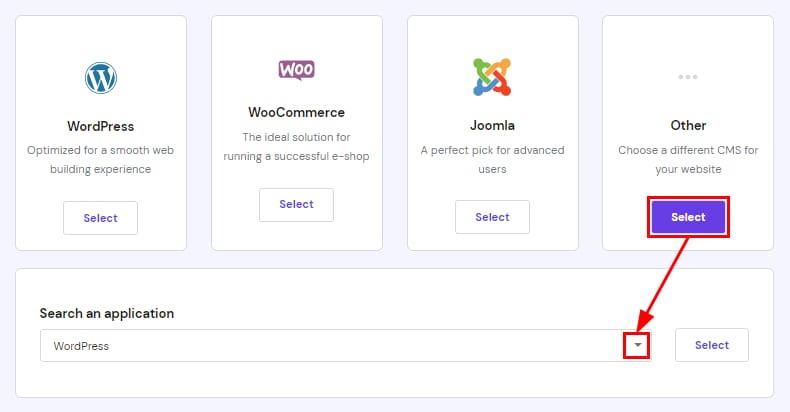
选择 Other(其他),并使用搜索栏查找流行的电商脚本,例如 PrestaShop、Abante Cart、osCommerce 以及更多。
在基于 WordPress 的网站中,你可以使用 WooCommerce 插件轻松创建在线商店。详细步骤请查看此教程:如何在 WordPress 上搭建电商网站。
了解如何使用 WordPress 和 WooCommerce 一步步制作电商网站:
如果你想要的脚本在 Auto Installer(自动安装程序)中不可用,你可以在 Premium 及以上套餐上通过 SSH 手动安装,前提是你的套餐满足该脚本的资源要求。某些脚本需要额外的权限或服务器级访问权限,这在共享或云主机套餐上不可用。在这种情况下,建议使用 VPS。
来源:Hostinger 官方帮助文档