将联系人导入 Titan 邮件。
你可以轻松地将联系人从其他邮件服务导入 Titan。你只需要准备好一份以 CSV 文件 保存的联系人列表即可。
了解更多:如何从 Outlook、Google 或 Yahoo 以 .CSV 格式导出联系人 💡
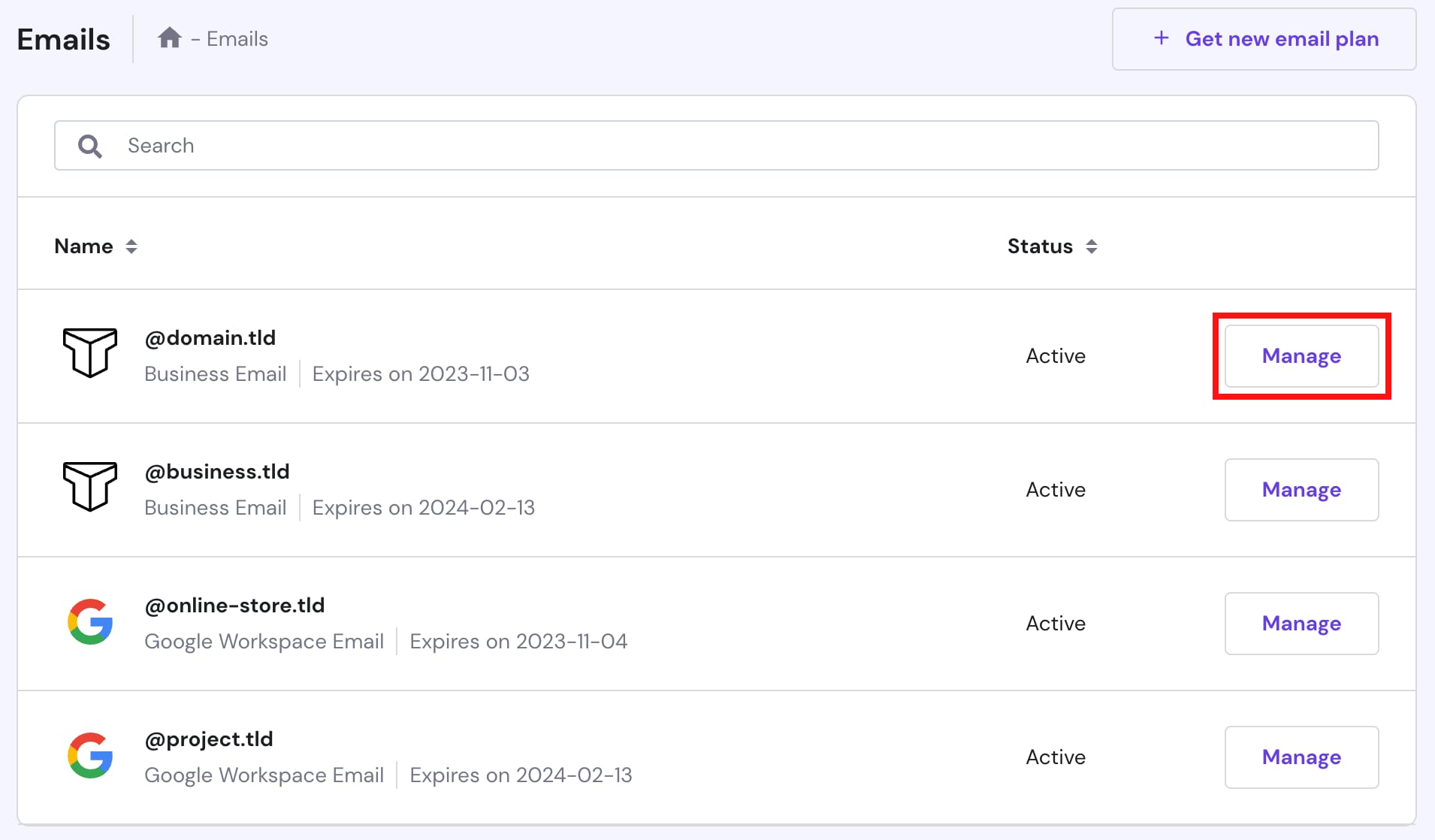
要将联系人导入你的 Titan 邮件账户,请进入 hPanel → 邮件(Emails),找到对应的邮件服务,点击 管理(Manage):
注意
- Hostinger 上有两种类型的 Titan 邮件方案:Business Email(商务邮件) 和 Enterprise Email(企业邮件)
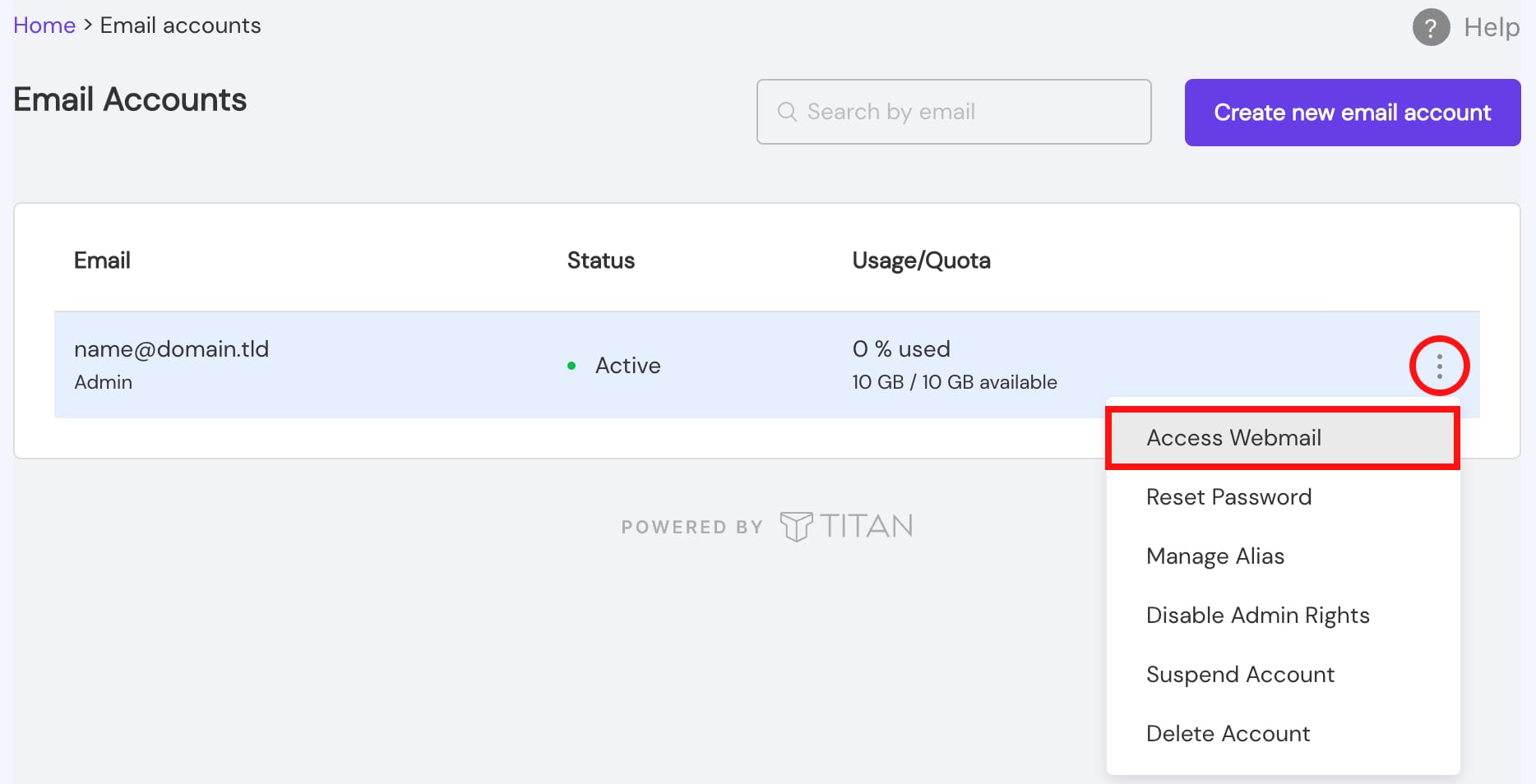
进入 邮件账户(Email Accounts),点击 省略号 ⋮ 按钮,选择 访问 Webmail(Access Webmail),然后登录你的邮件账户:
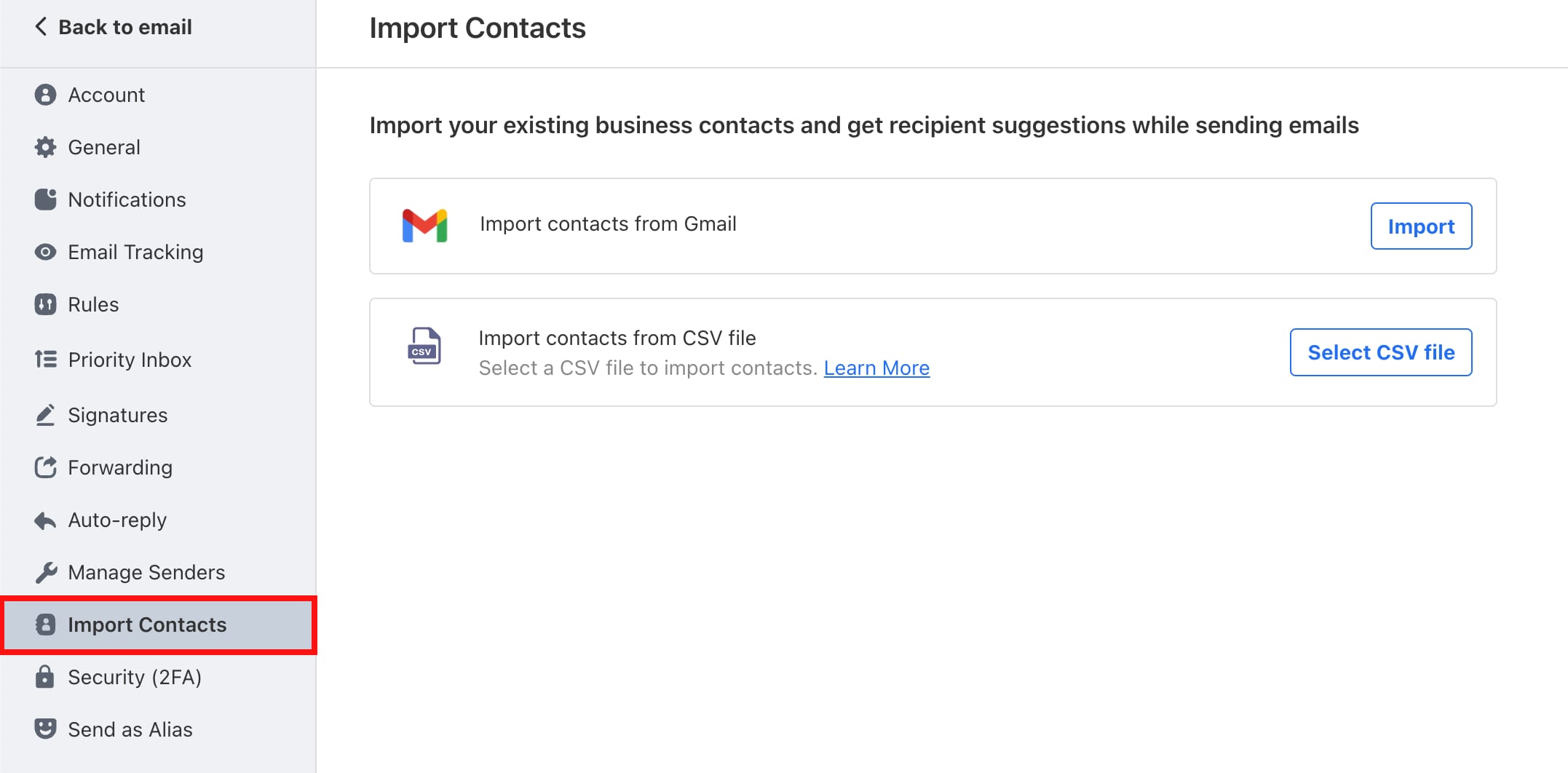
在你的邮件账户中,进入 设置(Settings) → 偏好设置(Preferences) → 导入联系人(Import Contacts),并选择是要从 CSV 文件导入联系人,还是直接从 Gmail 导入:
最后,请按照本指南完成其余步骤:向 Titan 导入联系人 💡
来源:Hostinger 官方帮助文档