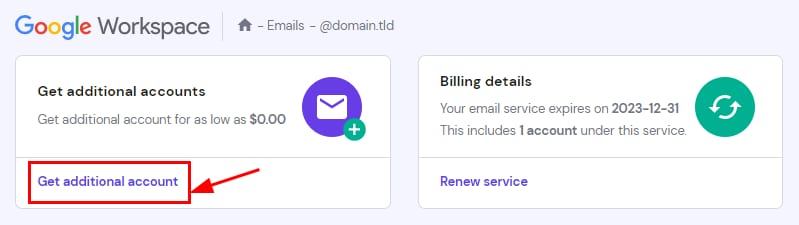
Google Workspace mailbox page with the Get additional account button highlighted
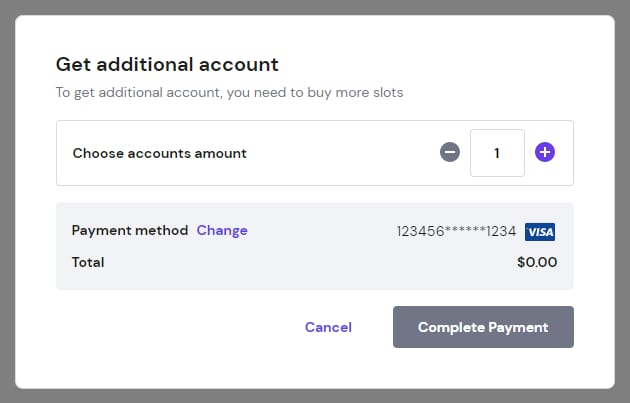
Hostinger Google Workspace checkout popup with highlighted plus button to increase account amount

通过 hPanel 购买更多 Google Workspace 邮件账户。

你可以通过向现有订阅添加更多邮箱,轻松扩展你的 Google Workspace 服务。这样,你就可以为新的团队成员或部门创建新的邮件地址,同时保持当前的配置。

要添加新邮件账户,请按以下步骤操作:

  1. 进入 hPanel → 邮件(Emails)。
  2. 找到你的域名,点击其旁边的 邮箱(Mailboxes)
  3. 点击 获取额外账户(Get additional account)
  4. 在弹出的窗口中,选择你要添加的邮箱数量。选择你偏好的支付方式,并点击 完成支付(Complete Payment)

交易成功处理后,新邮箱将立即可用。然后你就可以继续创建并配置各个邮件地址了。

来源:Hostinger 官方帮助文档