在墨西哥使用本地支付方式 OXXO 和 SPEI 付款的操作流程
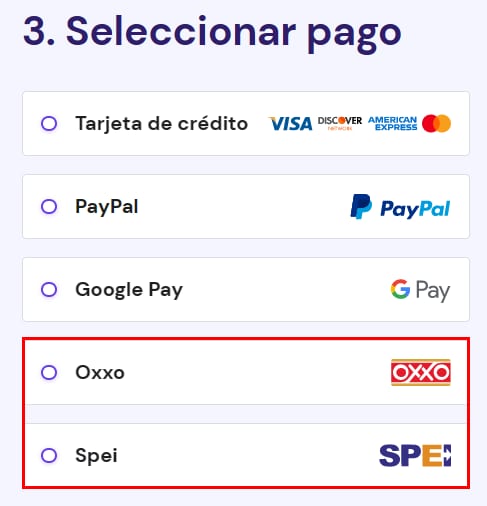
您可以使用来自 墨西哥 的 Oxxo 或 SPEI 支付任何 Hostinger 服务,方法是在购物车的新购中选择所需方式:
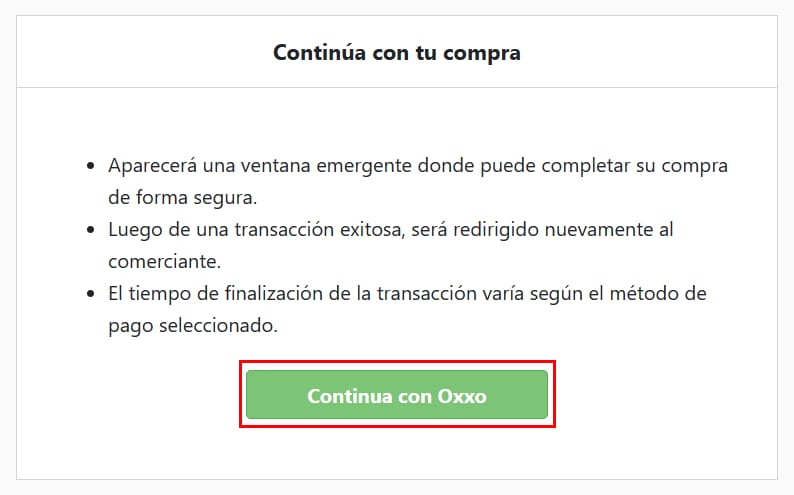
在右侧输入国家并点击 Send secure payment(发送安全支付)。接下来,您将看到订单摘要以及继续付款的选项。点击 Continue with Oxxo(或 SPEI)(使用 Oxxo 或 SPEI 继续):
系统会生成一张模板,您可据此进行支付并选择打印。然后,按照模板中的说明完成支付,等待几小时,您的服务应当会在面板中显示为已激活,您可以在其中进行设置。
注意
- 您也可以从 hPanel 使用这些支付方式进行续费和升级
- 虽然支付平均在几小时后到账,但最多可能需要 两个工作日 才能完成
来源:Hostinger 官方帮助文档