跟踪收件人何时点击链接或下载你邮件中的文件。这有助于你了解邮件是否真正被互动——而不仅仅是被打开。

链接追踪让你可以准确看到收件人何时与你通过邮件发送的文件互动。此功能适用于 Premium Hostinger Email 套餐,并为文件打开和下载提供实时通知,帮助你更有效地监控互动。

开始之前

  • 链接追踪必须在添加时针对每个链接启用
  • 文件追踪仅适用于作为被追踪附件添加的文件

如何追踪链接点击

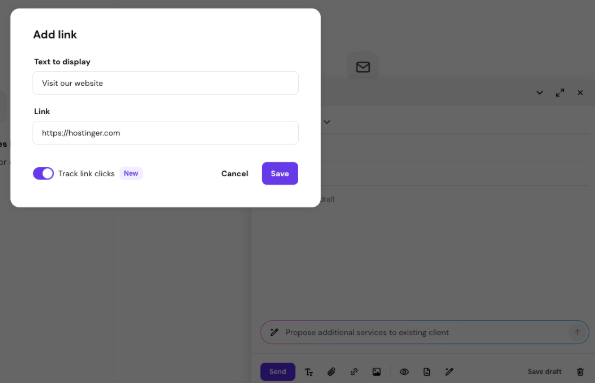
Popup to add a link with text and URL fields, tracking toggle, and Save button
  1. 打开邮件撰写器(新消息)
  2. 点击底部工具栏中的 Add link(添加链接)(链接图标)
  3. 输入:
    - 要显示的文本
    - 链接(URL)
  4. 启用 Track link clicks(追踪链接点击)
  5. 点击 Save(保存)

链接现已受追踪。当有人点击它时,你会收到通知。

如何追踪文件下载
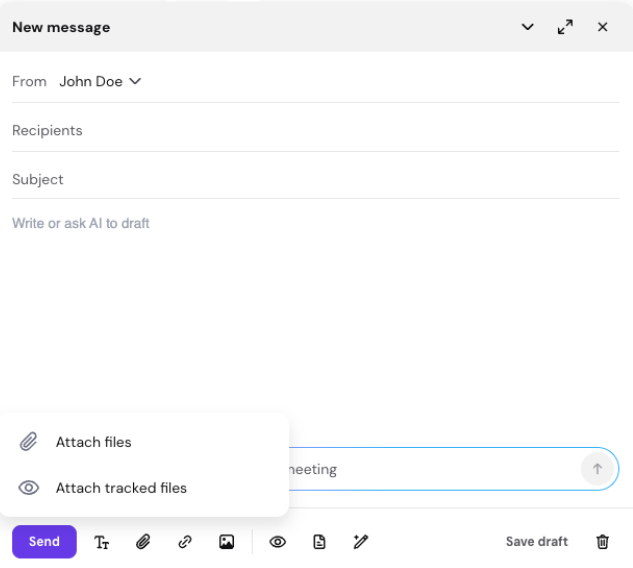
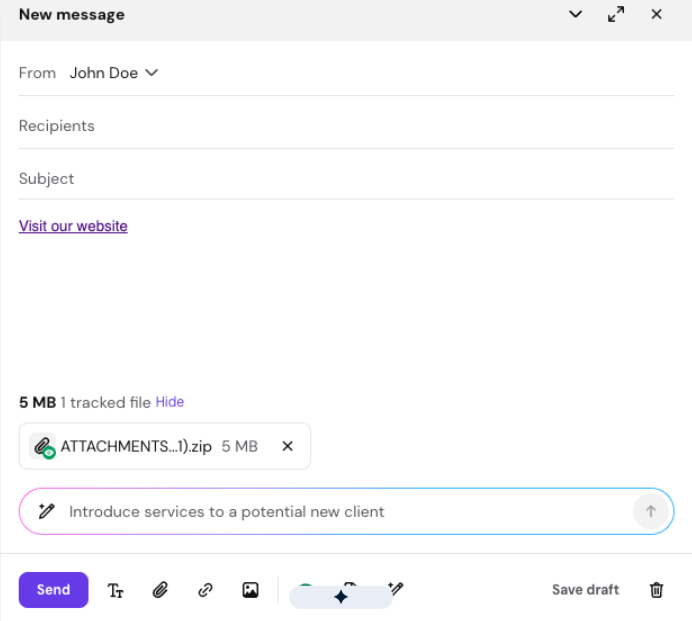
Email compose window with attach-files menu open and the attach tracked files option visible
Email compose window with draft prompt: Introduce services to a potential new client
  1. 打开邮件撰写器(新消息)
  2. 点击底部工具栏中的 Attach files(附加文件)(回形针图标)
  3. 选择附加 tracked files(被追踪文件)
  4. 选择你要添加的文件
  5. 确认附加它们

当收件人下载这些文件时,它们现在会受到追踪。

如何查看链接和文件活动

你可以通过两种方式查看追踪详情。

选项 1:通过通知
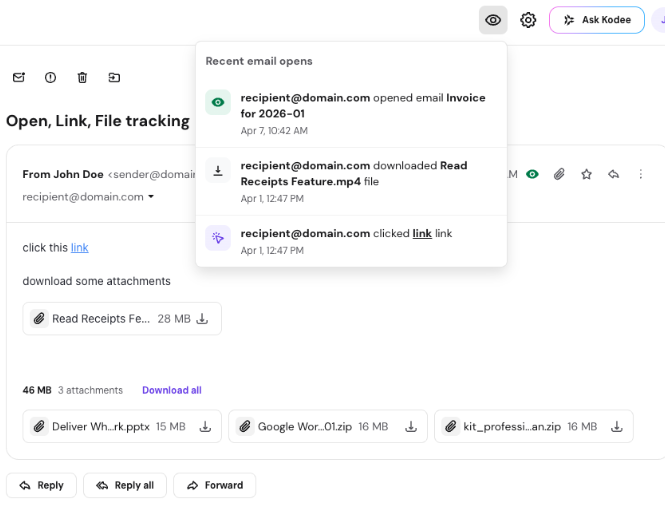
Email tracking popup showing recent email opens, downloads, and link clicks
  1. 点击顶栏中的 eye icon(眼睛图标)
  2. 查看最近的活动(打开、点击、下载)
  3. 点击任何通知以在追踪面板中查看完整详情

选项 2:通过已发送文件夹

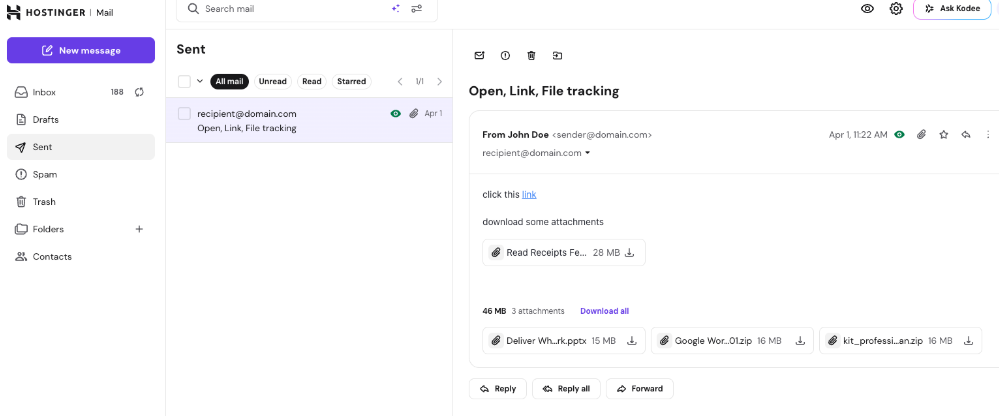
Hostinger Mail sent email open with attachments and links, message titled Open, Link, File tracking
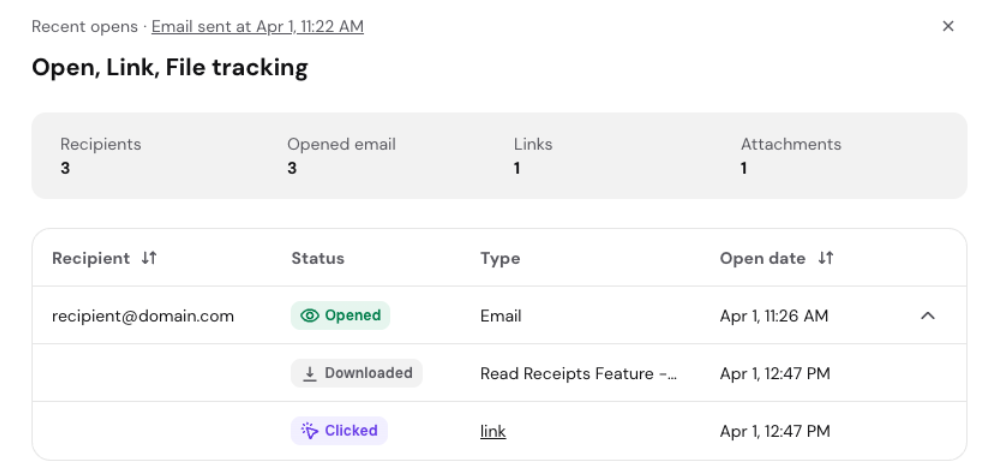
Email tracking dashboard showing recipients, opens, link clicks, and attachment downloads
  1. 进入 Sent(已发送)
  2. 打开邮件或点击它旁边的 eye icon(眼睛图标)
  3. 将打开追踪面板

你可以在追踪面板中看到什么

在追踪面板中,你可以查看:

  • 每次操作的日期和时间
  • 谁打开了邮件
  • 谁点击了链接
  • 谁下载了附件

故障排查

链接显示为已点击,但收件人并未点击它 某些邮件安全系统会自动扫描链接和文件。即使收件人未与之互动,这也可能被记录为打开或点击。

提升送达率的提示

  • 避免在一封邮件中发送过多被追踪的链接或文件
  • 仅在需要时使用追踪
  • 只向期望收到邮件的收件人发送邮件

使用链接和文件追踪时确保邮件送达率:过度使用链接和文件追踪会影响你的邮件送达率。有节制地使用被追踪的链接和文件追踪,可确保垃圾邮件过滤器不会将你的邮件归类为垃圾。此外,为避免影响邮件送达率,不要向未注册(订阅)接收你邮件的收件人发送大量被追踪的文件或链接。

注意:过度追踪会增加邮件被标记为垃圾邮件的可能性。

来源:Hostinger 官方帮助文档