概述

在 Hostinger Reach 中创建表单后,你可以将其添加到 WordPress 站点,以便直接从页面开始收集订阅者。

如果你尚未创建表单,请参阅 这篇文章。

本指南重点介绍如何将你已创建好的表单嵌入任意 WordPress 站点

1 - 添加站内跟踪脚本

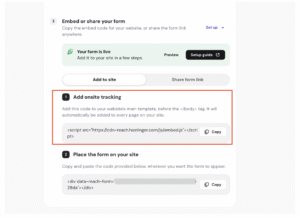
Hostinger form setup guide with Add onsite tracking code section highlighted

要在 WordPress 站点上展示表单,首先需向网站添加一段 tracking script(跟踪脚本)(一次性设置)。

在表单能在你的站点加载之前,你需要从 Reach 复制一段脚本添加到网站文件中。

这段代码片段应放在 footer.php 文件中、闭合的 标签之前。如果不存在 标签,可将脚本粘贴到文件最末尾。
方式 1:使用 WordPress 主题文件编辑器

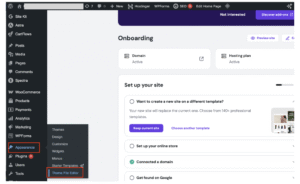
WordPress Appearance menu with Theme File Editor selected
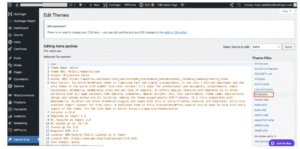
WordPress theme editor with Astra active and footer.php selected in Theme Files
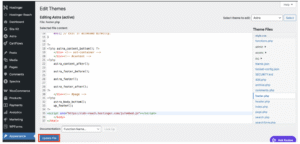
Hostinger WordPress theme editor with footer.php open and Update File button highlighted
  1. 登录你的 WordPress 管理后台
  2. 进入 Appearance(外观) → Theme File Editor(主题文件编辑器)
  3. 打开 footer.php 文件
  4. 滚动到文件底部
  5. 粘贴来自 Hostinger Reach 的脚本(以