从 Hostinger Email 导出你的邮件
如果你使用 Hostinger Email 并希望将邮件导出为 EML、Mbox 或 Maildir 格式,请按照以下步骤操作 👇
注意:目前该功能仅在旧版 Webmail 中可用,因此你需要访问旧版 Webmail 才能进行导出。
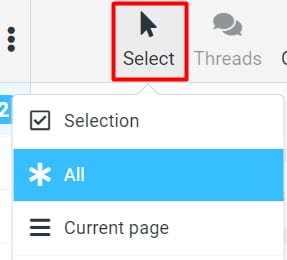
访问 Hostinger Email 的 Webmail,并选择所有要导出的邮件。你可以使用 选择(Select) 按钮来更快完成:
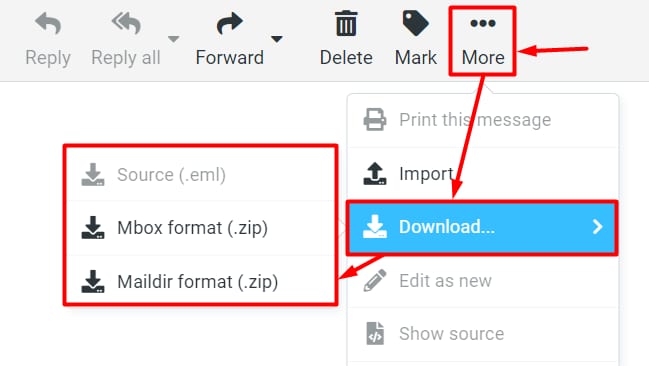
选中后,点击 更多(More),然后点击 下载(Download),并选择格式:
这样,所有选中邮件的压缩包就会被下载到你的设备。
注意
- 你一次只能下载单个邮件 的 EML 文件
- 如果你选择 Mbox 或 Maildir 格式,你将收到一个包含所选格式邮件的 .ZIP 文件
来源:Hostinger 官方帮助文档