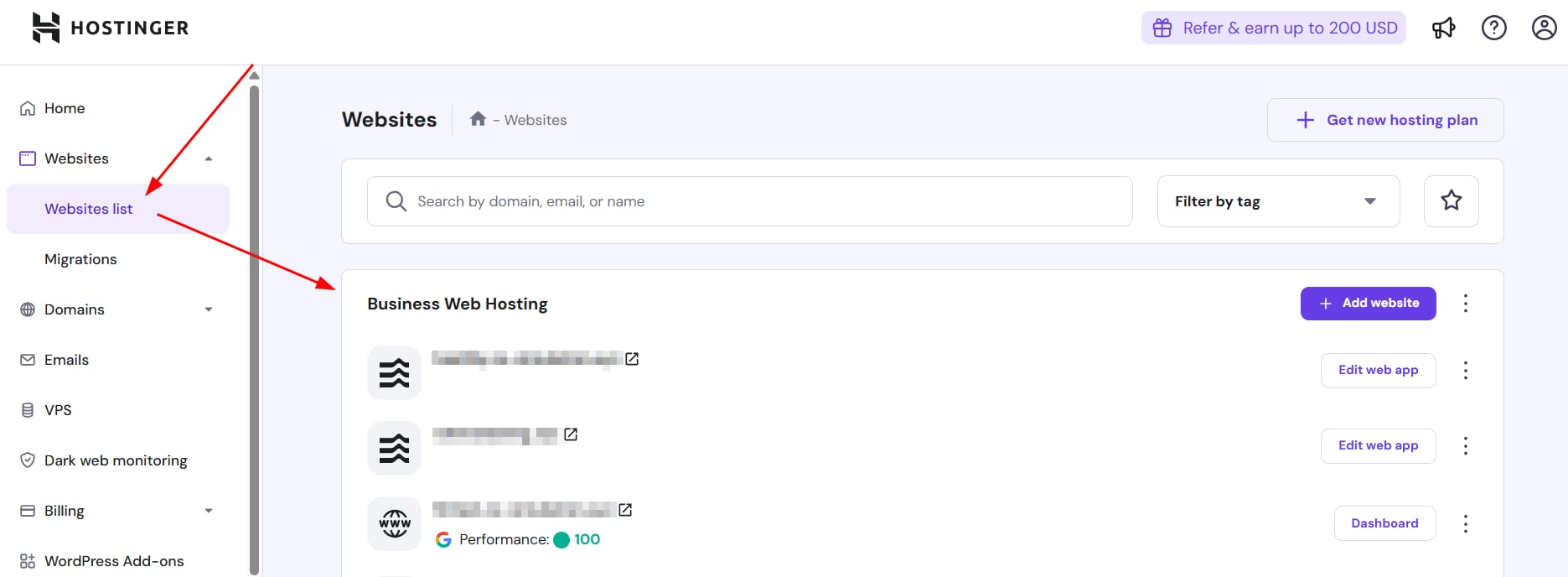
Hostinger Websites list menu selected with website entries and add website button in the main panel
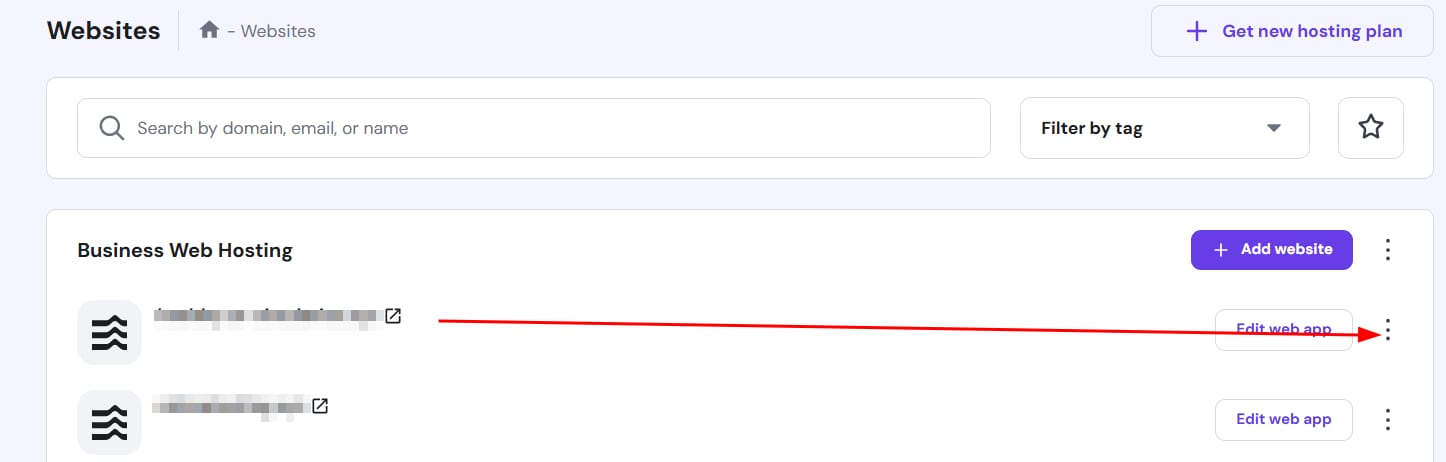
Hostinger Horizons websites list with the three-dot menu highlighted for a web app row
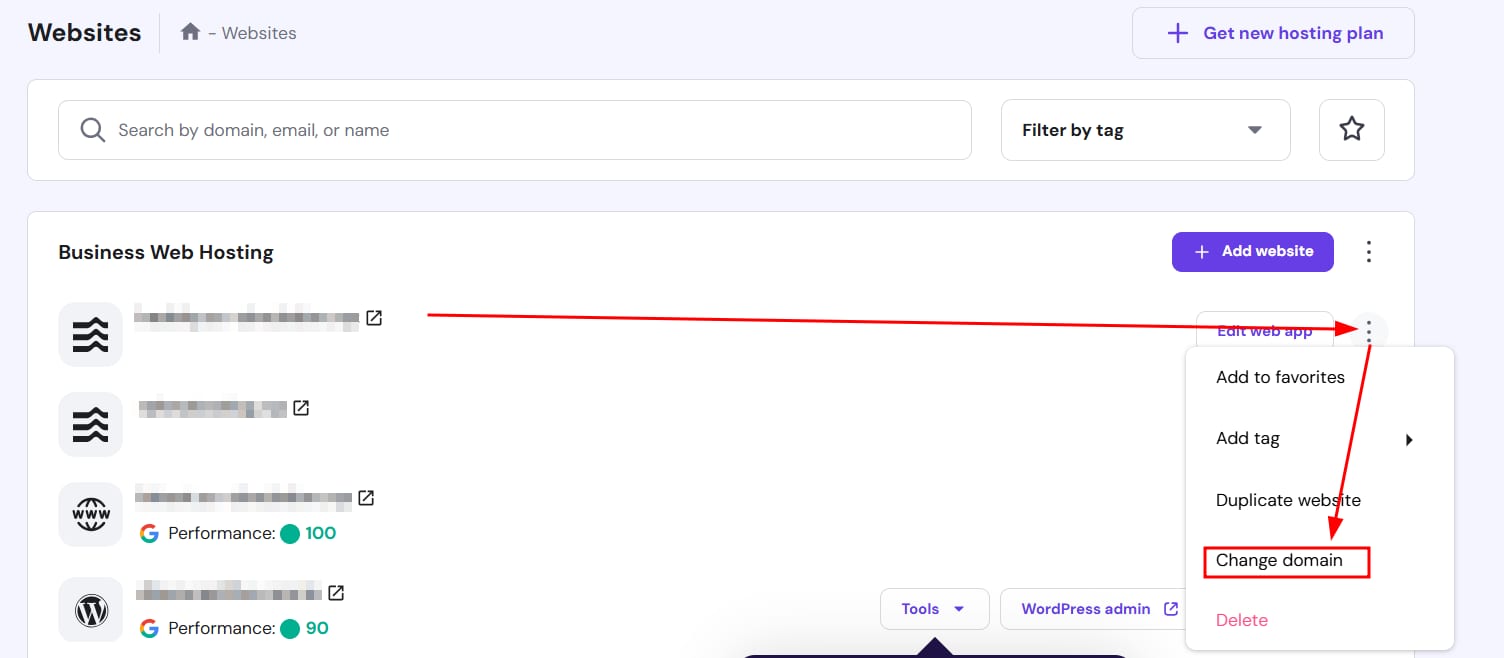
Hostinger Websites menu with Change domain option highlighted in website actions dropdown
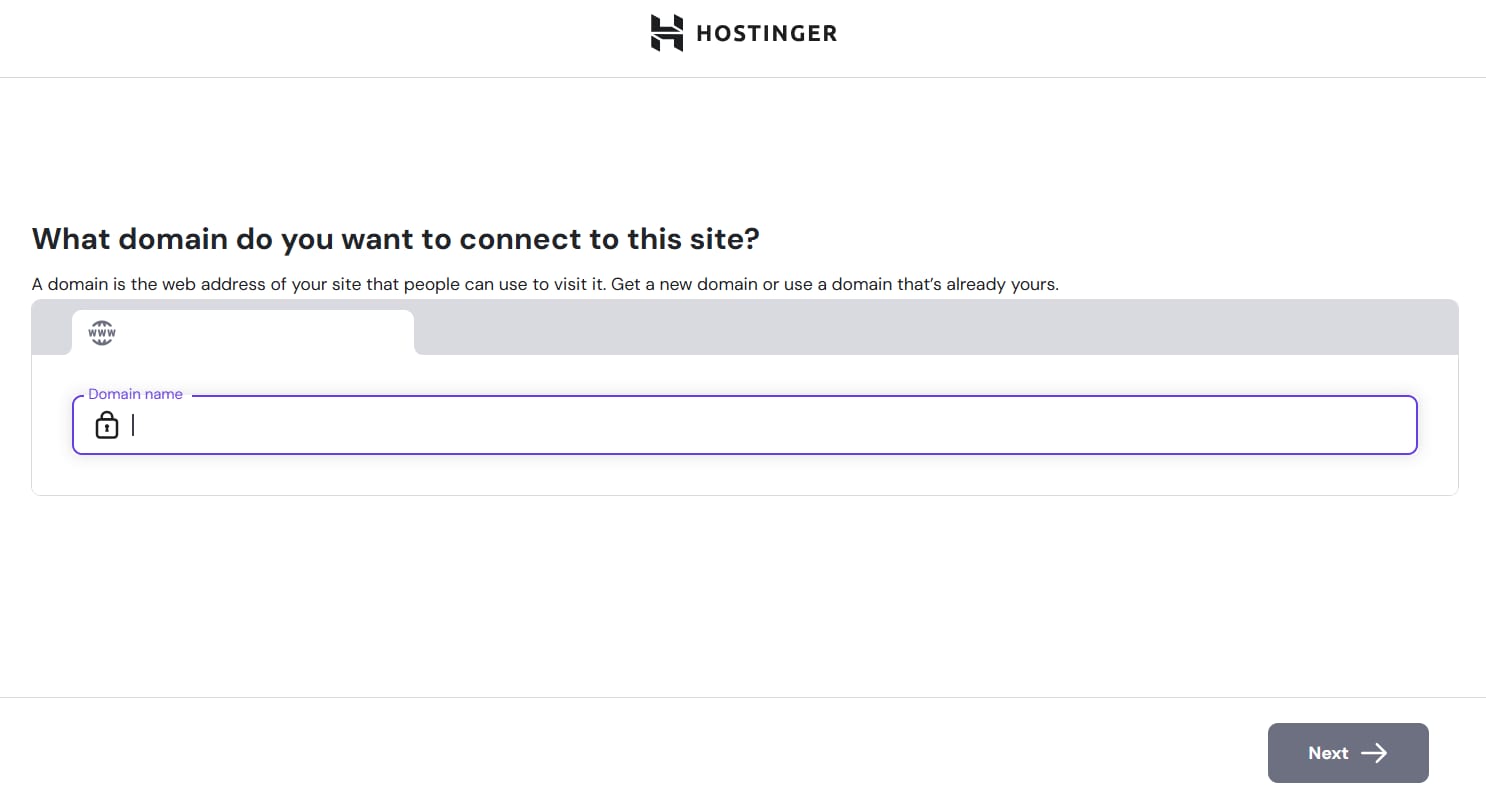
Hostinger Horizons domain connection screen with the domain name input field focused

了解如何为 Hostinger Horizon 更改域名。

在 Hostinger Horizons 中更改与网站关联的域名简单快捷。只需按照以下步骤操作:

  1. 在你的 hPanel 中,导航到 网站列表 面板。
  2. 找到要更改域名的 Web 应用,并点击其旁边的 三点 按钮。
  3. 点击你希望连接到域名的特定 Web 应用的 更改域名
  4. 输入你想使用的新域名并按照说明操作。

💡 专业提示: 如果你刚从 Hostinger 购买了新域名,它会在更改过程中自动出现在下拉列表中。如果来自其他服务商,请确保在开始更改域名流程之前已正确指向 Hostinger。

重要说明: 更改域名将重置你的邮件套餐,与旧域名相关的 所有邮件数据都将丢失。在进行任何更改之前,请务必备份重要数据。如果要更改的域名下有子域名,它们也必须手动更新。

有关 Hostinger Horizons 中域名管理的更多信息,请查看我们的完整指南

来源:Hostinger 官方帮助文档