关于 PPh23 付款的详情
PPh 23(即第 23 条所得税)是对来自资本、服务或赠与及奖励的收入征收的税,不包括已被 PPh 第 21 条覆盖的部分。
该税通常适用于收入接收方(如卖方或服务提供方)与付款方之间的交易。付款方(买方或服务接收方)负责代扣并向税务机关申报 PPh 23。
PPh 23 退款申请流程
-
付款需一次性全额预付。
-
付款后,你可以通过联系我们的 客户成功 团队申请 PPh 23 退款。
-
申请 PPh 23 退款时,必须附上 PPh 23 代扣税单。
-
PPh 23 退款只能在付款的同一年内申请
示例:如果你在 2023 年 11 月 1 日支付了服务费用,并于 2023 年 12 月 20 日提交了附带代扣税单的 PPh 23 退款申请,该申请可被处理。
PPh 23 退款处理时间
在满足所有要求后,财务团队将在预计 7–14 天内处理你的 PPh 23 退款申请。
如何在 Coretax 创建 tax art 23 税单


-
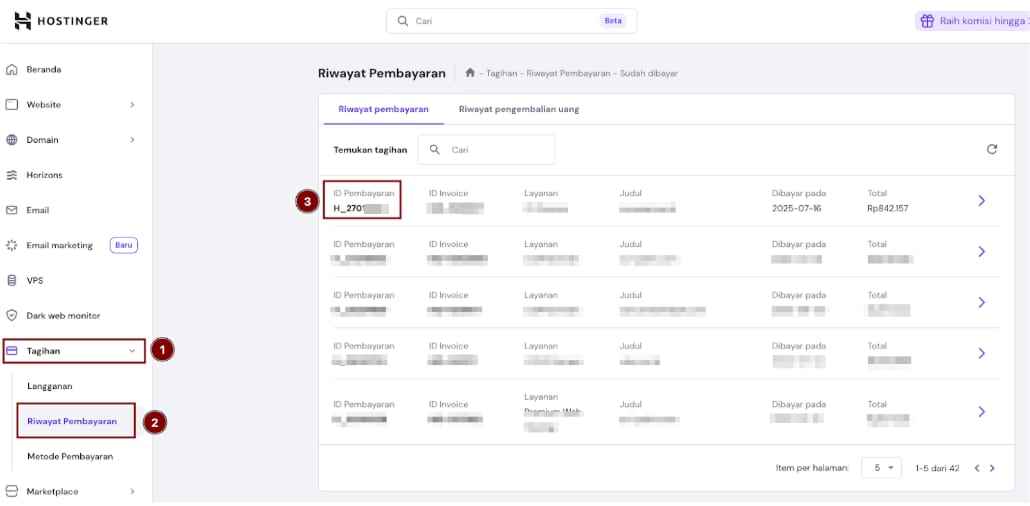
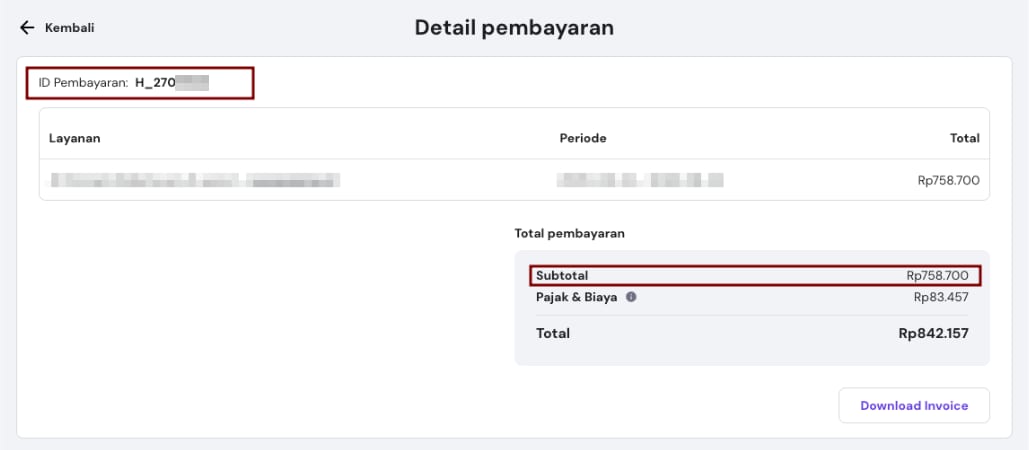
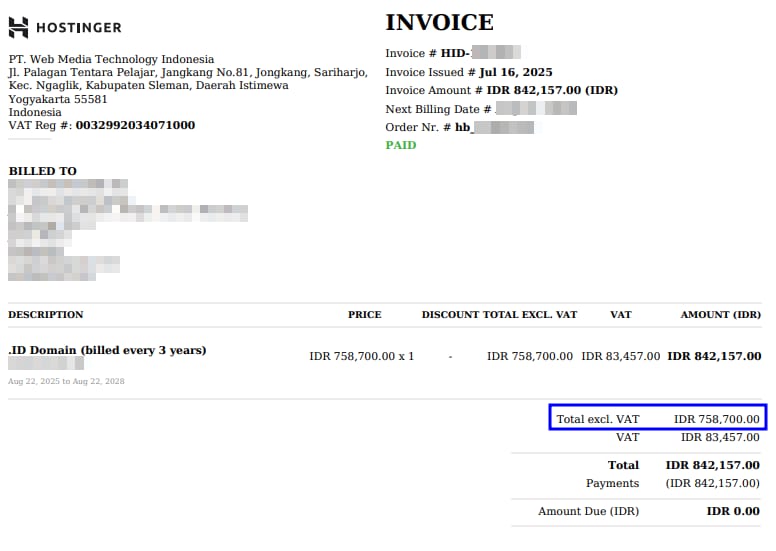
要制作 tax art 23,我们需要发票上的数据以输入到 Coretax。发票可从会员区下载。
-
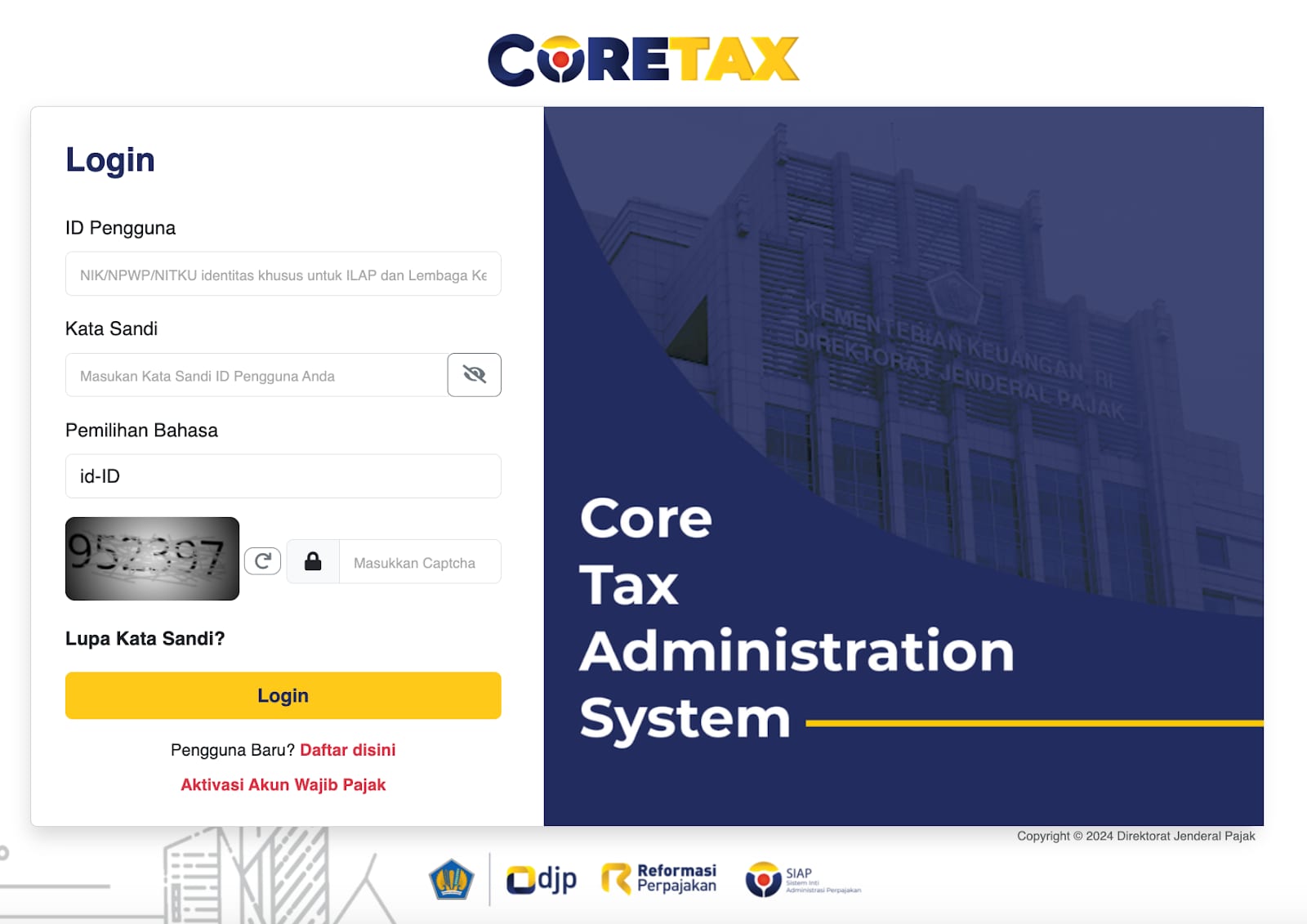
使用用户 ID、密码并填写验证码,登录你的 Coretax:https://coretaxdjp.pajak.go.id/
-
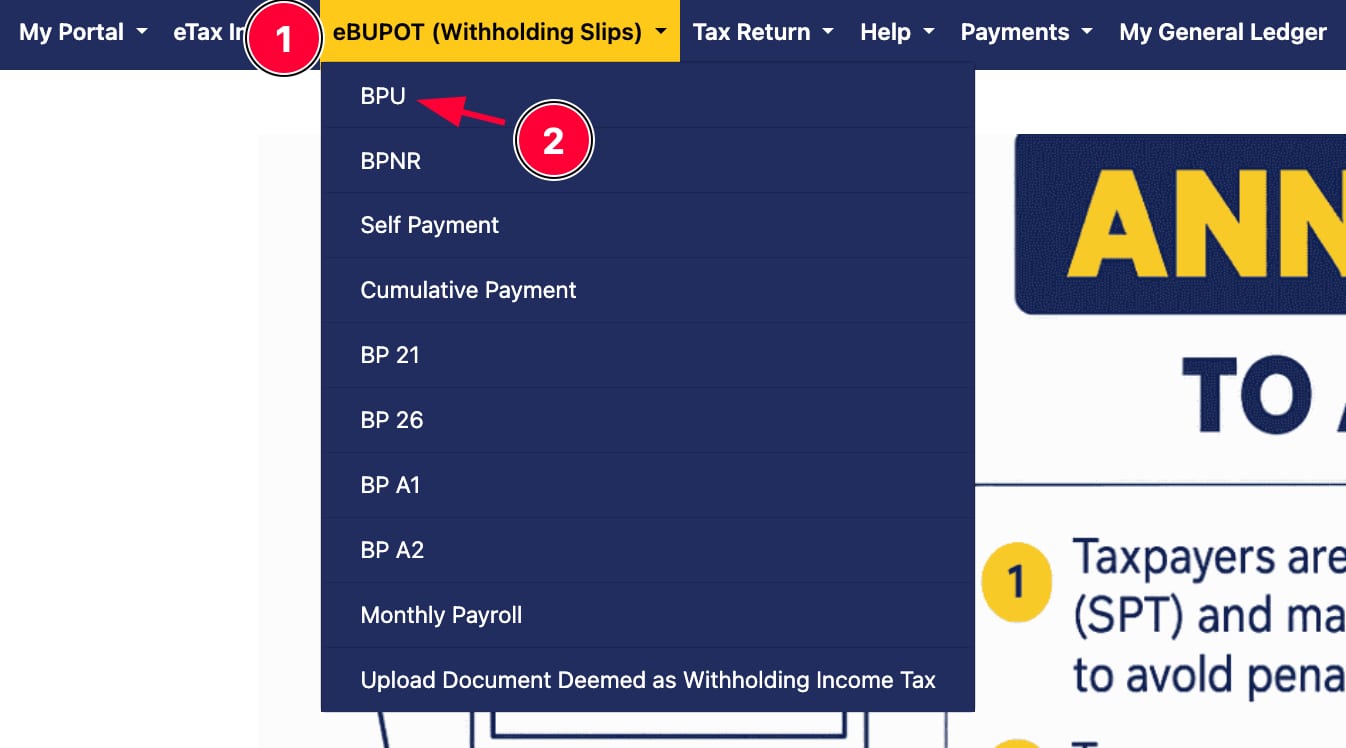
进入 eBUPOT(代扣税单)(eBupot)菜单,并在顶部选择 BPU(BPPU)
-
选择菜单 创建 eBupot BPU
-
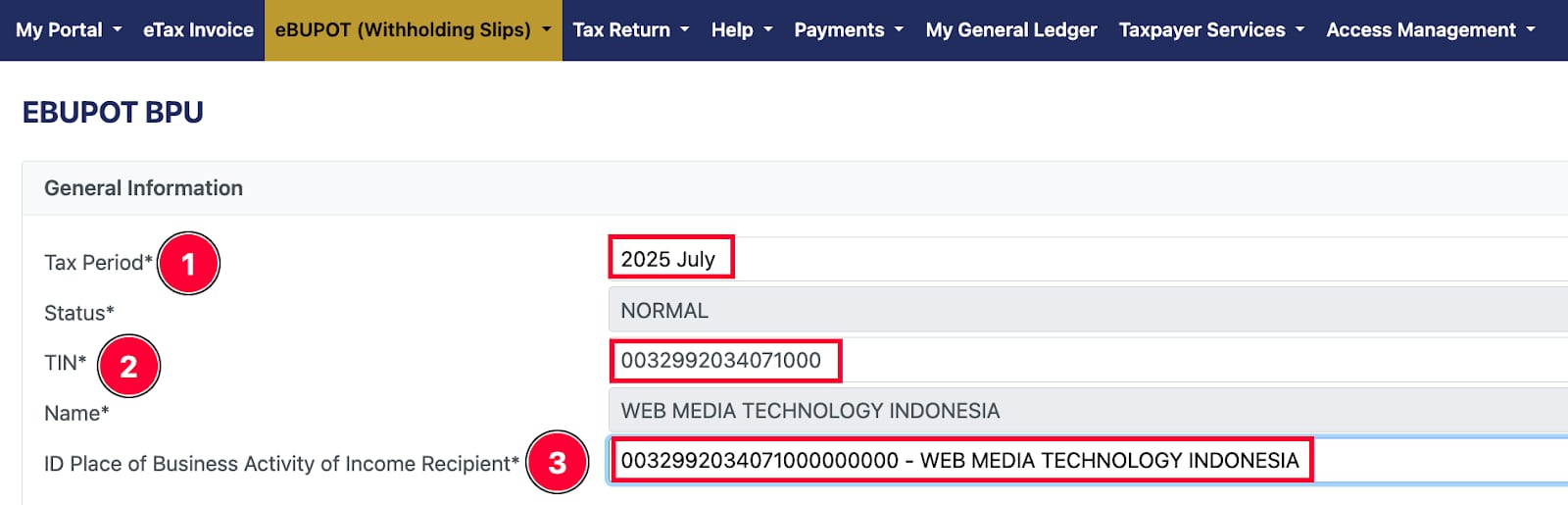
在「基本信息(Informasi Umum)」版块,根据收到的发票选择纳税期(Masa Pajak)。输入 PT Web Media Technology Indonesia(0032992034071000)的纳税人识别号(NPWP),并确保纳税人识别号(NPWP)和经营活动收入接收地 ID(NITKU)都正确无误,如下所示。
-
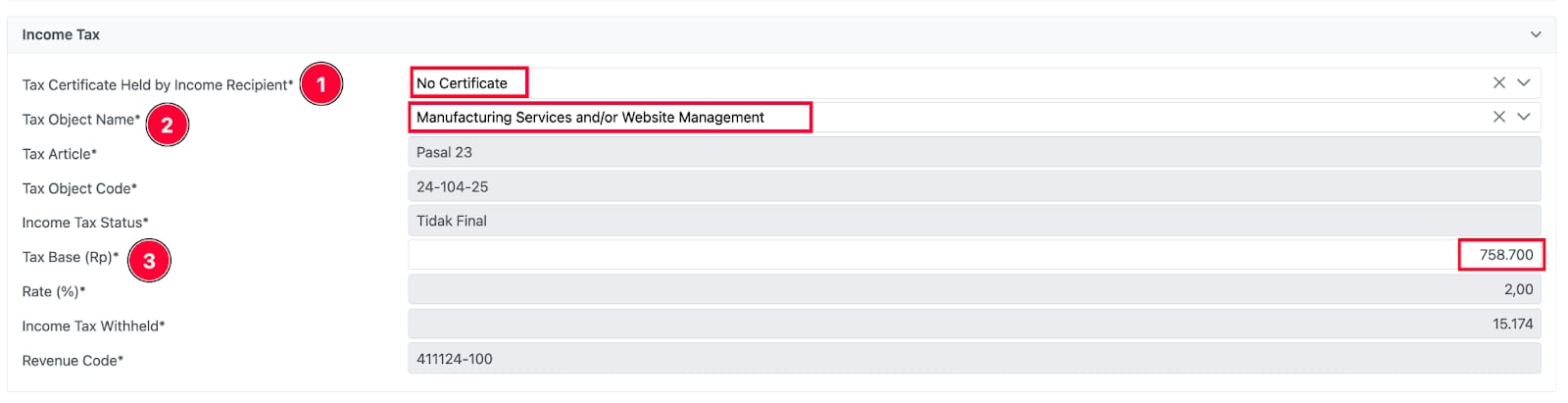
在「所得税(Pajak Penghasilan)」版块:
-
「收入接收方持有的税收优惠(Fasilitas Pajak yang Dimiliki oleh Penerima Penghasilan)」字段可填写为「无优惠(Tanpa Fasilitas)」。
-
「税对象名称(Nama Objek Pajak)」字段可填写为「制造服务和/或网站管理 “24-104-25 (Jasa Pembuatan dan/atau Pengelolaan Website)”」。税种(Jenis Pajak)、税对象代码(Kode Objek Pajak)和所得税性质(Sifat Pajak Penghasilan)将由系统自动填充。
-
税基部分填写 发票上的不含 VAT 总额。此后,税率(Tarif (%))、已代扣所得税(Pajak Penghasilan (Rp))、收入代码(KAP)将由系统自动填充。
- 在「参考文件(Dokumen Referensi)」版块:
-
「文件类型(Jenis Dokumen)」字段可填写为商业发票(Surat Tagihan)
-
「文件编号(Nomor Dokumen)」填写发票号 H_270xxxx
-
「参考文件日期(Tanggal Dokumen)」填写发票开具日期(16-07-2025)
-
「经营活动 ID(NITKU/Nomor Identitas Sub Unit Organisasi)」可选择该字段中的任意一项
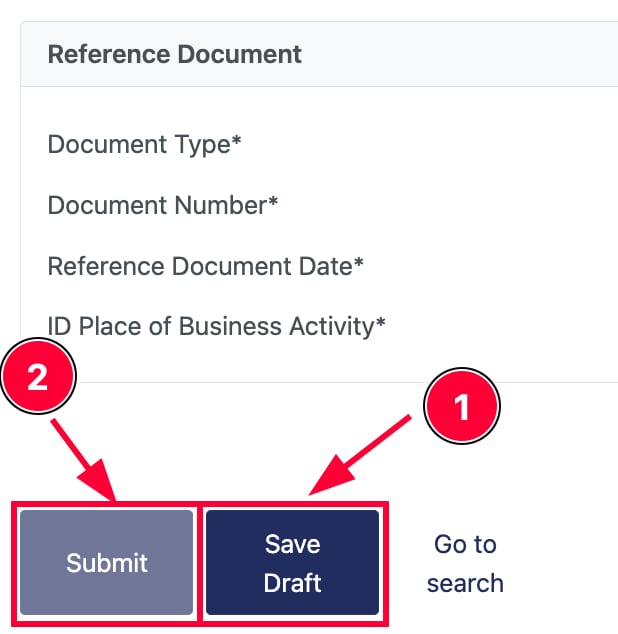
- 提交前与发票仔细核对数据。确认所有已输入数据无误后,点击 保存草稿 然后 提交。tax art 23 税单即开具完成。
注意事项
-
退款申请过程中产生的所有费用将由客户承担(BCA 账户为 Rp800,非 BCA 账户为 Rp2,500)。
-
退款无法处理到 OVO、Gopay 或其他电子钱包。
-
低于 10,000 印尼盾的 PPh 退款将退回至 余额。
来源:Hostinger 官方帮助文档