在 Registro.BR 更改 nameserver
要将你的 .BR 域名指向 Hostinger cPanel 套餐,请确保该域名已添加到你的主机套餐:如何在 cPanel 中添加网站。
这将确保你的域名拥有 活跃的 DNS 区域,这是 Registro.br 的要求。
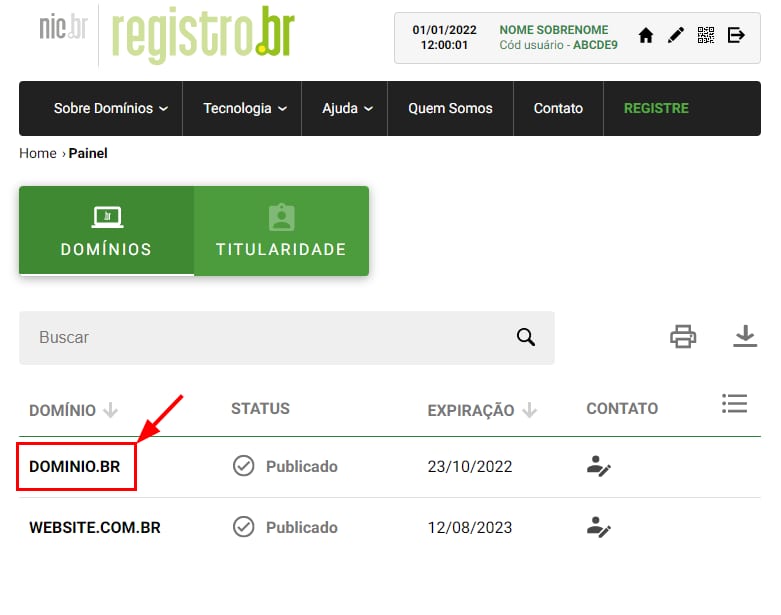
一旦你的域名添加到主机套餐,请登录你的 Registro.br 账户,并选择你的域名:
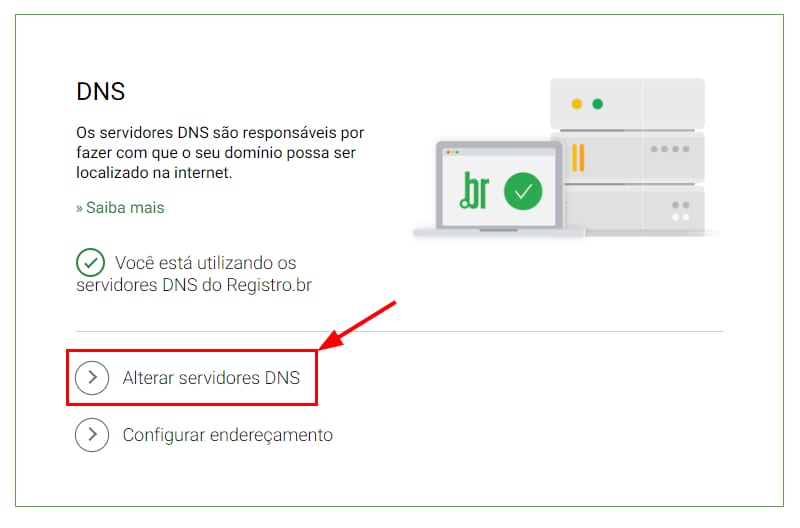
向下滚动到 DNS 部分,并点击 Change DNS servers(更改 DNS 服务器)(Alterar servidores DNS):
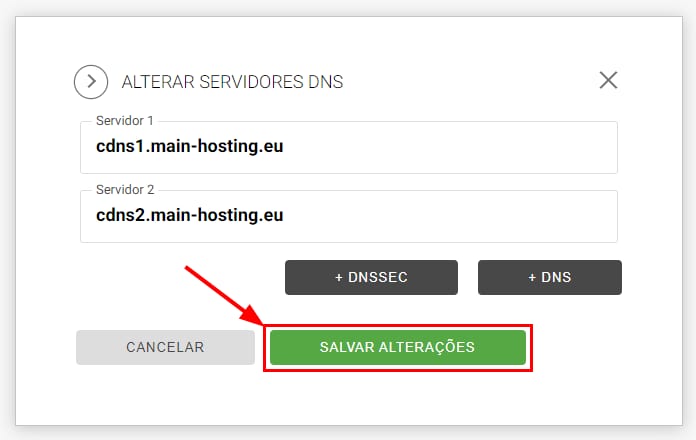
现在,输入 Hostinger 的 cPanel nameserver:
- cdns1.main-hosting.eu
- cdns2.main-hosting.eu
并点击 Save changes(保存更改)(Salvar alterações):
指定新 DNS 记录后,传播 将开始,最多可能需要 24 小时 才能完成。
就是这样!现在你知道如何将 .br 域名指向 Hostinger 的 cPanel 了。
Query Refused(查询被拒绝)错误
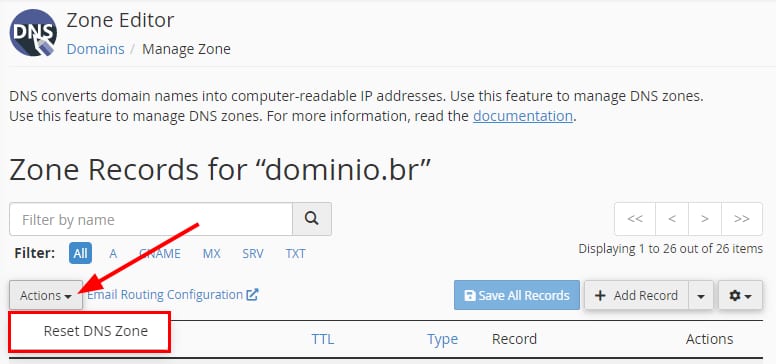
如果你收到 Query refused(Pesquisa recusada)错误,请重置你域名的 DNS 区域。
在你的 cPanel 中,进入 Zone Editor(区域编辑器),并点击你域名旁边的 Manage(管理)。接下来,点击 Actions(操作) → Reset DNS Zone(重置 DNS 区域):
之后,等待一会儿 并重试指向域名。
来源:Hostinger 官方帮助文档