如果你的域名是在 2024 年 12 月 12 日之后 注册并转移到 Hostinger 的,你可以采用两种替代方法来更新 .UK 域名的联系信息。

根据你要更新的信息类型,更改 .UK 域名联系信息有两种方式:

非身份信息 身份信息
- 注册人和组织名称保持不变
- 仅更改地址、电话号码和邮箱
- 此流程在 hPanel 中完成
- 免费
- 需要更新注册人和组织名称
- 如果注册人联系人是个人,意味着更新注册人联系人的姓名
- 如果注册人联系人是非个人,意味着更新注册人联系人的公司名称
- 此流程在 Nominet 控制面板 中完成
- 付费流程

💡 如果需要在 Nominet 控制面板中更正身份信息(例如修正拼写错误),该更改通常免费。

如何更新非身份信息
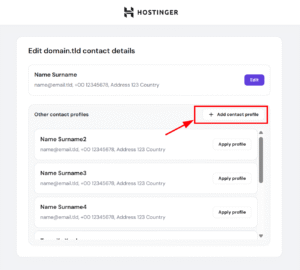
Hostinger domain contact details page with Add contact profile button highlighted
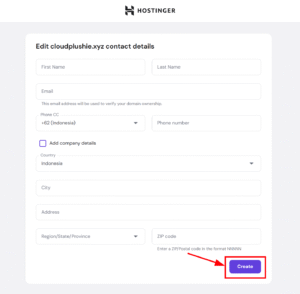
Hostinger contact details form with highlighted Create button
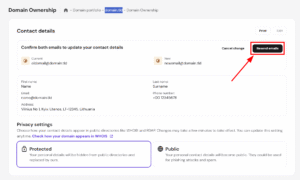
Domain ownership contact details page with Resend emails button highlighted

在不更改身份的情况下调整注册人联系人,可通过在 hPanel 中创建新的联系档案来完成,同时保持类型身份完全一致。这意味着可以更新地址、电话号码和邮箱,但注册人或组织名称必须保持不变。你会收到发送到域名注册邮箱的验证邮件,请求批准更改。如果你同时更新了邮箱地址,邮件将发送到当前和新两个地址。如果未收到验证邮件,可以点击 Resend Emails(重新发送邮件) 重新发送。

如何从 Nominet 面板更新身份

如果你想更新个人或组织的注册人联系人,应从 Nominet 控制面板 进行更改。

第 1 步 – 登录 Nominet 面板
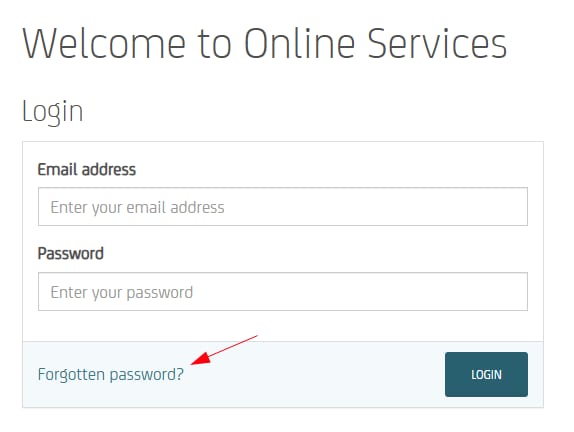
Online Services login page with the Forgotten password? link highlighted
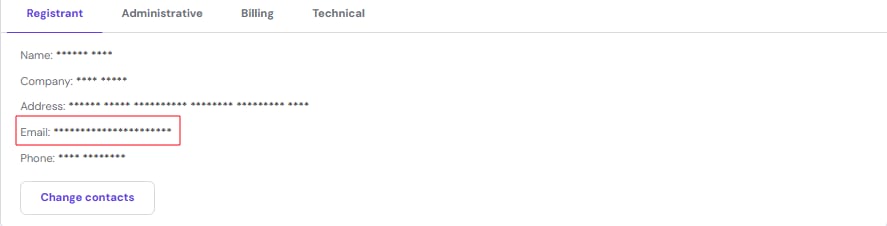
Domain registrant details with the email field highlighted and a Change contacts button

每个 .UK 域名的注册人都有一个为其创建的账户,你可以登录 Nominet 控制面板。如果你从未设置过 Nominet 账户,可以选择 “Forgotten Password?(忘记密码?)” 选项。输入你的所有权页面上显示的域名注册人邮箱地址:然后你会收到一封包含重置 Nominet 账户密码链接的邮件。

第 2 步 – 找到域名
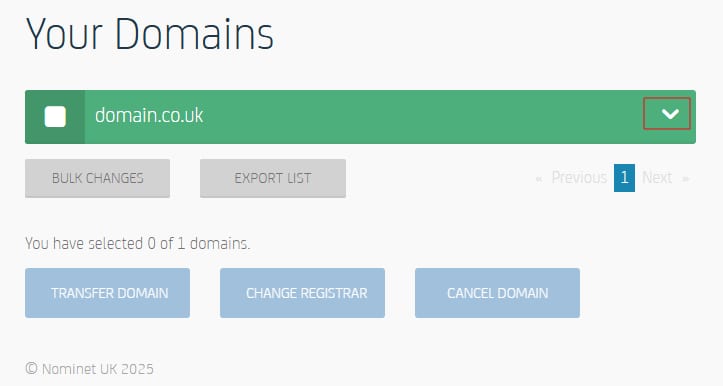
Domain management screen with the domain row’s dropdown menu highlighted

重置后,使用同一邮箱地址和新创建的密码登录。如果你登录了正确的账户,你会在控制面板主页找到列出的域名:点击下拉选项,将打开域名详情。

第 3 步 – 更新你的身份

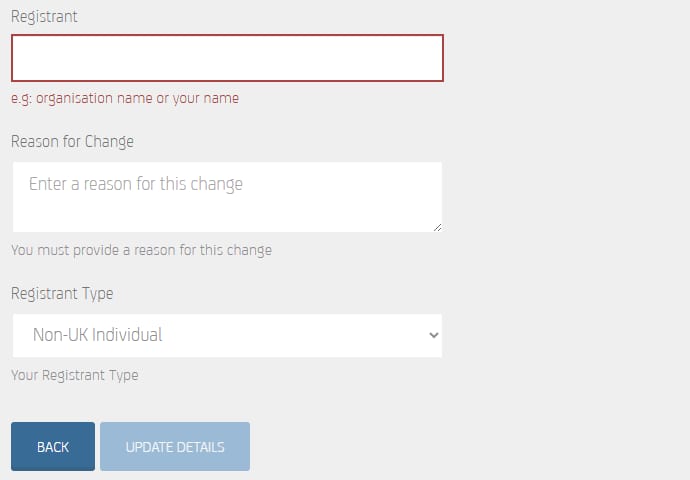
点击注册人的 Edit(编辑) 选项,你会找到域名所有者的身份。打开后,输入注册人的新身份并选择相应的注册人类型。表单中还需要提供变更原因。一切填写正确后,选择 “Update details(更新详情)”。

第 4 步 – 等待确认
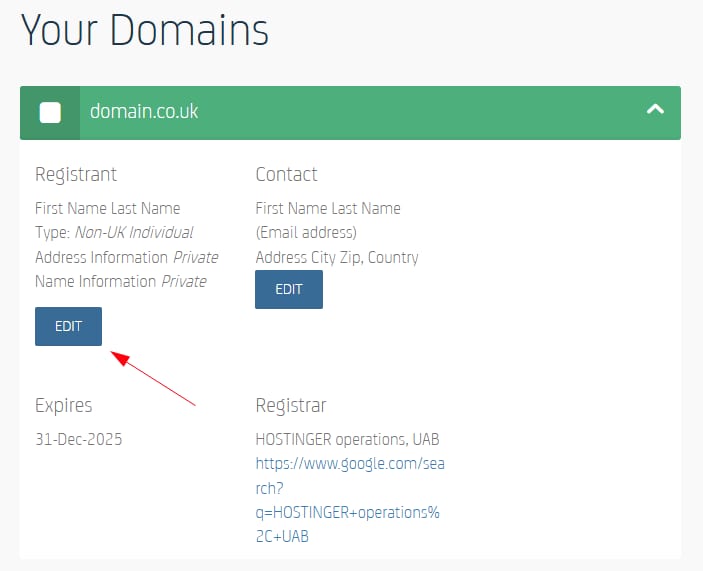
Hostinger domains panel with the Registrant edit button highlighted under domain.co.uk
Hostinger registrant form with the Registrant name field highlighted at the top

Nominet 的工作人员会审核变更请求。你会在大约 2 个工作日后收到邮件,确认变更已被接受,或告知他们是否需要你提供进一步信息。

❗ 如果你的域名是在 2024 年 12 月 12 日之前 注册并转移到 Hostinger 的,你可以参考本文

来源:Hostinger 官方帮助文档