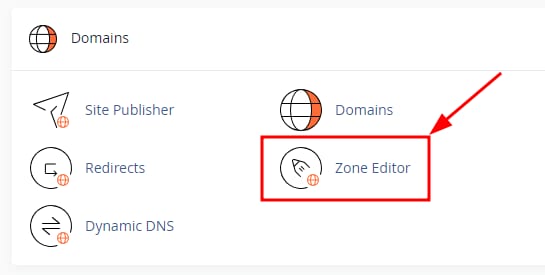


cPanel Domains section with Zone Editor highlighted
cPanel domain row with A Record button highlighted under Actions
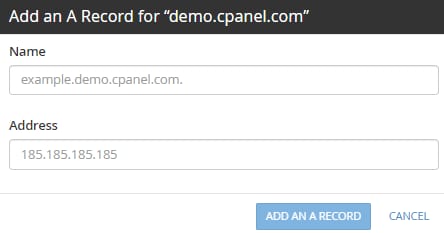
cPanel A record form with Name and Address fields and an Add an A Record button
cPanel DNS zone records table with the A record edit button highlighted

在 cPanel 上添加新 A 记录并管理已创建的 A 记录

你可以借助 Zone Editor 板块轻松管理域名的 A 记录。只需登录 cPanel 并找到 DomainsZone Editor

要创建 A 记录,点击 + A RECORD 按钮:

Name 字段中输入域名或子域名名称,在 Address 字段中输入 IPv4 地址,然后点击 ADD AN A RECORD

Zone Editor 板块,你还可以使用以下按钮管理你的记录:

  1. 编辑 A 记录
  2. 永久删除 A 记录

注意

  • 任何 DNS 记录的更改都会触发传播,最长可能需要 24 小时 才能 完成

来源:Hostinger 官方帮助文档