开始使用 CloudPanel VPS 模板。

CloudPanel 是一个直观的虚拟主机控制面板,旨在轻松管理网站和应用。当你在 Hostinger 上选择 Ubuntu 24.04 64bit with CloudPanel VPS 模板时,CloudPanel 已预装。本指南将帮助你在 Hostinger VPS 上开始使用 CloudPanel。

访问我们的 CloudPanel VPS 托管 页面,了解有关可用方案的更多信息。

安装 CloudPanel
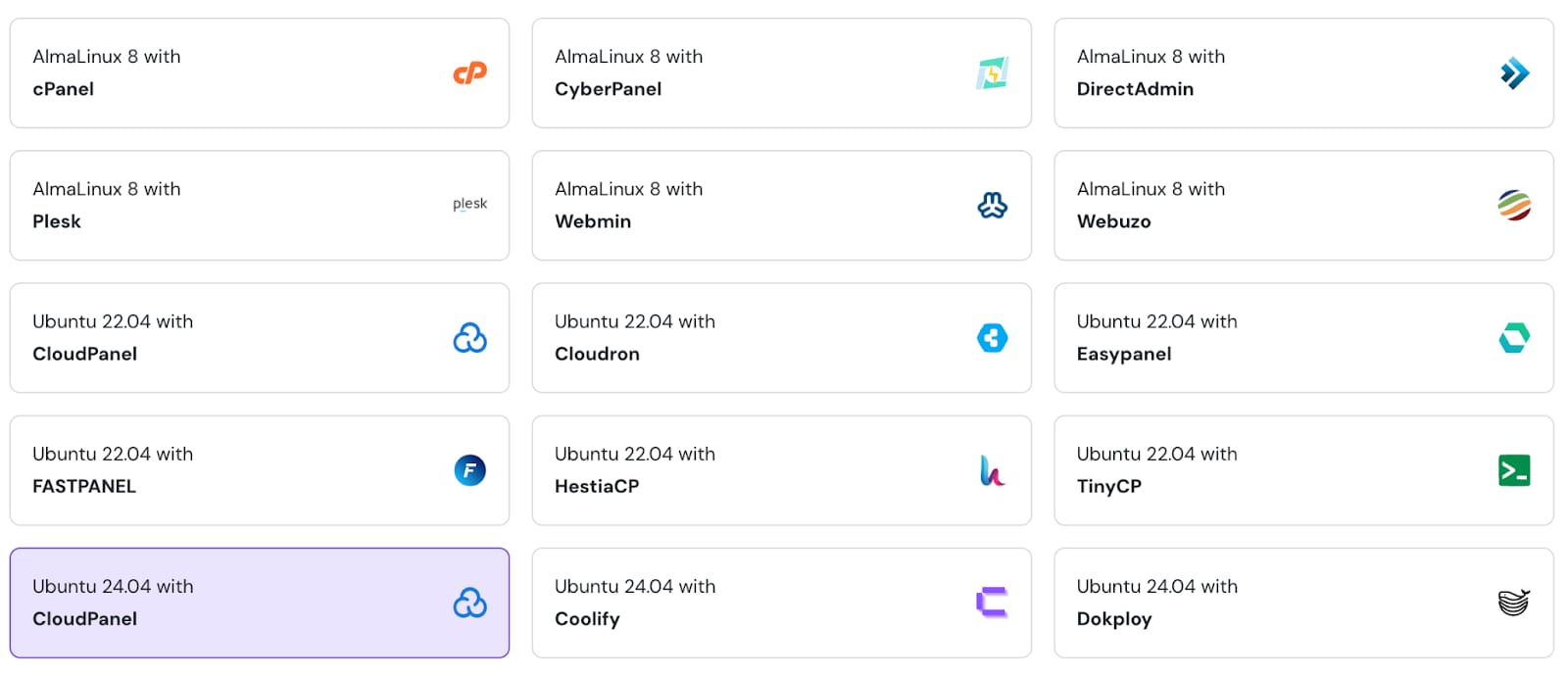
VPS template grid with Ubuntu 24.04 CloudPanel selected
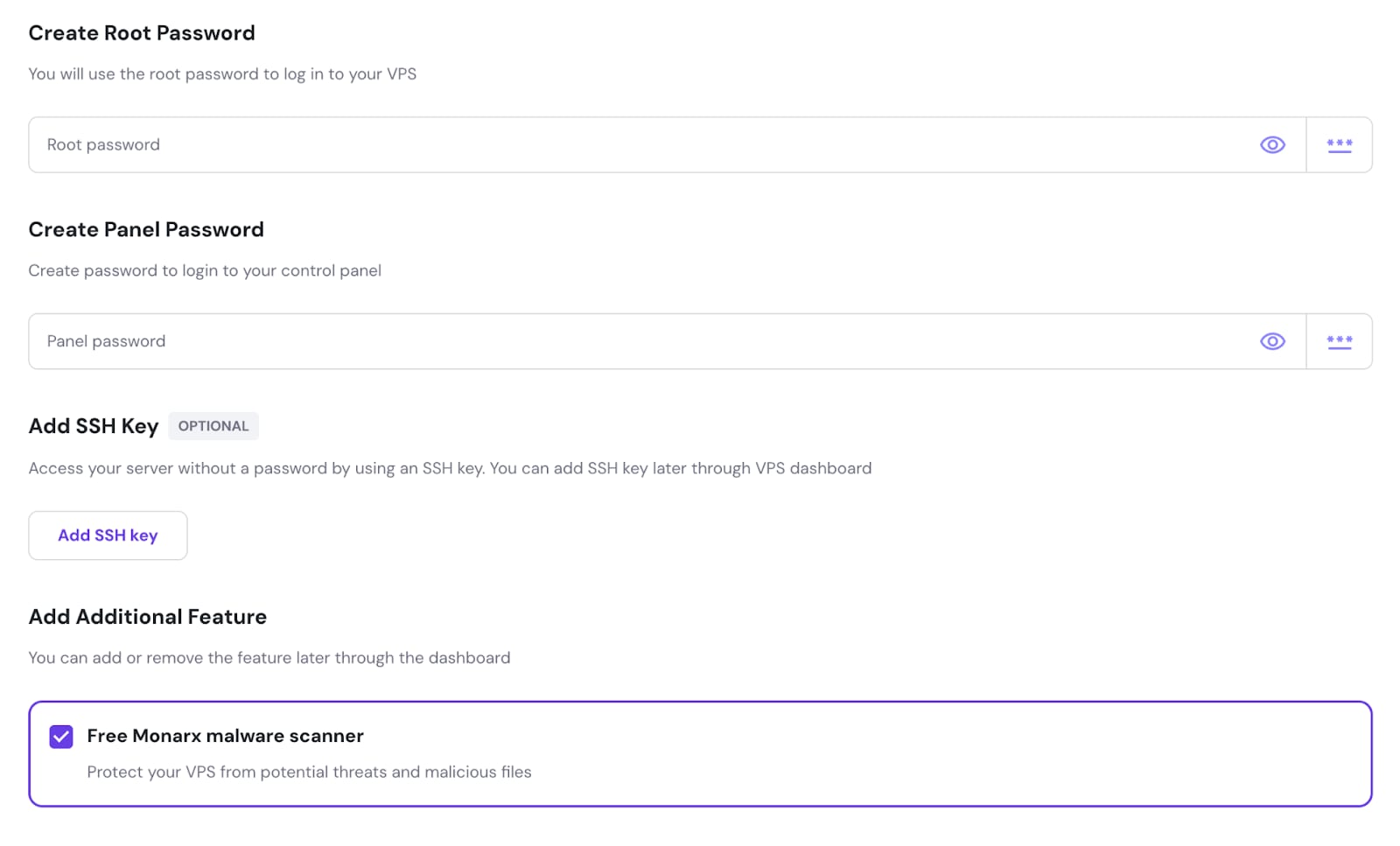
VPS setup screen with selected Free Monarx malware scanner option

为你的 VPS 创建 root 密码和 CloudPanel 管理员密码。你也可以选择添加 SSH 密钥以便更轻松地访问服务器,并安装 Monarx 恶意软件扫描器进行漏洞扫描。

访问 CloudPanel
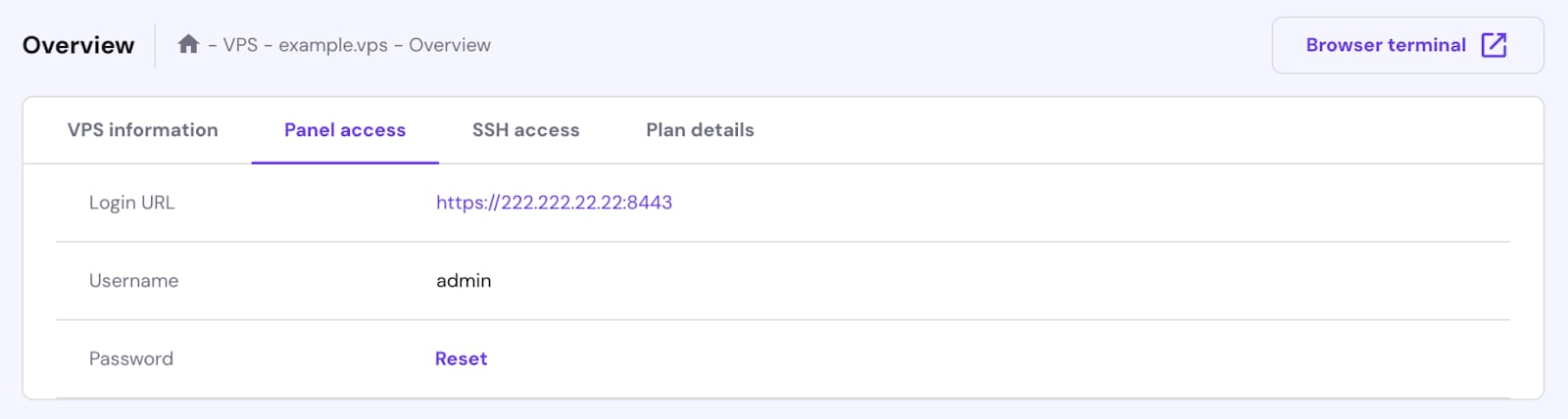
VPS Panel access tab with login URL, username admin, and password reset link
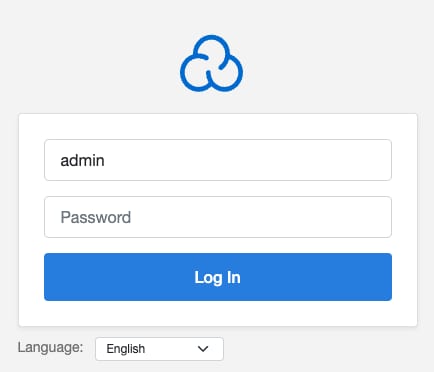
CloudPanel login screen with admin username field and Log In button

要访问 CloudPanel,请打开 VPS hPanel,然后进入“Panel access(面板访问)”标签页,并点击登录 URL 链接。

或在 Web 浏览器中导航到 https://your-vps-ip:8443。将 your-vps-ip 替换为 你的 VPS IP 地址

如果你希望 CloudPanel 在你的域名上运行,请将你的域名指向 VPS IP 地址更改服务器主机名 💡

要登录 CloudPanel,请使用你在模板安装期间提供的凭据:

向 CloudPanel 添加网站

CloudPanel Sites page with the Add Site button highlighted
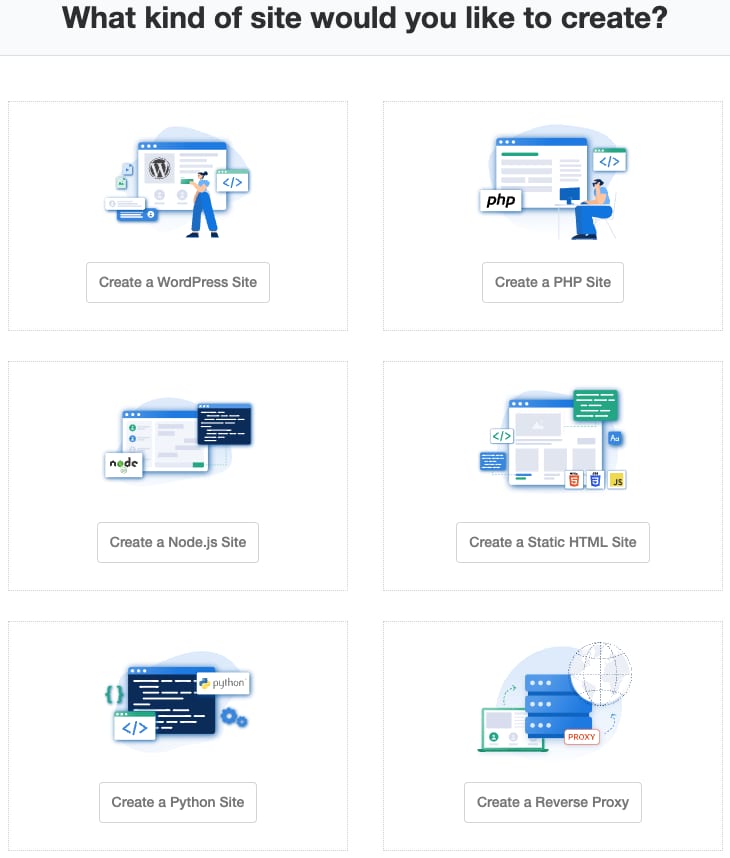
CloudPanel template selection screen with six site type buttons, including WordPress, PHP, Node.js, HTML, Python, and reverse proxy
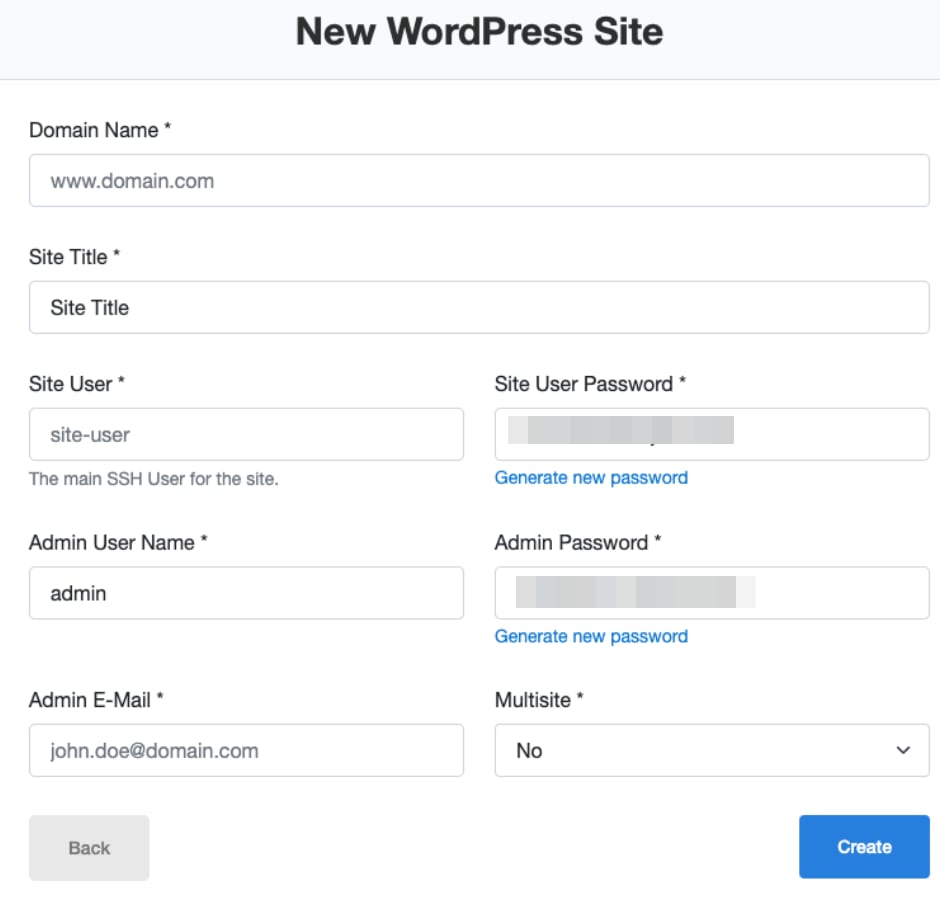
WordPress site creation form with domain, title, user, password, email, and Create button
WordPress login form with password visibility icon in the password field

登录 CloudPanel 后,转到仪表盘中的 Sites(站点) 标签页,然后点击 Add Site(添加站点)

选择你要添加的网站类型:

例如,如果你选择添加一个 WordPress 站点,在下一步中,你需要提供如下详细信息:

  • 你已指向 VPS IP 地址 的域名
  • 站点标题
  • 站点用户名和密码(CloudPanel)
  • 管理员用户名和密码(WordPress)
  • 管理员邮箱(WordPress)

就是这样!安装完成后,你将获得 WordPress 站点的摘要,并能够访问其管理面板:

你已成功访问 Hostinger VPS 上的 CloudPanel 并添加了新网站。

有关更详细的信息和故障排除,请参阅 CloudPanel 文档 💡

来源:Hostinger 官方帮助文档