如何将 Reach 与 Website Builder 联系表单集成
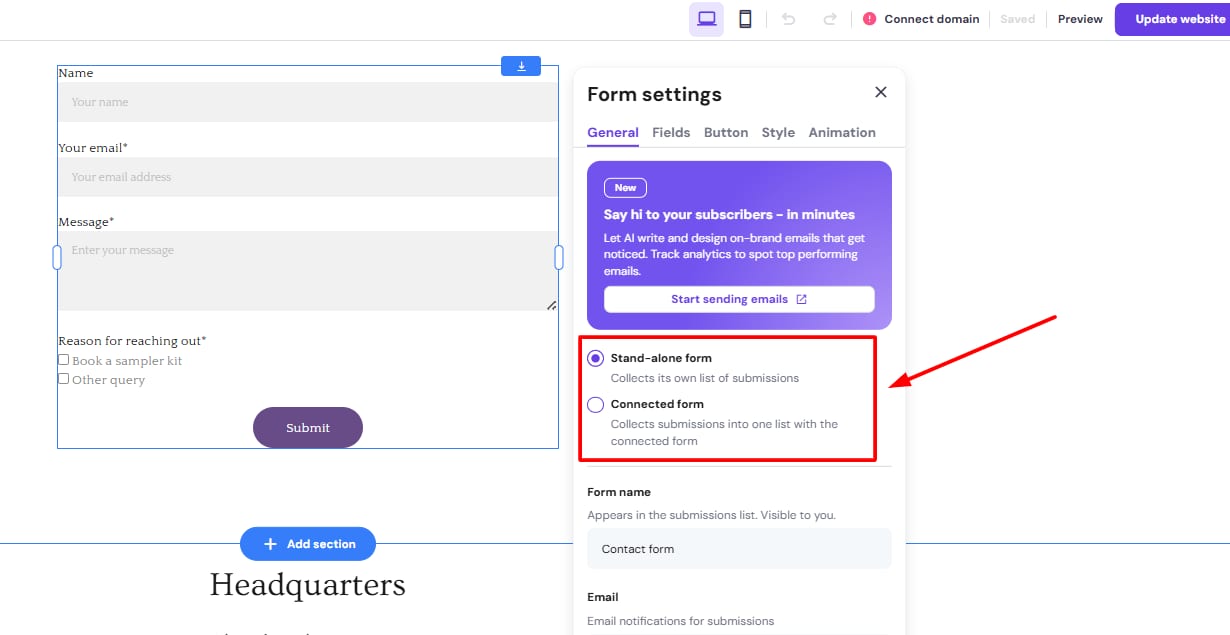
Hostinger Reach form settings with Stand-alone form and Connected form options highlighted
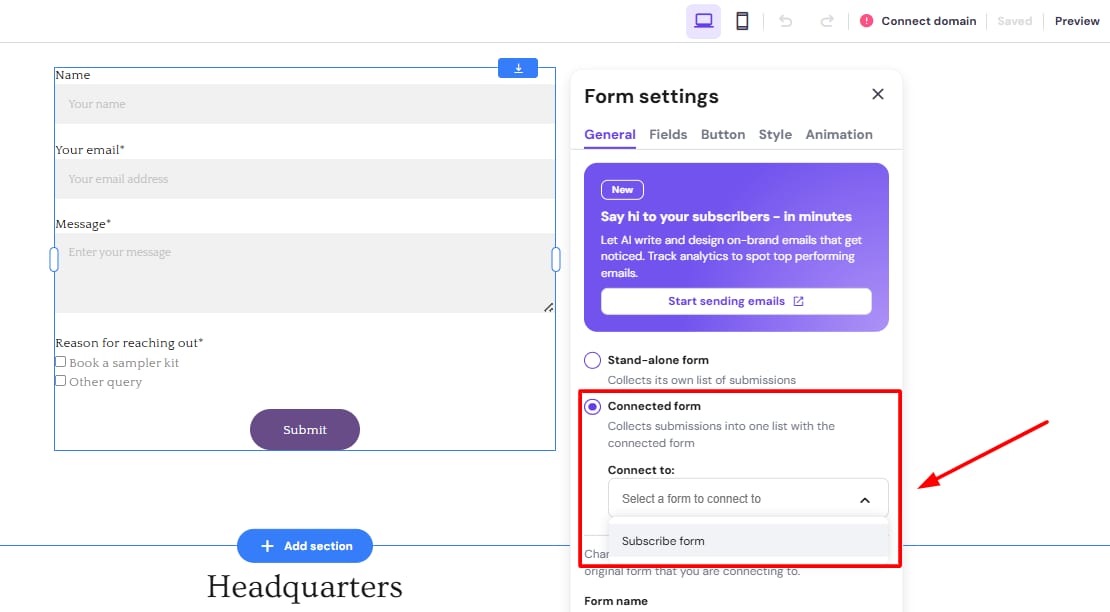
Hostinger Reach form settings with Connected form option selected and form dropdown highlighted
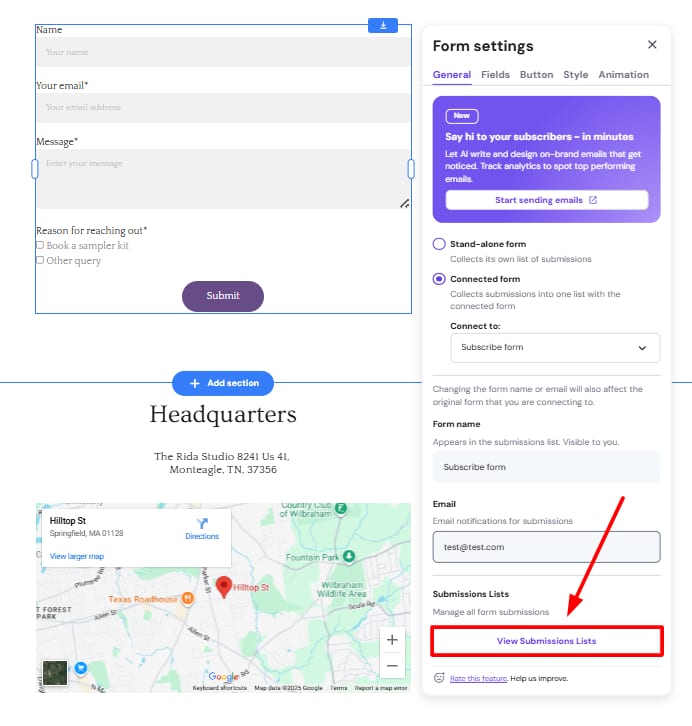
Hostinger Reach form settings with highlighted View Submissions Lists button

要实现这一点,在你的 Website Builder 网站中,你需要启用联系表单选项或订阅者表单选项,如下所示:

在下拉菜单中,选择要连接到的表单:

如果你点击 View Submissions Lists(查看提交列表),你将被重定向到提交页面:

你可以在下面的视频中找到关于在 Builder 中启用联系表单集成的示例:

订阅(Subscription) 表单已与 联系(contact) 表单完全分离,专门用于邮件营销同意。

使用 Website Builder 自动同步联系人
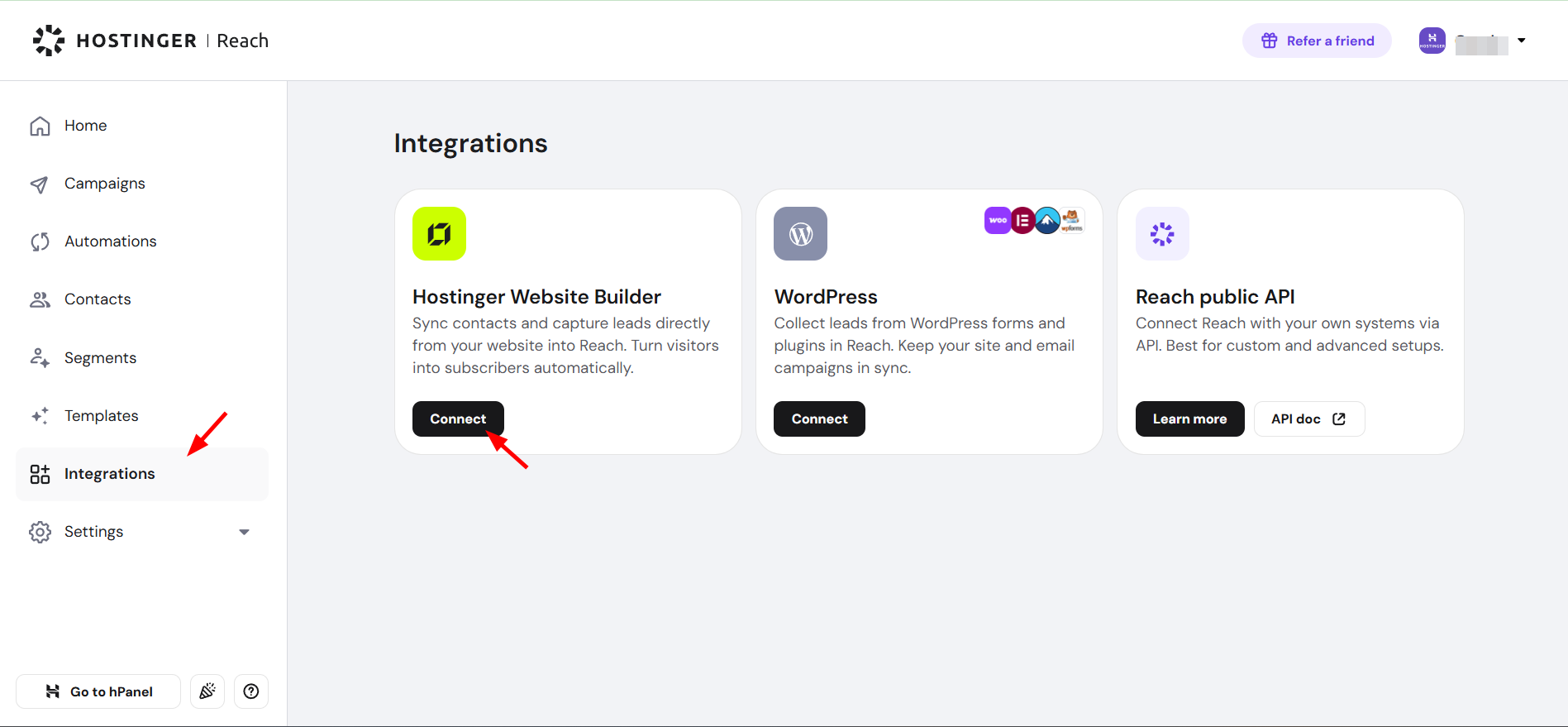
Hostinger Reach integrations page with Integrations menu item and Connect button highlighted

如果你的网站使用 Hostinger Website Builder 构建,你可以点击前往 Integrations(集成)页面,并通过一键连接你的网站。然后,所有收集到的联系人都会同步到 Reach,并且每个新联系人都会自动同步。

你表单的所有提交记录(如果存在提交)也会自动显示为带有预定义标签(Tags)的独立分群(Segments),便于你组织和筛选提交记录。

概述

在这两个解决方案之间,你将能够顺畅地使用来自 Hostinger Website Builder 网站上的联系表单提交记录,并将其用于 Hostinger Reach 上的邮件营销活动。

除了能够进行高级表单链接——允许自由链接和取消链接表单,同时保留每次提交记录——用户还能够直接从他们的表单或提交视图导航到 Reach。

来源:Hostinger 官方帮助文档