当你在浏览器中输入网站地址时,有一套专门的系统将请求引导到正确的位置。Nameserver 在这一过程中起着关键作用——它告诉互联网你的域名设置由哪里管理。了解你的域名正在使用哪些 Nameserver,有助于你知道在哪里更新 DNS 记录,从而保证网站平稳运行并能被访问。
💡 Nameserver 显示域名 DNS 区域由哪里管理。
大多数域名注册商(即你购买域名的公司)会为新注册的域名设置默认 Nameserver。如果你的注册商提供 DNS 管理,只要域名保持活跃,通常可以保留这些默认 Nameserver。
但在以下情况下,你可能需要更改 Nameserver:
- 你想将域名指向其他服务商。
- 你的域名注册商不支持 DNS 区域管理。
如果你不确定域名当前设置了哪些 Nameserver,请按照以下步骤查询:
如何找到域名的 Nameserver
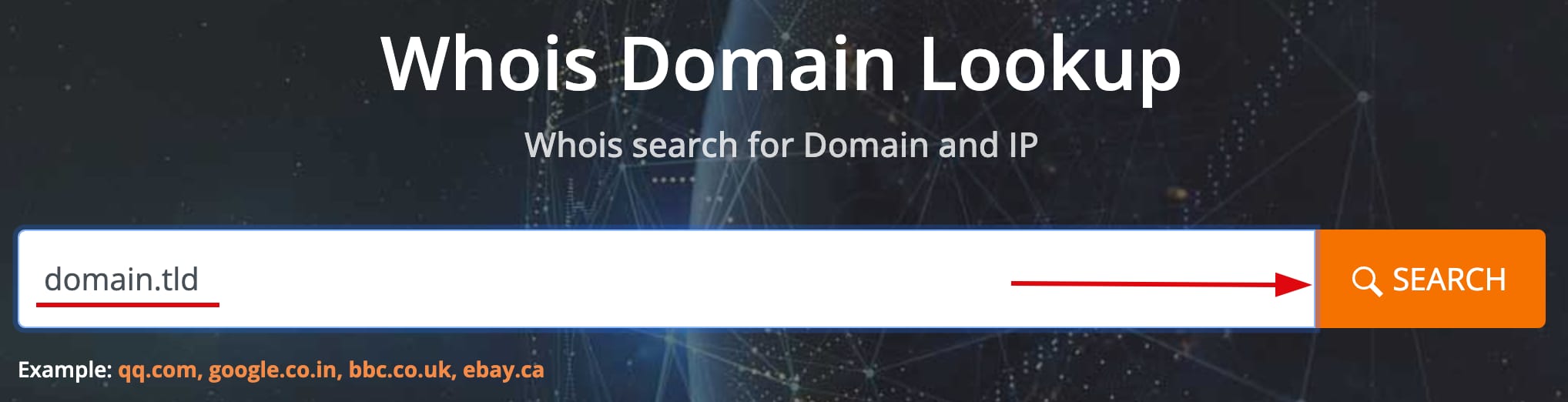
- 进入 WHOIS 等公开域名数据库,搜索你的域名。
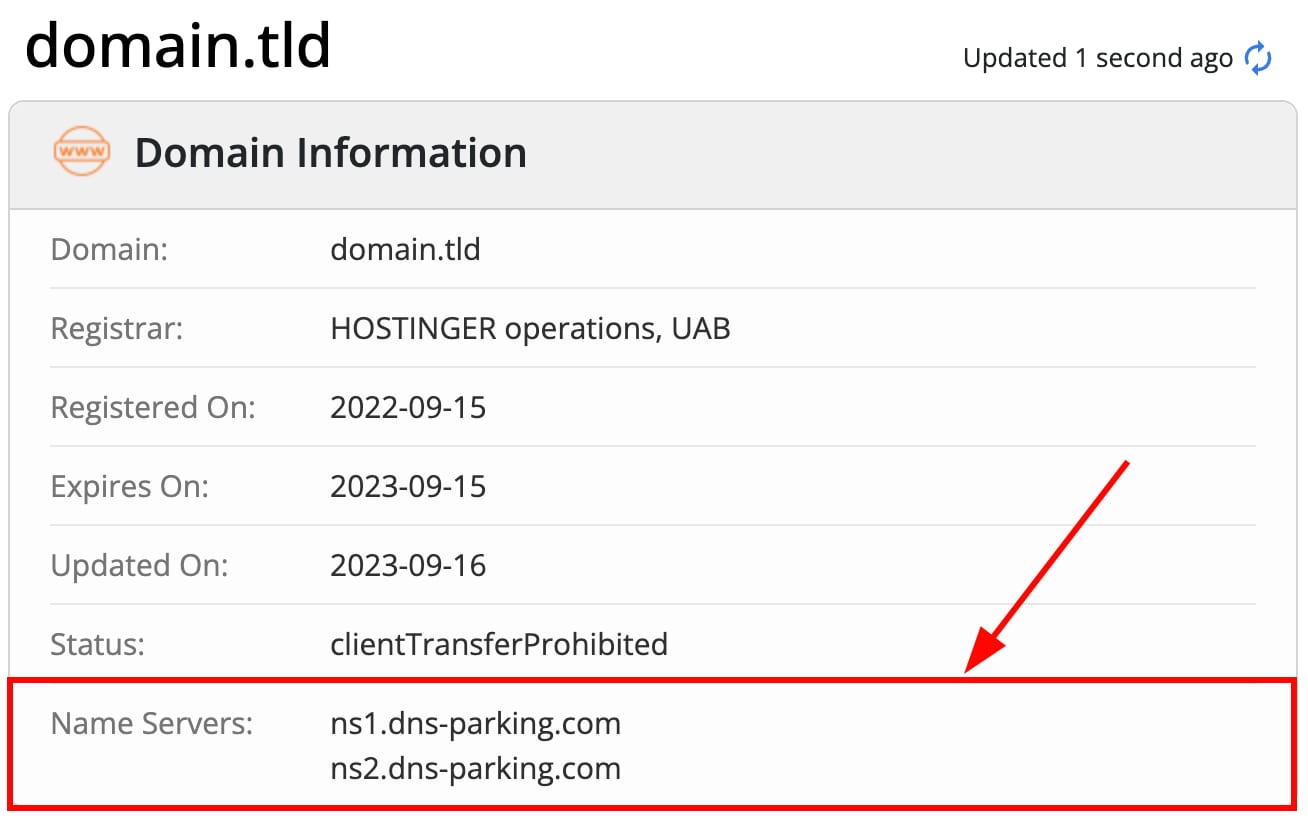
- 找到 Name Servers(Nameserver) 部分。
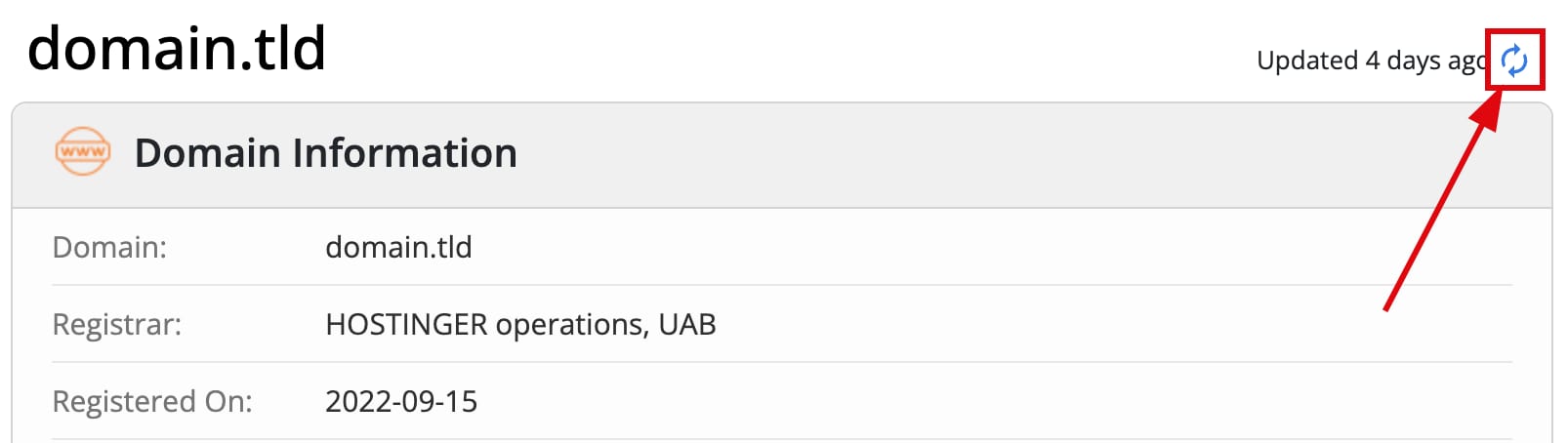
- 若信息看起来已过时,点击 Updated X days ago(X 天前更新) 旁边的图标刷新信息。
注意:
- 该方法适用于大多数通用顶级域名(gTLD),如
.com、.net、.org,以及部分国家代码顶级域名。如果没有结果,请在网上搜索针对你域名后缀的 WHOIS 工具。
如何解读查询结果
你的 Nameserver 指明了域名 DNS 设置由哪里管理:
- 如果你得到
dns-parking.com格式的 Nameserver(如ns1.dns-parking.com、pixel.dns-parking.com),通常意味着你的 DNS 区域由 Hostinger 管理。
Hostinger 的 Nameserver 可能因配置而异,因此最好确认 确切的值。
如果得到其他值,说明你的域名 DNS 区域由其他地方管理:
- 在网上搜索这些 Nameserver 以识别服务商。
- 登录该服务商网站账户,对域名 DNS 区域进行必要的更改。
要将域名连接到 Hostinger 托管的网站,请参考指南:如何将域名指向 Hostinger。
服务商及其 Nameserver 示例
以下是一些知名 DNS 服务商及其典型 Nameserver:
- Cloudflare:bob.ns.cloudflare.com、lola.ns.cloudflare.com
- GoDaddy:NS07.domaincontrol.com、NS08.domaincontrol.com
- IONOS:ns1045.ui-dns.org、ns1045.ui-dns.biz、ns1045.ui-dns.de、ns1045.ui-dns.com
- Bluehost:ns1.bluehost.com、ns2.bluehost.com
- Wix:ns4.wixdns.net、ns5.wixdns.net
来源:Hostinger 官方帮助文档