Agency Hosting 采用 Nginx Web 服务器架构。好消息是,Hostinger 的 Agency Hosting 现已支持 .htaccess 文件。您可以直接通过文件管理器或 SSH 创建或编辑 .htaccess,配置将立即在服务器上生效。
您用 .htaccess 完成的所有操作,也可以通过我们的 hPanel 实现。作为 .htaccess 的替代方案,您可以通过 hPanel 管理常见配置。
常见 .htaccess 任务及 Agency Hosting 的替代方案
1. URL 重定向
旧方式(.htaccess):
Redirect 301 /old-page.html /new-page.html
RewriteRule ^old-category/(.*)$ /new-category/$1 [R=301,L]
Agency Hosting 方式:
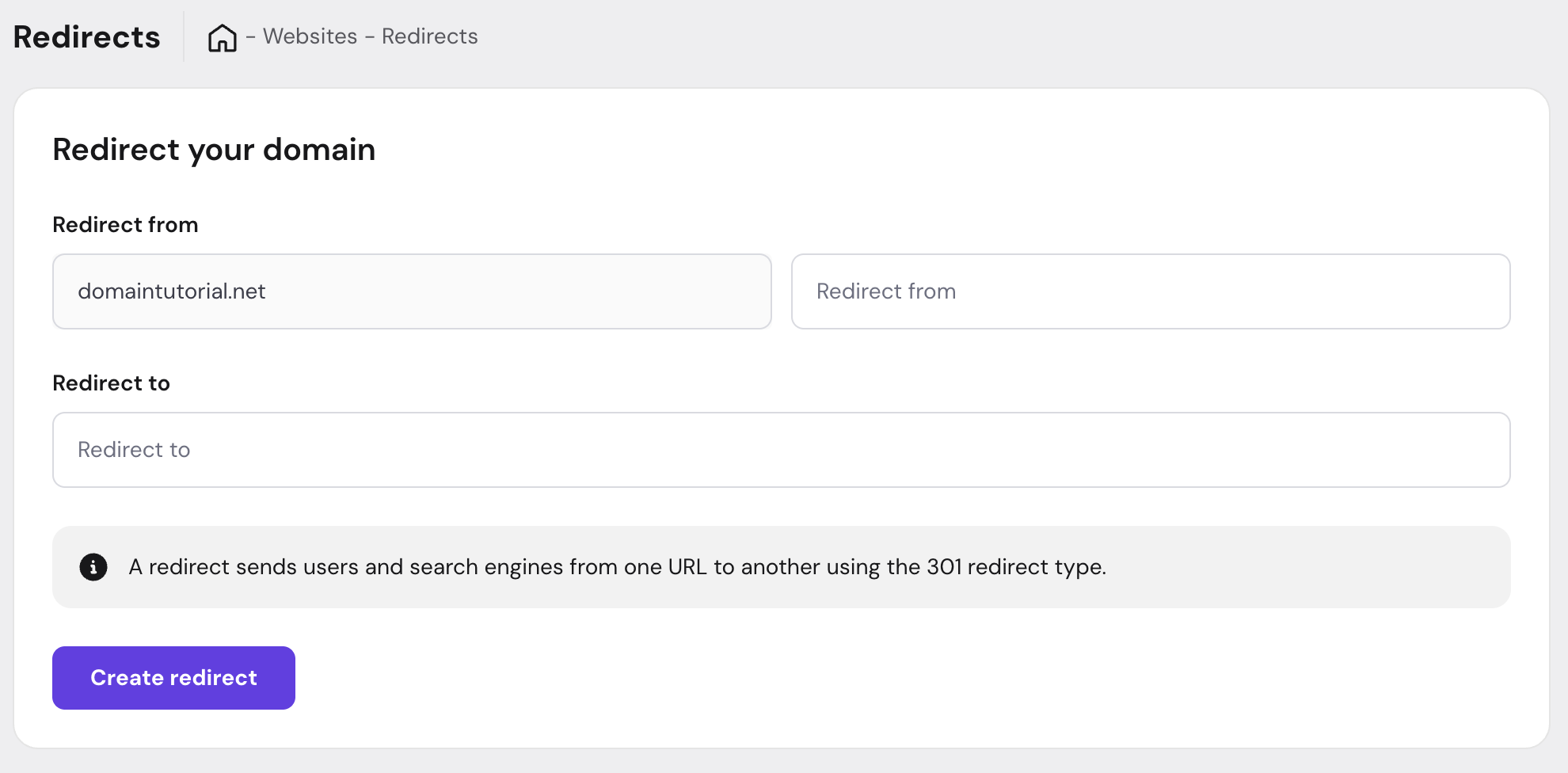
使用控制面板中的 Redirects(重定向) 功能:
- 进入您的网站设置。
- 在网站仪表盘中进入 Domains(域名)– Redirects(重定向) 区域。
- 选择要重定向的源 URL 路径和目标 URL 路径。
2. IP 屏蔽与访问控制

旧方式(.htaccess):
Order Deny,Allow
Deny from 192.168.1.100
Allow from all
Agency Hosting 方式:
使用 IP Blacklist(IP 黑名单) 功能:
- 在网站仪表盘中进入 Security(安全) 区域。
- 选择 IP Blacklist(IP 黑名单)。
- 添加要屏蔽的 IP 地址。
- 保存更改。
3. 强制 HTTPS
旧方式(.htaccess):
RewriteEngine On
RewriteCond %{HTTPS} off
RewriteRule ^(.*)$ https://%{HTTP_HOST}/$1 [R=301,L]
Agency Hosting 方式:
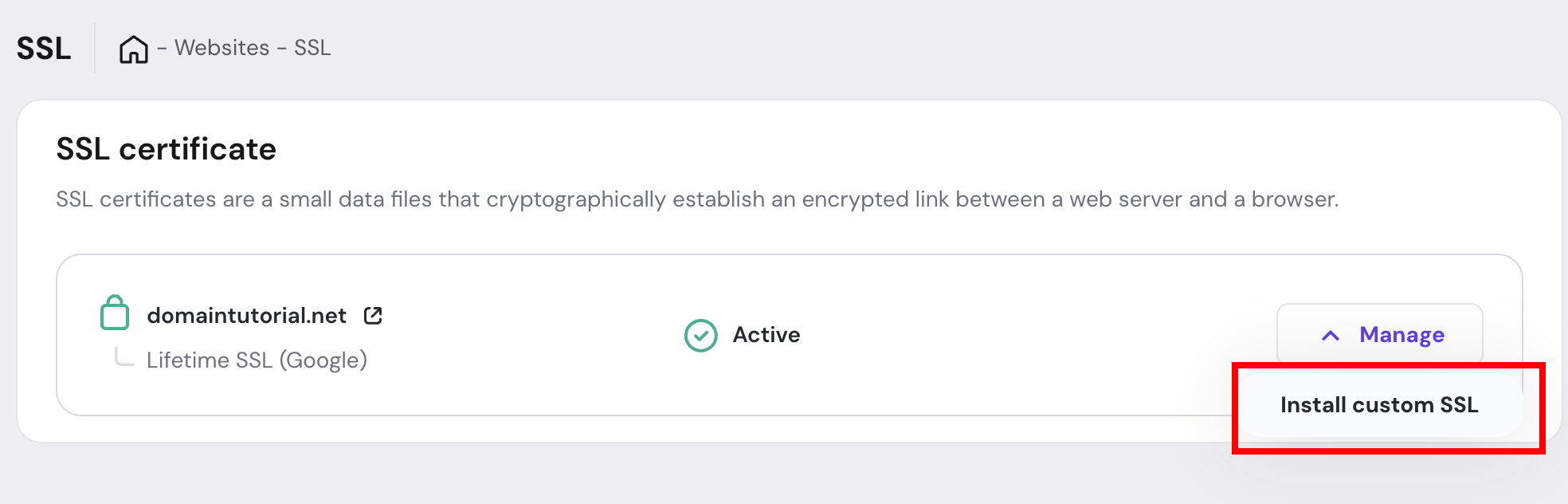
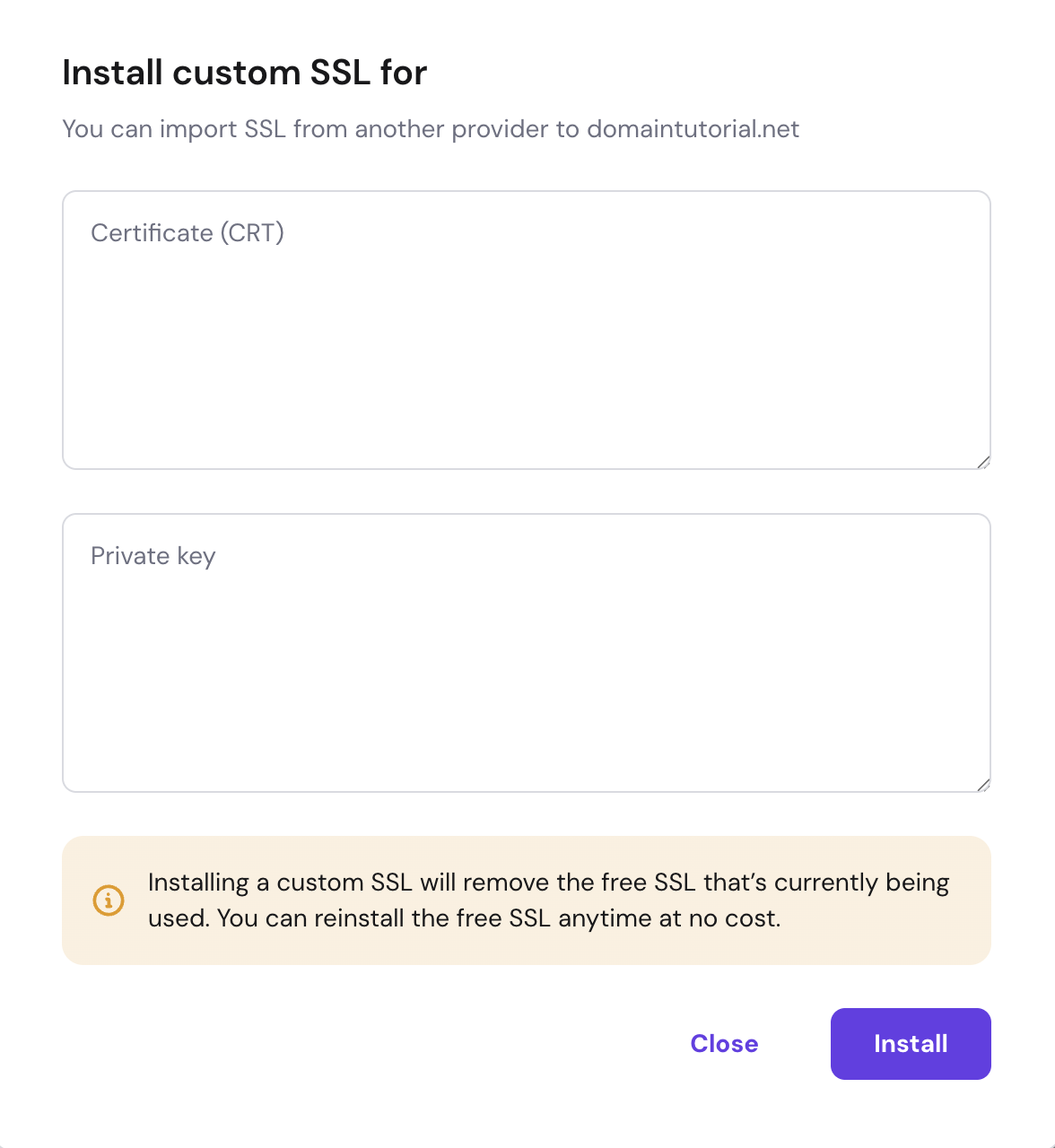
SSL 会自动安装。但如果您想安装自定义 SSL,可按以下步骤操作:
- 在网站仪表盘中进入 Security(安全) 区域。
- 选择 SSL。
- 点击 “Manage(管理)” 和 “Install custom SSL(安装自定义 SSL)”。
- 按照弹窗中的指引操作。
来源:Hostinger 官方帮助文档