了解如何使用 Hostinger 建站工具为你的网站页面添加密码。
如果你使用 Hostinger 建站工具,可以为网站任意页面添加密码。本文将帮助你完成设置 👇
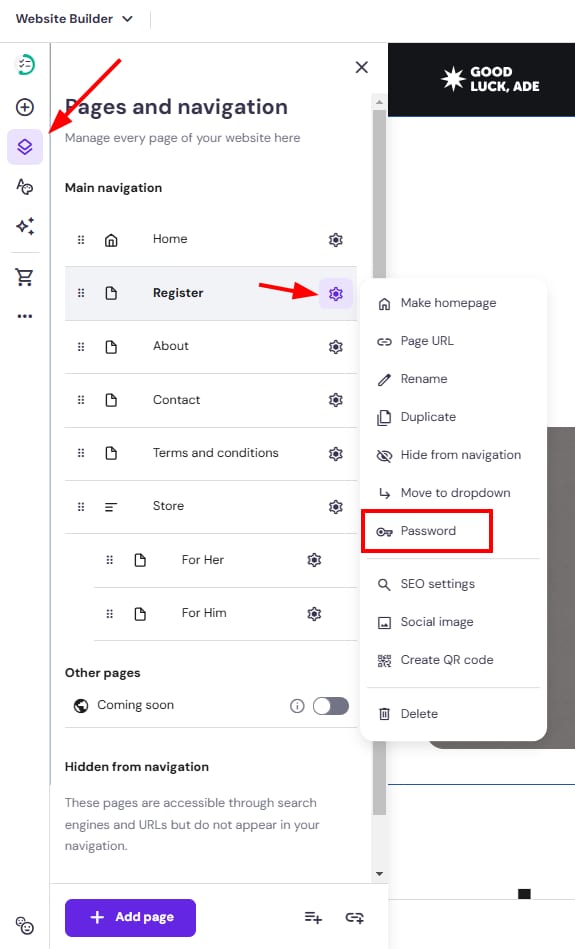
- 在编辑器中,展开左侧的 页面与导航(Pages and navigation) 面板,找到相关页面。然后打开其设置,点击 密码(Password):
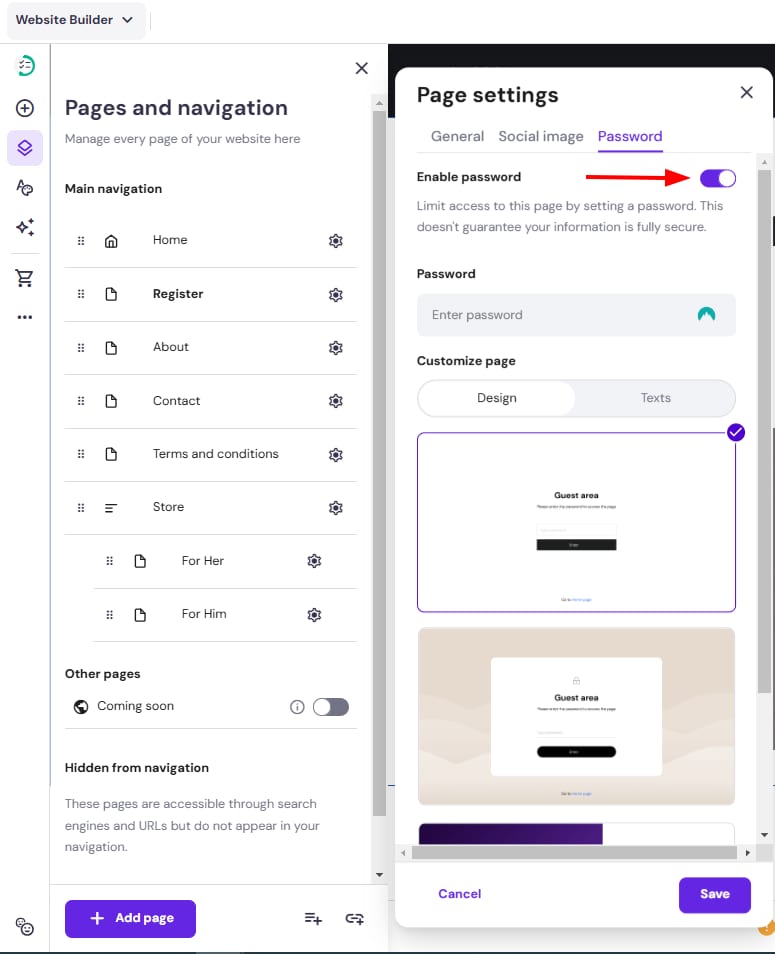
- 点击 启用密码(Enable password),并输入你想要的密码:
- 选择访客区域的设计并自定义其文本。
- 最后,保存更改并更新你的网站。
注意
- 在预览模式下你可以自由查看页面(无需输入密码);密码仅在线上网站才需要
- 每个页面可以有不同的密码,每个登录区域也可以有不同的设计
- 登录页面会包含一个将访客带回首页的链接(除非你对首页设置了密码保护)
- 密码使用 SHA-256 进行哈希处理,因此绝不会以明文存储
来源:Hostinger 官方帮助文档