更改用 Titan 邮件创建的邮件账户的密码。

你可以在 hPanel 或 Webmail 中轻松重置 Titan 邮件账户的密码。

方法一——在 hPanel 上重置密码
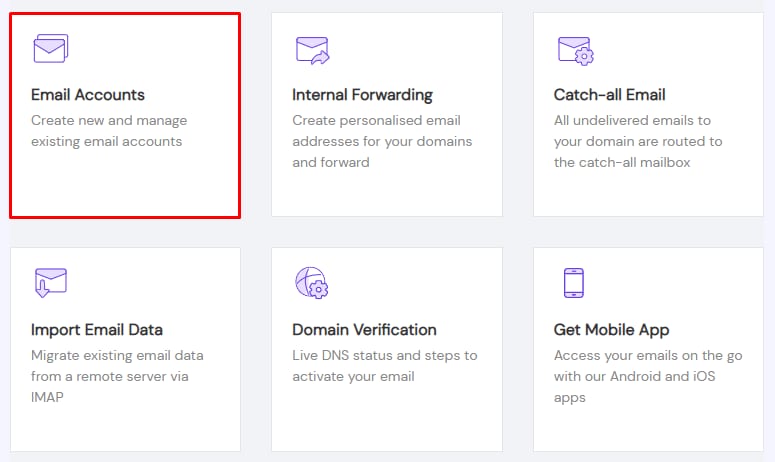
Titan Email settings tile for Email Accounts is highlighted
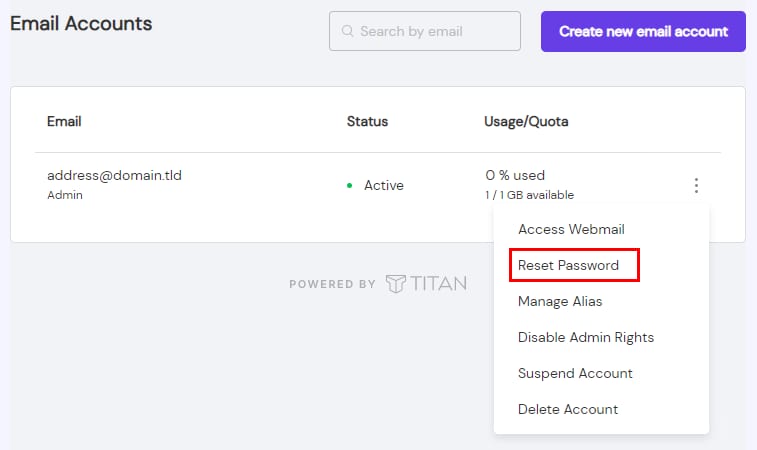
Titan Email account menu with Reset Password option highlighted
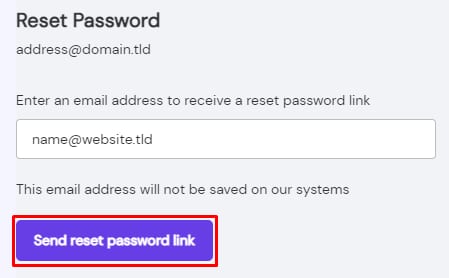
Titan Email reset password form with Send reset password link button highlighted

如果你不记得当前密码,这个选项适合你。

进入 邮件(Emails) 部分,点击对应域名旁边的 管理(Manage),进入 邮件账户(Email Accounts)

点击 省略号按钮 ⋮ 并选择 重置密码(Reset Password)

输入一个邮箱地址,点击 发送重置密码链接(Send reset password link)

进入你指定的邮箱地址的收件箱,打开 Titan 邮件发送的那封邮件,并点击 重置你的密码(Reset your password)。你会被引导到一个页面,输入并确认新密码。

方法二——通过 Webmail 更改密码
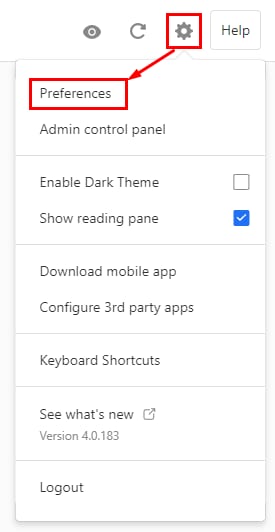
Titan Email settings menu with Preferences highlighted
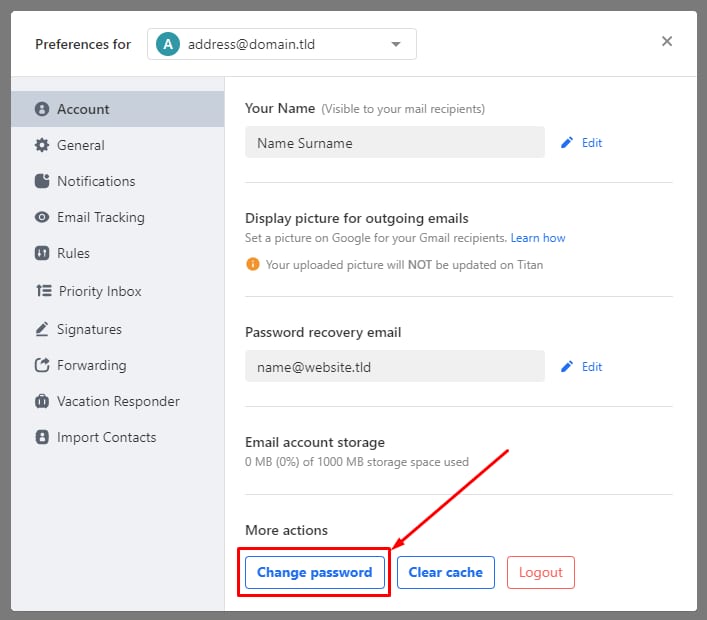
Titan Email preferences screen with Change password button highlighted in More actions section

如果你记得当前密码,可以通过 Webmail 更改。

操作方法:登录你的 Titan 邮件账户,点击右上角的齿轮图标,选择 偏好设置(Preferences)

点击 更改密码(Change Password)

输入当前密码,创建一个新密码,确认后点击 更改密码(Change password)

来源:Hostinger 官方帮助文档