当你在 Hostinger 购买 cPanel 主机套餐后,它将与你所购买的其他相关服务(例如域名或企业邮箱)一样,从你的 hPanel 进行管理。

要登录 cPanel 并管理你的主机套餐,有两种可用方法:

方法 1 – 从 hPanel 登录
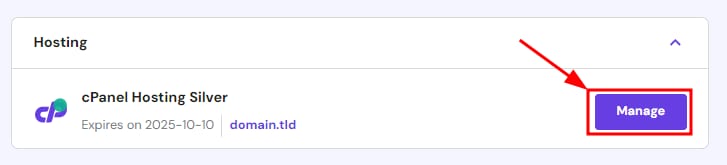
cPanel Hosting Silver plan with the Manage button highlighted
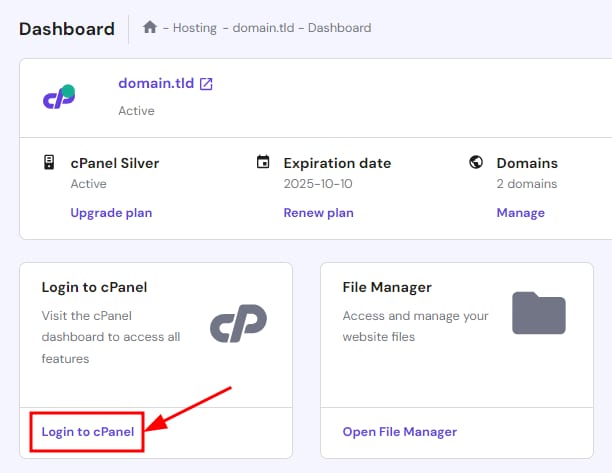
Hostinger dashboard with the Login to cPanel button highlighted

访问 hPanelHome 页面,点击 cPanel 主机旁的 Manage

在下一页面,点击 Login to cPanel

随后你会直接进入 cPanel 主页,无需输入凭据 😊

方法 2 – 使用 cPanel 直链
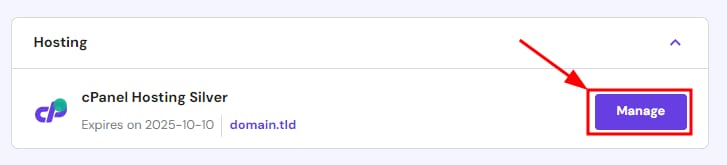
cPanel Hosting Silver plan with the Manage button highlighted
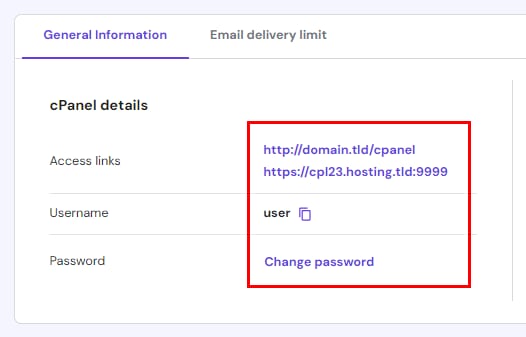
Hostinger hPanel cPanel details showing access links, username, and change password section

访问 hPanelHome 页面,点击 cPanel 主机旁的 Manage

接着向下滚动找到 cPanel 详情:

  • 两个访问登录页的 备用 URL:通过你的域名加 /cpanel,或使用 Hostinger 服务器与端口
  • 你的 cPanel 用户名 以及复制到剪贴板的按钮
  • 密码不会显示。如果忘记密码,点击 Change password 设置新密码

只需访问任一 URL 并输入用户名和密码即可。你也可以在浏览器中将其收藏以便访问 🔖

来源:Hostinger 官方帮助文档