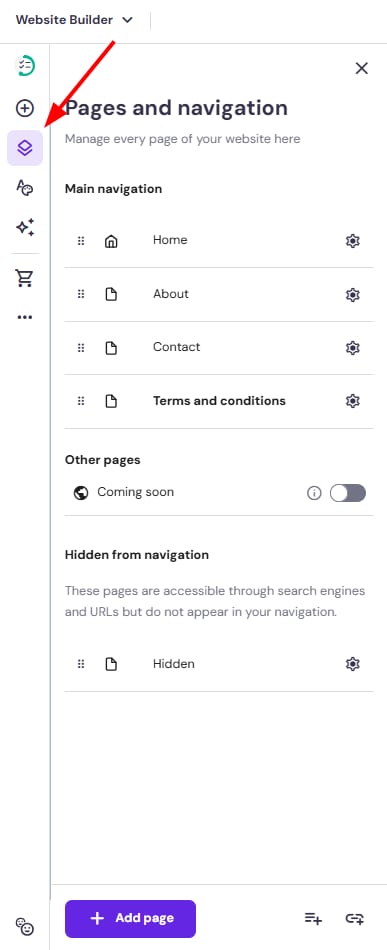
Hostinger Website Builder Pages and navigation panel, with the Pages icon highlighted in the left toolbar
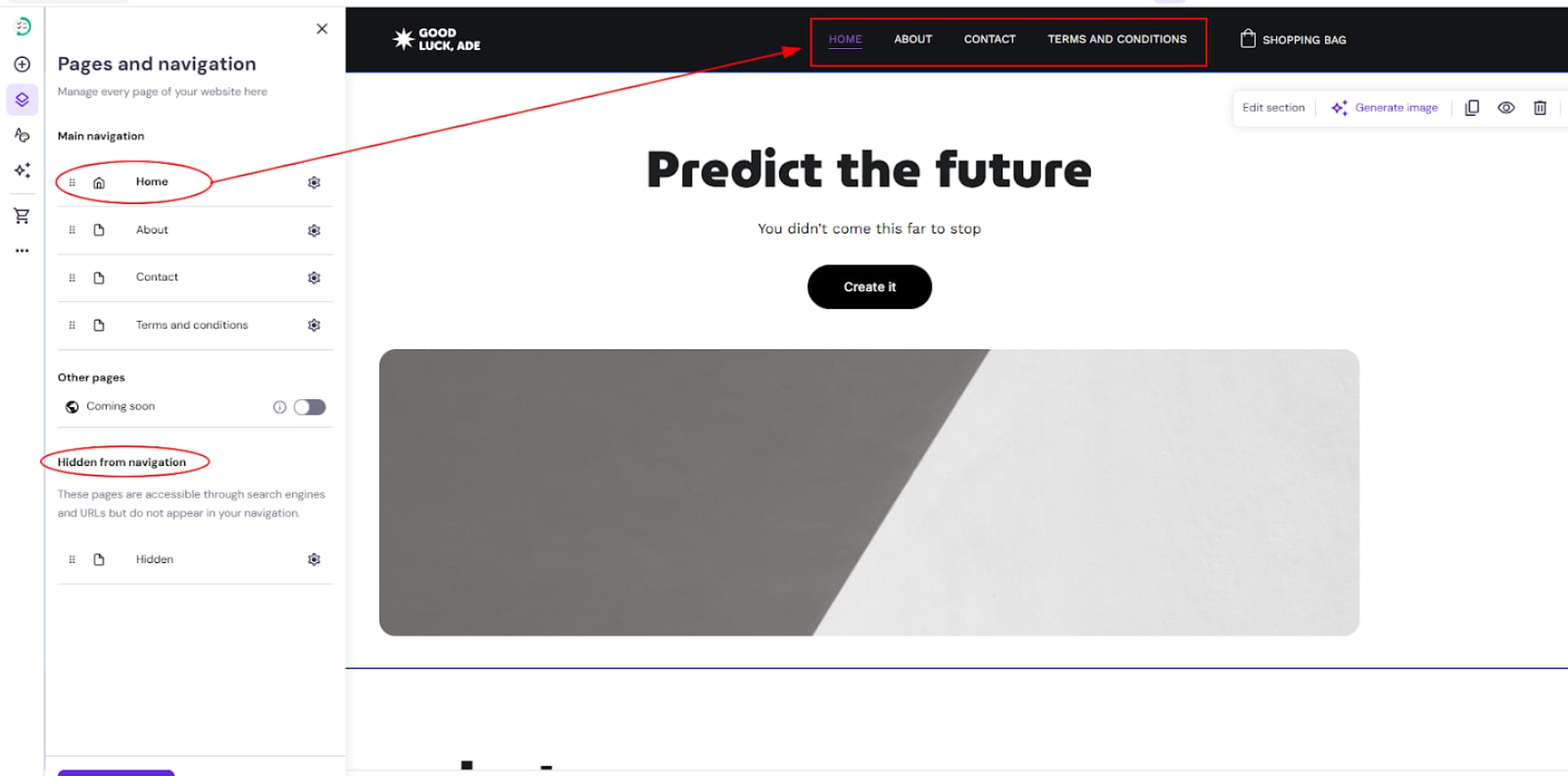
Hostinger Website Builder navigation menu with Home selected and highlighted on the top menu bar
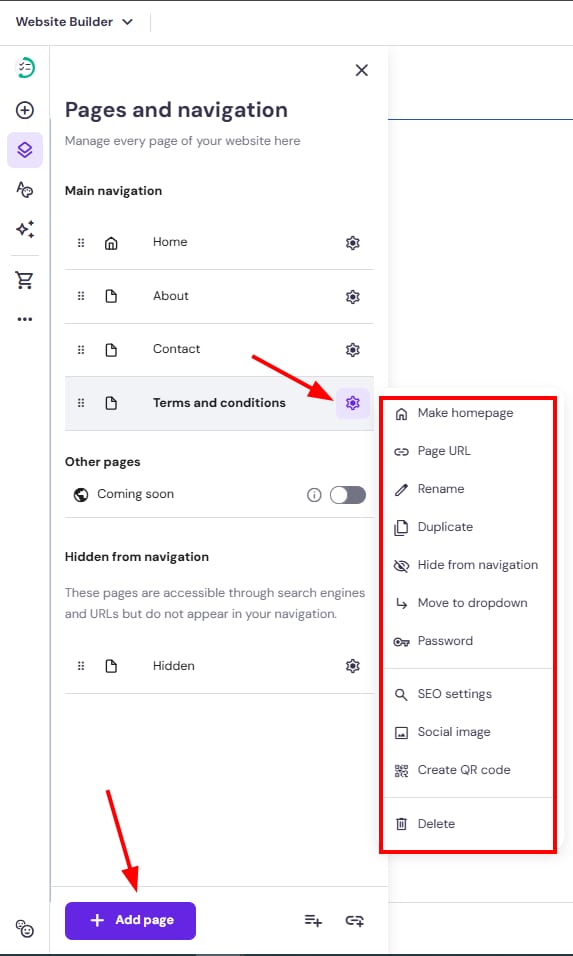
Hostinger Website Builder pages and navigation panel with the Add page button and page settings menu open

在 Hostinger 建站工具中创建和管理网站的导航菜单。

Hostinger 建站工具 中,你所有的网站页面都从左侧的 页面与导航(Pages and navigation) 面板管理:

主导航(Main navigation) 下的页面显示在网站的菜单栏中,而 从导航隐藏(Hidden from navigation) 下的页面不会在那里显示:

页面与导航(Pages and navigation) 面板中,你可以进行以下操作:

* 从导航菜单隐藏的页面 仍可通过其 URL 公开访问,并会出现在搜索引擎中;你可以在 SEO 设置中 对搜索引擎隐藏页面

了解更多:

  • 如何自定义导航菜单的样式

来源:Hostinger 官方帮助文档