Hostinger 为所有主机套餐提供每周备份,并为 Business 及以上套餐提供每日备份。

为 Web Single 和 Premium 启用每日备份
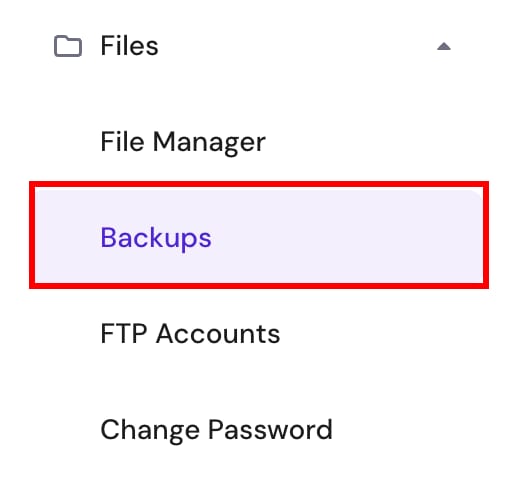
Hostinger hPanel Files menu with Backups option selected

如果你使用的是 Web Single 或 Premium 套餐,并希望拥有每日备份,可轻松购买该功能。进入 网站(Websites)→ 面板(Dashboard),点击左侧 文件(Files)菜单下的 备份(Backups):

接着点击“添加每日备份(Add Daily Backups)”按钮,选择时长和支付方式即可。你的套餐将开始生成每日备份。这些备份与主机的存储空间分开保存,不占用你的磁盘配额。

每日备份会保存最近 7 天,之后自动删除。不支持手动删除。

或者,你可升级主机套餐到 Business Web Hosting 或更高版本以获得每日备份。

为 VPS 启用每日备份
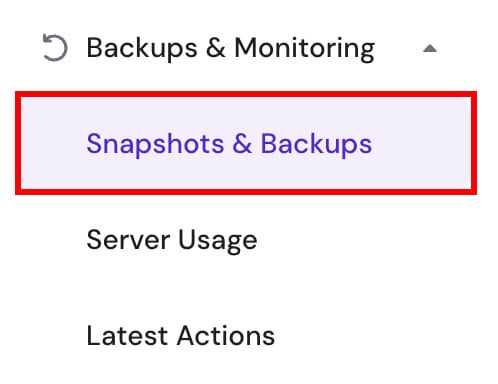
Hostinger VPS menu highlighting Snapshots & Backups under Backups & Monitoring
VPS Snapshots & Backups page showing upgrade to automated daily backups banner with Upgrade button and US$6.00/mo price
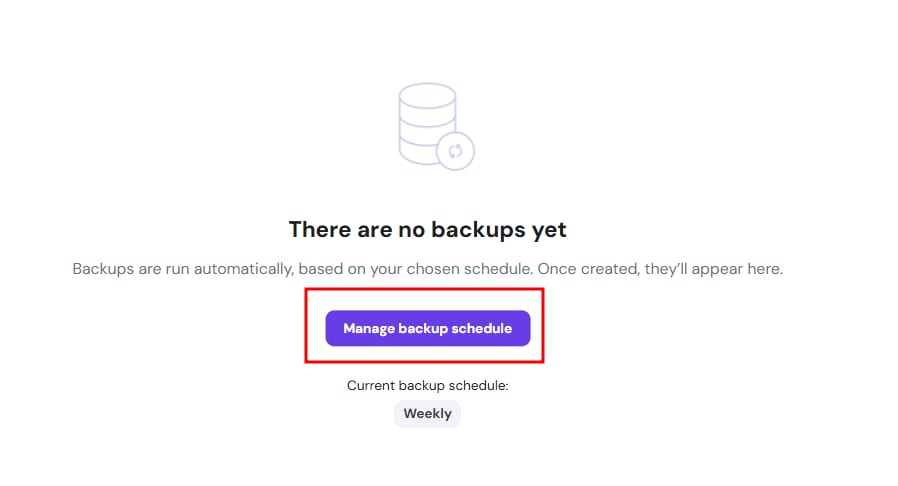
Backup schedule page with highlighted Manage backup schedule button and current weekly backup schedule

要为 VPS 启用每日备份,进入 hPanel 的 VPS 部分,选择对应服务器,在左侧 备份与监控(Backups & Monitoring)菜单下点击 快照与备份(Snapshots & Backups):

点击“每日备份(Daily Backups)”下的“升级(Upgrade)”,或点击“在此管理备份计划(Manage backup schedule here)”,选择时长和支付方式即可。VPS 将开始保存每日备份,这些备份与主机存储空间分开,不占用磁盘配额。

VPS 每日备份保存最近 2 次每日备份和最近 2 次每周备份,之后自动删除。不支持手动删除 VPS 每日备份。

来源:Hostinger 官方帮助文档