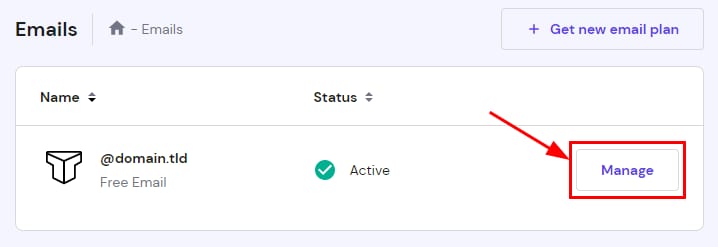
Titan Email accounts page showing the highlighted Manage button for a free email account
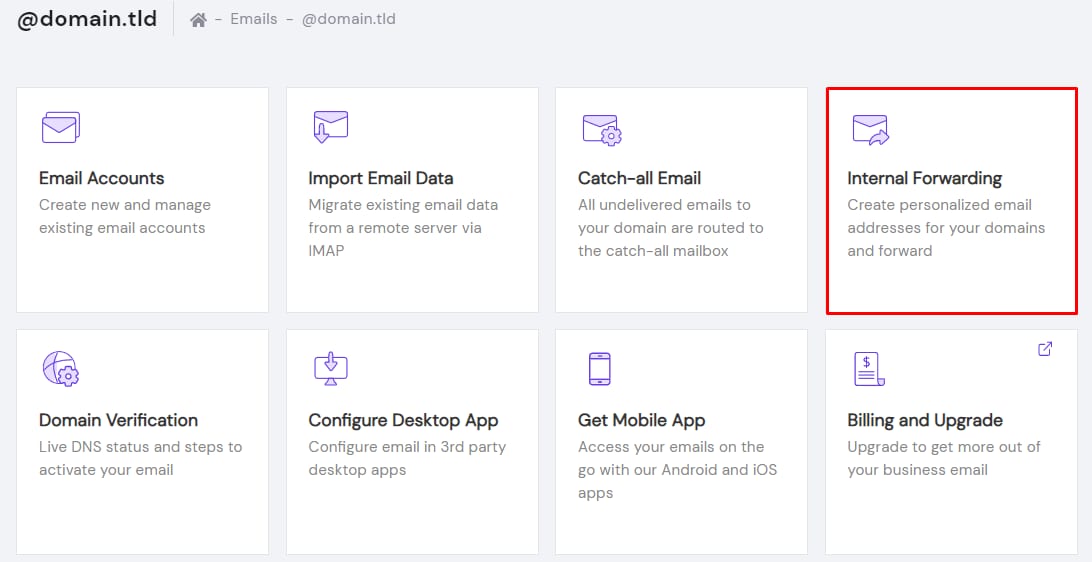
Hostinger Titan Email dashboard with Internal Forwarding card highlighted
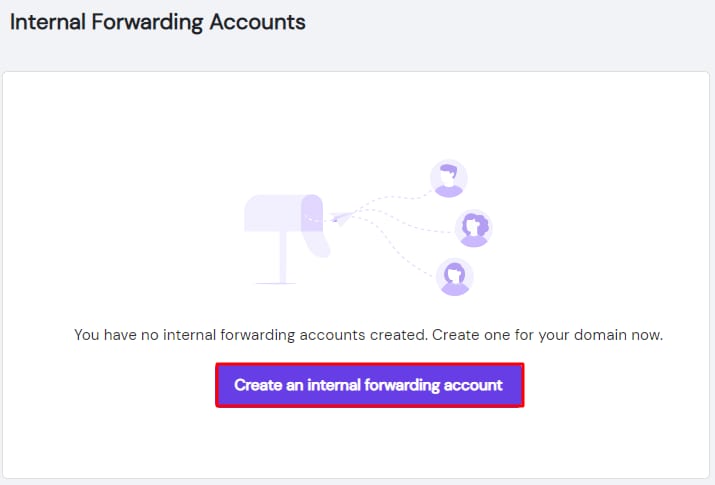
Titan Email internal forwarding accounts page with the Create an internal forwarding account button highlighted
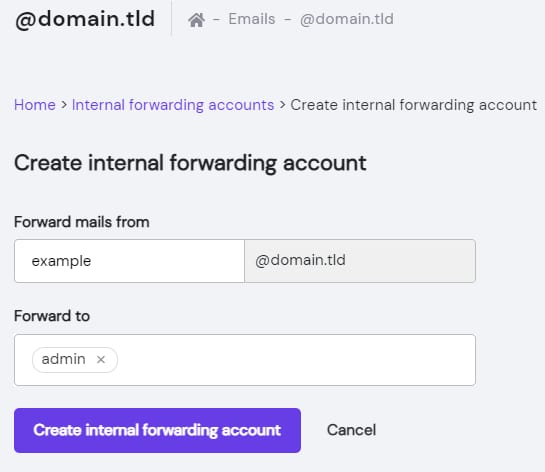
Titan Email create internal forwarding account form with forward-from and forward-to fields
使用 Titan 邮件创建内部转发器。

内部转发器是将邮件从一个邮箱地址转发到另一个邮箱地址的好方法。

要使用 Titan 邮件创建内部转发器,请进入 邮件(Emails) 部分,点击对应域名旁边的 管理(Manage)

然后,点击 内部转发(Internal Forwarding)

选择 创建内部转发账户(Create an internal forwarding account)

现在,指定 来源(FROM) 地址,并选择你现有的一个邮箱作为 目标(TO) 转发地址。最后,点击 创建内部转发账户(Create internal forwarding account)

现在你已经知道如何在 Hostinger 使用 Titan 邮件创建内部转发器了 😊

来源:Hostinger 官方帮助文档