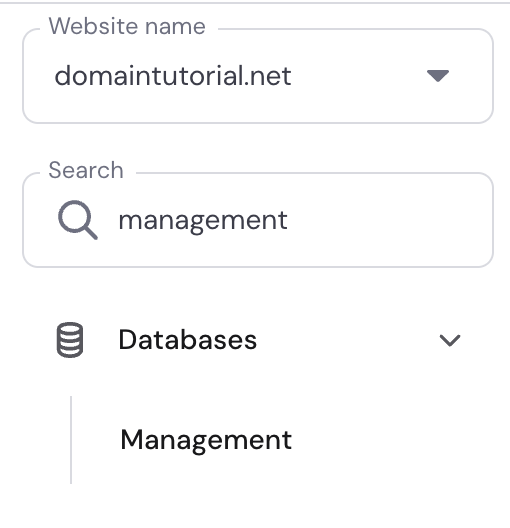
Hosting control panel with website selector and search showing Databases > Management
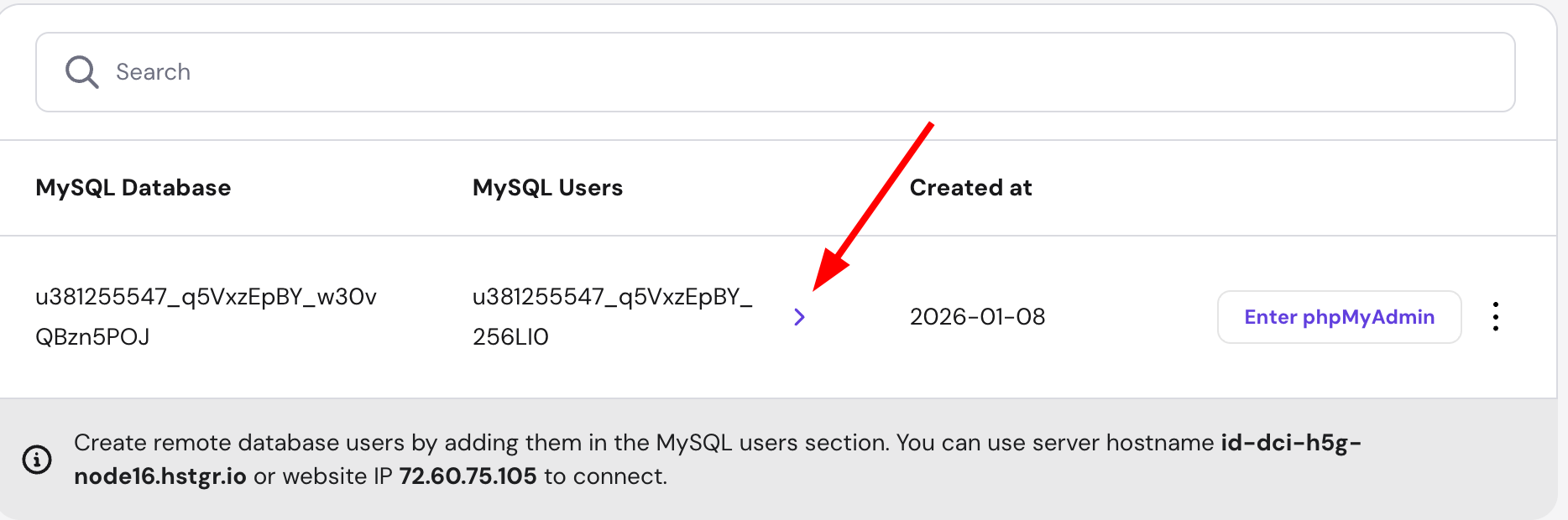
MySQL Database table with a highlighted expand chevron beside the database row
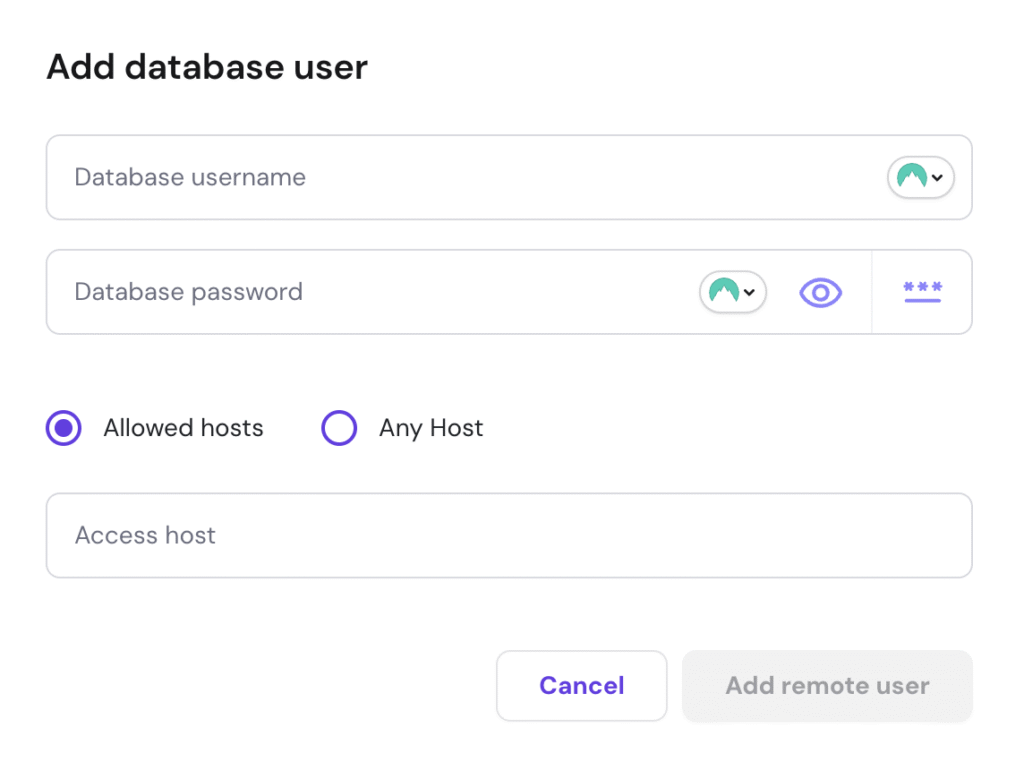
Add database user form with allowed hosts selected and Add remote user disabled
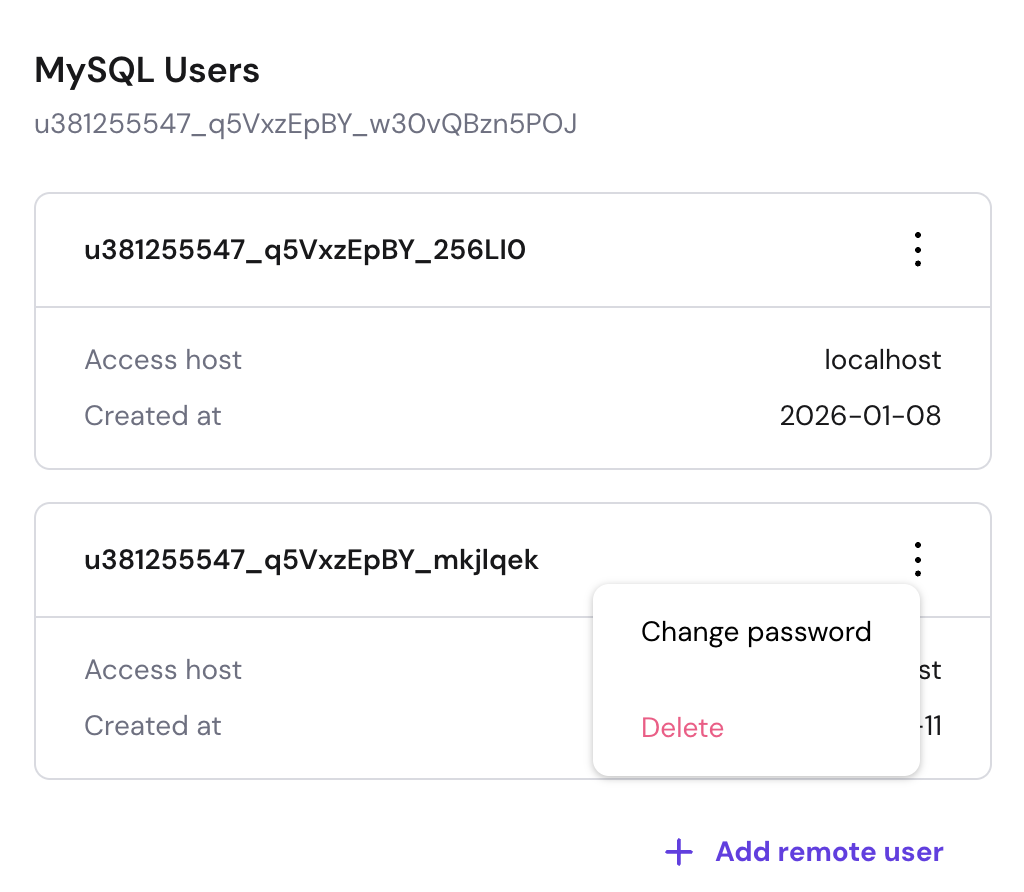
MySQL Users page with a user menu open showing Change password and Delete options

Remote MySQL(远程 MySQL) 功能允许远程主机(服务器)管理您的数据库。要进行设置,首先需要将所需的远程 IP 加入允许连接您数据库的白名单。

方法是进入 WebsitesDashboard(仪表盘),在左侧边栏的 Database(数据库) 下找到 Management(管理) 并点击:

在那里,您可以选择添加一个新 MySQL 用户:

然后您可以填写所需信息:

  • Database username(数据库用户名)
  • Database password(数据库密码)
  • IP(IPv4 或 IPv6) —— 发起远程连接的 IP 地址
  • Any host(任意主机) —— 勾选此复选框可允许来自任意 IP 的连接。这会在 IP 字段中添加一个 % 符号
  • 一切就绪后,点击 “Add remote user(添加远程用户)”

创建远程访问后,您就可以对其进行管理了。

就这样!现在您已经知道如何在 Agency 套餐中设置并管理数据库的远程访问 😊

来源:Hostinger 官方帮助文档