静态前端应用(static front-end application) 是由预先构建的文件组成的 Web 应用,这些文件直接提供给用户,无需服务器端处理或数据库。此选项在所有的 Agency 套餐 上都可用!我们一步步来看。

支持的框架包括 Vite、Vue CLI、Parcel,以及 React(通过 Vite)💡

开始使用

第 1 步:添加新网站

在您的托管面板中点击 Add Website(添加网站)按钮。

第 2 步:选择静态前端应用
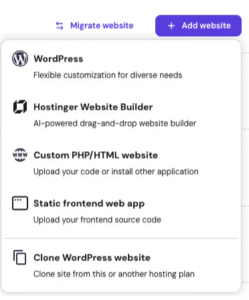
Hostinger dashboard add website menu with Static frontend web app option highlighted

在网站类型选项中,选择 Static front-end application(静态前端应用)。

第 3 步:选择您的域名

Domain name input field under the prompt to choose a domain or subdomain

选择要托管应用的域名。

第 4 步:上传源文件

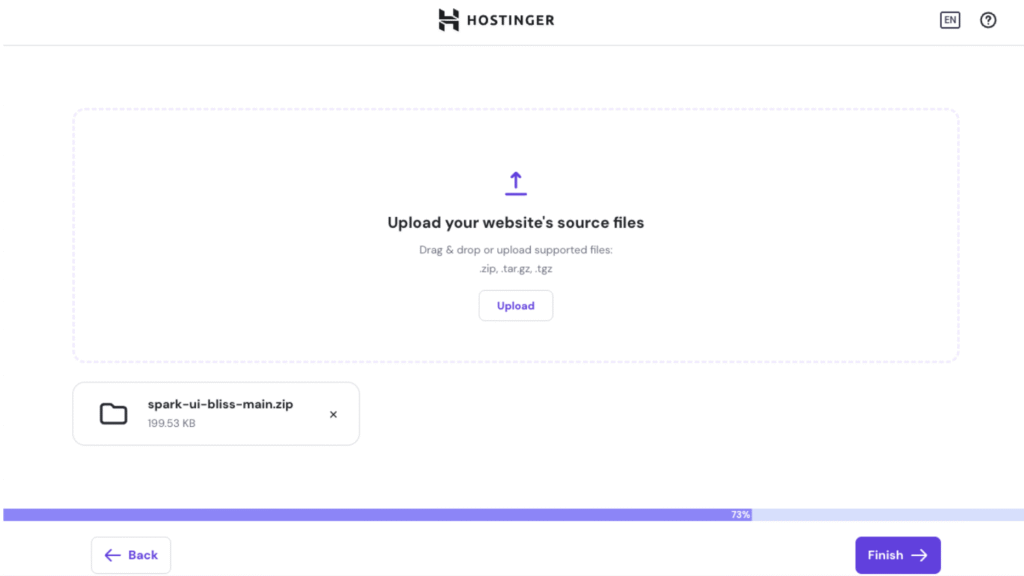
点击文件上传器并选择您的源文件压缩包。请确保压缩包包含:

  • 所有源代码文件
  • 包含依赖项的 package.json
  • .env 文件(如果您的应用使用环境变量)

第 5 步:完成设置

Hostinger upload screen with Finish button and uploaded static site ZIP file

点击 Finish(完成)以完成设置。您的应用会被自动准备并部署到您的域名上。

更新您的应用
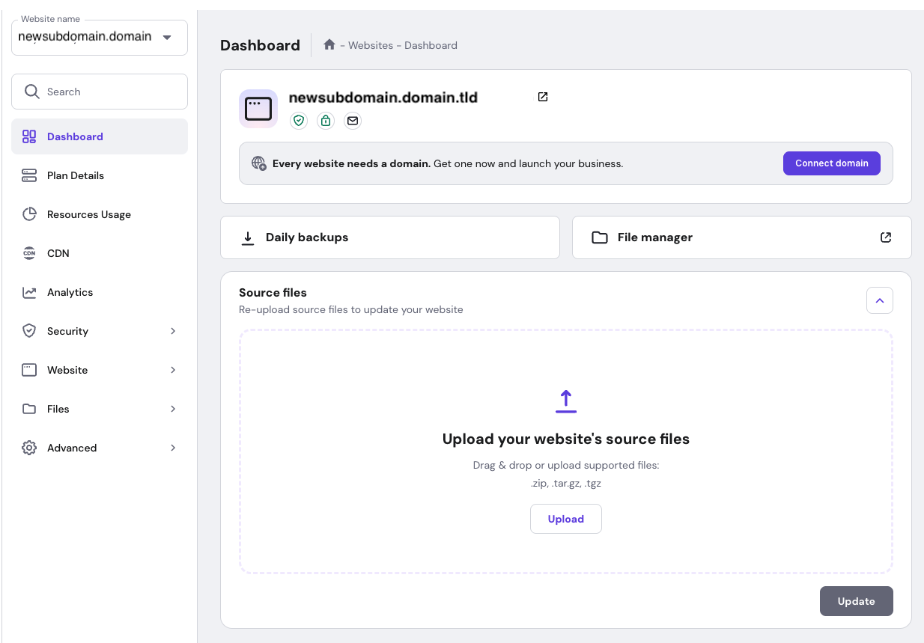
Website dashboard with highlighted source files upload area and Upload button

需要部署对应用的更改?很简单:

  1. 将更新后的源文件打包成压缩包
  2. 在托管面板中进入您的网站
  3. 使用文件上传器上传新的压缩包
  4. 点击 Update(更新)

您的应用会用最新更改重新构建并部署到您的域名上。

上传后会发生什么?

一旦您上传文件并点击 finish(完成)或 update(更新):

  1. 您的应用会自动构建
  2. 构建后的文件会部署到您的域名
  3. 您的网站正式上线并可访问

来源:Hostinger 官方帮助文档