目标: 将邮件数据从一个 cPanel 账户转移到另一个 cPanel 账户,确保所有邮箱、设置和邮件都保持完整。

📌 适用范围: 在 cPanel 主机账户之间转移邮件数据的用户。

注意: 这是一种手动方法,只能由用户自行操作。

开始前的准备

第 1 步 – 在源 cPanel 中准备备份

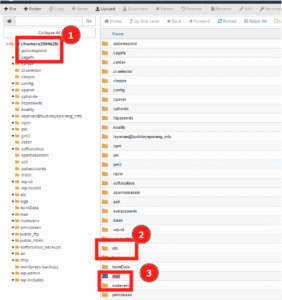
Hostinger cPanel File Manager showing home directory and mail folder highlighted
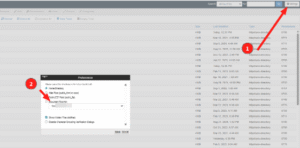
cPanel File Manager with a save dialog open, highlighting the text field for the backup file name
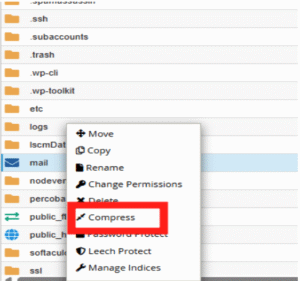
cPanel File Manager context menu with Compress option highlighted
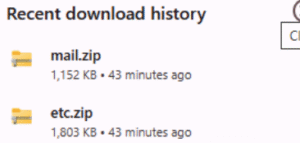
Download history showing mail.zip as the highlighted file in the list
  1. 在源 cPanel 账户中 访问文件管理器
  2. 进入根目录:
/home/your-username/
  1. 找到 mailetc 文件夹。💡 如果看不到它们,点击 Settings 按钮(右上角)并启用 Show Hidden Files (dotfiles)
  2. 右键点击每个文件夹 → Compress → 选择 Zip Archive → 确认压缩。先压缩 mail,再压缩 etc
  3. 右键点击每个 .zip 文件并将其下载到你的电脑。

第 2 步 – 在目标 cPanel 中恢复备份
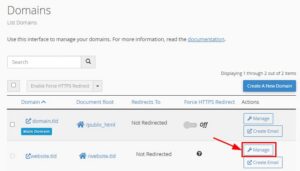
cPanel Domains page with the second domain’s Manage button highlighted
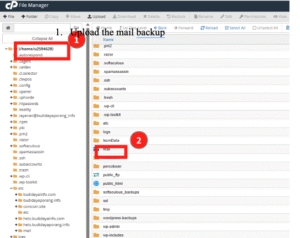
cPanel File Manager showing home directory and highlighted mail folder for email backup upload
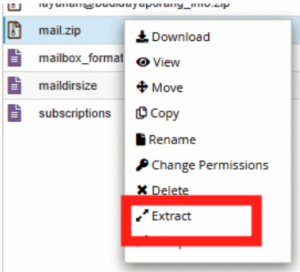
cPanel File Manager context menu with Extract option highlighted
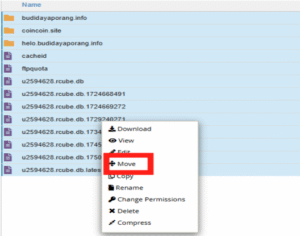
cPanel file manager context menu with Move option highlighted
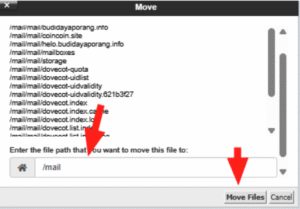
cPanel Move dialog with /mail path selected and Move Files button highlighted
  1. 在目标 cPanel 中,确保你的域名已添加(可在 Domains 板块下检查)。
  2. 打开 文件管理器 并进入:
/home/your-username/

(可选)如果 mailetc 文件夹已存在,且你想覆盖它们,请将它们重命名为 mail-OFFetc-OFF 作为备份。
3. 将 etc.zipmail.zip 上传到文件管理器。
4. 解压 mail.zipetc.zip 两个文件。
5. 如果文件夹结构看起来像 /etc/etc/mail/mail,请将内容移动到正确的根级文件夹:/home/your-username/mail/home/your-username/etc
6. 删除现在为空的 etcmail 文件夹。

第 3 步 – 确认迁移成功

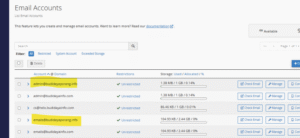
cPanel Email Accounts list with admin@budidayaporang.info and emails@budidayaporang.info highlighted
  1. 进入目标 cPanel 的 Email Accounts
  2. 你应该能看到列出的邮箱地址。尝试通过 Webmail 登录其中一个,以验证邮件数据可访问。

来源:Hostinger 官方帮助文档