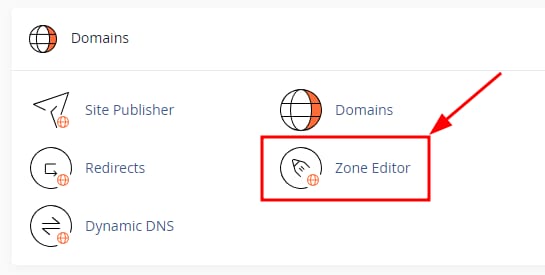
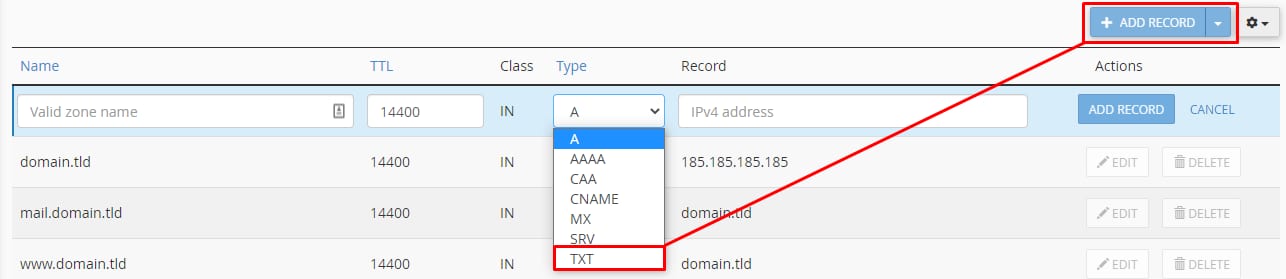
cPanel Domains section with Zone Editor highlightedcPanel DNS zone actions with the Manage button highlighted for domain.tldcPanel DNS records page with TXT selected in the Type dropdown and Add Record button highlightedcPanel TXT record list showing domain.tld SPF TXT entry with Edit and Delete actions
在 cPanel 上添加新 TXT 记录并管理已创建的 TXT 记录
你可以轻松管理 TXT 记录:登录 cPanel 并进入 Domains → Zone Editor:
要创建 TXT 记录,点击域名旁的 Manage:
接着,点击 Add record 选项并选择 TXT 记录类型:
输入所需的记录值并保存更改。更改后,请预留最多 24 小时让 DNS 传播 完成,届时你的 TXT 记录将完全生效。