如果您手动安装了 WordPress,或使用 Custom PHP 迁移了站点,现在就可以直接从 hPanel 仪表盘解锁强大的 WordPress 管理功能。

将网站类型改为 “WordPress” 后,您将获得:

  • 通过 LiteSpeed 与 Object Cache 集成实现更快的站点性能
  • WordPress 专属特性,如用于无缝更新的维护模式
  • 通过托管的 WordPress 核心文件实现更强的安全性

要求

  • WordPress 版本 6.2 或更高
  • 网站可正常运行

步骤

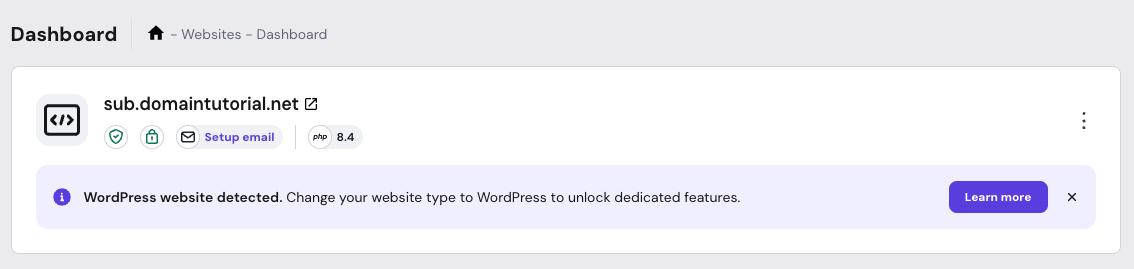
WordPress website detected notice with Learn more button on hosting dashboard
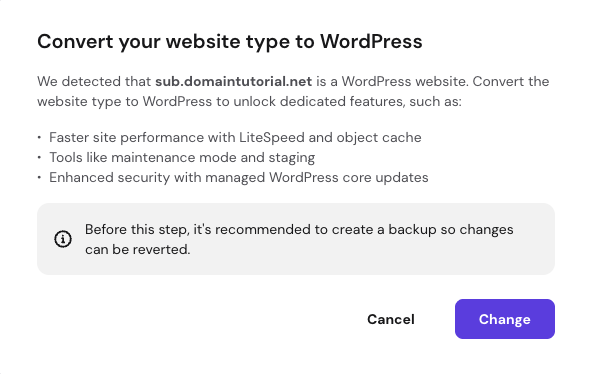
Popup: Convert website type to WordPress with backup notice and Cancel, Change buttons
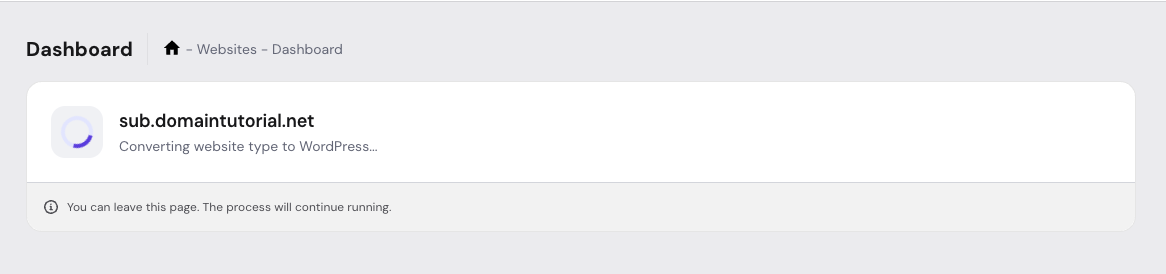
Website dashboard showing conversion of sub.domaintutorial.net to WordPress in progress
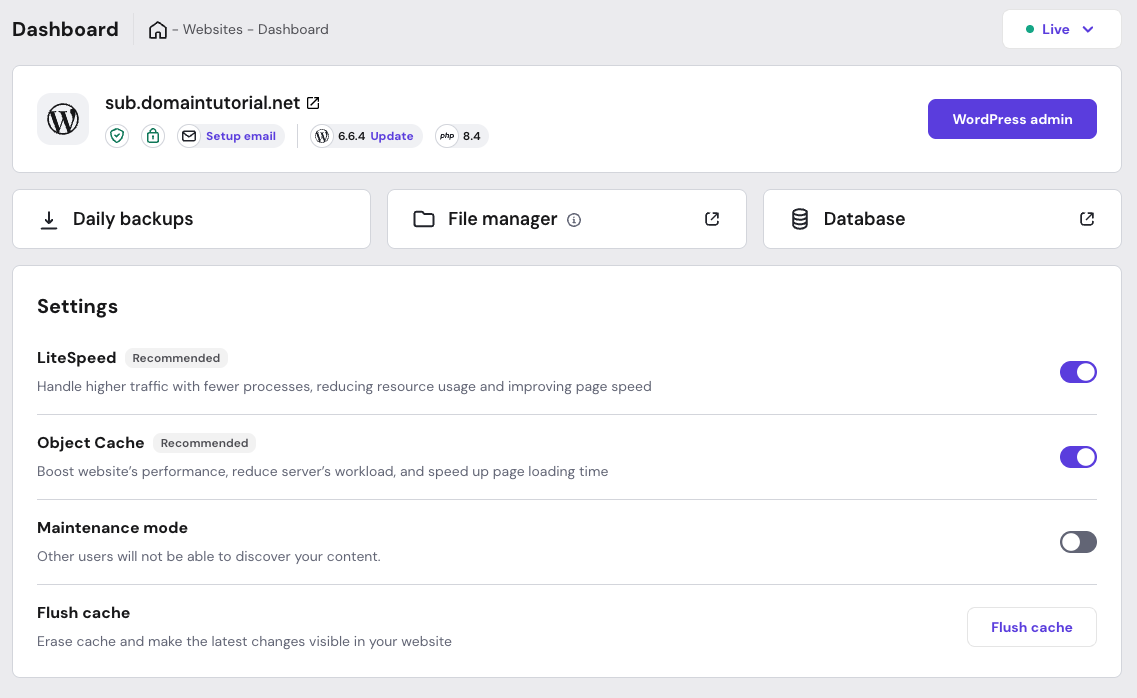
Websites dashboard for WordPress site with settings and cache toggles, flush cache button

第 1 步 —— 当 hPanel 在您的 Custom PHP 站点上检测到 WordPress 安装时,网站仪表盘顶部会出现一条提示栏:

第 2 步 —— 点击 Learn More(了解更多) 按钮以继续转换。

第 3 步 —— 会弹出一个窗口,要求您确认转换。查看信息后,点击 Change(更改)

第 4 步 —— 等待过程完成。

转换期间您可以安全离开页面——过程将在后台继续。

第 5 步 —— 转换完成后,您就可以直接从 hPanel 仪表盘管理 WordPress 网站,无需重新上传文件或做额外修改!

注意:

  • 转换期间,您的网站不受影响(无停机时间)。
  • 转换目前为单向操作。

如果在转换过程中遇到任何问题,请随时通过在线客服联系我们的 Customer Success(客户成功)团队。

来源:Hostinger 官方帮助文档